
Welcome to the new era of Instagram, where the old hashtag rulebook has been tossed out the window. If you're wondering how to hashtag on Instagram today, the secret isn't about quantity anymore; it's about surgical precision. A handful of hyper-relevant hashtags will now do more for you than a wall of generic ones ever did.
The New Rules of Instagram Hashtags

Still copying and pasting that same block of 30 hashtags on every post? It's time for a major rethink. That 'more is more' approach is officially a relic of the past. Instagram's algorithm has gotten a lot smarter, and it’s no longer impressed by a spray-and-pray hashtag strategy.
Instead, the platform is now looking for genuine engagement signals. These have become the new currency on Instagram, and they tell the algorithm your content is actually good.
- Saves: Are people bookmarking your post to come back to later? That's a huge green flag.
- Shares: Is your content compelling enough for someone to send to a friend or blast out on their own Story?
- Watch Time: How long are people really sticking around for your Reels or swiping through your carousels?
- Comments: Are you actually starting a conversation in the comments section?
These are the metrics that scream "value" to Instagram, and they carry way more weight than a long list of hashtags ever will.
From Quantity to Quality
For years, we were all told the same thing: to maximize reach, use as many hashtags as you can, somewhere between 10 and 30 per post. But things have changed. A lot. Recent analysis has revealed something that feels almost revolutionary: posts with hashtags in the caption no longer get a statistically significant boost in reach or engagement.
That’s a massive turning point. You can dig into the latest hashtag statistics to see for yourself how the game has evolved, but the bottom line is clear. It's time to stop stuffing your captions and start carefully selecting a small, potent group of tags that perfectly capture your content and speak directly to your audience.
Key Takeaway: Stop trying to be seen by everyone. The new goal is to be seen by the right people—the ones who will actually save, share, and comment.
Your Secret Weapon for the New Era
Trying to navigate this new landscape can feel like a guessing game. How do you pick just a few winning hashtags? It's like trying to find a needle in a haystack, which is why having the right tool is such a game-changer. An AI-powered content strategist is no longer a luxury; it's a necessity.
For creators ready to adapt, the Trendy iOS application is your ace in the hole. Instead of leaving you to throw spaghetti at the wall, Trendy analyzes your profile and content to give you AI-powered hashtag suggestions that are already aligned with these new rules. Its smart features, like the AI Content Idea Generator, ensure you're never out of inspiration, while the Best Time to Post feature helps you maximize visibility. It helps you uncover those ultra-relevant, high-impact tags that connect with your ideal audience, setting you up for success right from the start.
Finding Your Perfect Hashtag Recipe
Think of your hashtags like a killer recipe. You can’t just throw a bunch of random ingredients in a bowl and expect a masterpiece. Tossing #love, #instagood, and #art on every post is the social media equivalent of mixing ketchup, cinnamon, and pickles—it just doesn't work.
To really get noticed on Instagram, you need a balanced, strategic mix. The secret isn't just about finding popular tags; it's about blending different types of hashtags to reach different audiences, from the super-niche to the broadly curious. This is what separates posts that disappear in minutes from those that find a real, engaged audience.
The Five Essential Instagram Hashtag Types
So, how do you build that perfect blend? It starts with understanding the main "food groups" of the hashtag world. I've found that nearly every successful strategy pulls from these five core categories. Each one plays a totally different role in getting your content seen by the right people.
Here’s a quick look at the types you need to have in your arsenal.
| Hashtag Type | Purpose | Example Scenario |
| Branded | Creates your own unique, searchable hub for your content and UGC. | A boutique fitness studio uses #SweatWithStudioX on all their posts and encourages members to use it too. |
| Community | Taps you into an existing group of passionate, like-minded people. | A travel blogger exploring Italy might use #ItalianRoamers to connect with fellow travelers and locals. |
| Campaign | Generates buzz around a specific launch, event, or promotion. | A skincare brand launches a new product with a #GlowUpChallenge2024 to track entries and excitement. |
| Niche | Narrows your focus to attract a highly specific and engaged audience. | Instead of just #Dogs, a groomer for a specific breed would use #GoldenDoodleGrooming. |
| Trending | Gives you a temporary visibility boost by jumping on a relevant, timely conversation. | A local bakery posts a special donut for #NationalDonutDay, catching the wave of people searching the tag. |
Mixing and matching from this table is the foundation of a strategy that actually gets results. You're covering all your bases—building your brand, joining conversations, and attracting the exact people who will love what you do.
Building Your Hashtag Pyramid
A simple way I like to think about this mix is as a "Hashtag Pyramid." It’s a great visual for balancing broad reach with laser-focused targeting.
The base of your pyramid is made of larger, popular community hashtags. These are your foundation for general discovery. The middle is where you get more specific with your niche tags. And right at the very top, you have your unique branded or campaign hashtag.
Let's see it in action for our local coffee shop:
- Top (Branded):
#MorningGrindCafe - Middle (Niche):
#SpecialtyCoffeePhilly,#LatteArtLovers - Base (Community):
#PhillyFoodie,#CoffeeShopVibes
See how that works? You’re casting a wide net with #PhillyFoodie but also speaking directly to the serious coffee nerds with #SpecialtyCoffeePhilly. This structure ensures you're not just screaming into the void; you're reaching the right people at every level.
Let's be real—manually researching and balancing this perfect ratio for every single post can feel like a full-time job. This is where a smart tool can be a game-changer. The Trendy iOS app takes the grunt work out of it. Its AI Hashtag Generator analyzes your content and audience to automatically generate an ideal mix of these hashtag types, nailing that sweet spot between broad discovery and niche engagement so you can focus on creating great content instead of getting lost in research.
How to Nail Hashtags on Posts, Stories, and Reels
If you think you can just copy and paste the same block of hashtags across every single thing you post on Instagram, I’ve got bad news for you. That’s a one-way ticket to the content graveyard. To really get how hashtags work on Instagram, you have to get that what crushes it on a grid post will fall flat on a Reel, and what works for a Reel is totally pointless in a Story.
Think of it this way: each format is its own little game with its own set of rules.
To get our heads in the right space, let's start with a solid foundation. This little diagram is a great way to visualize a balanced strategy.
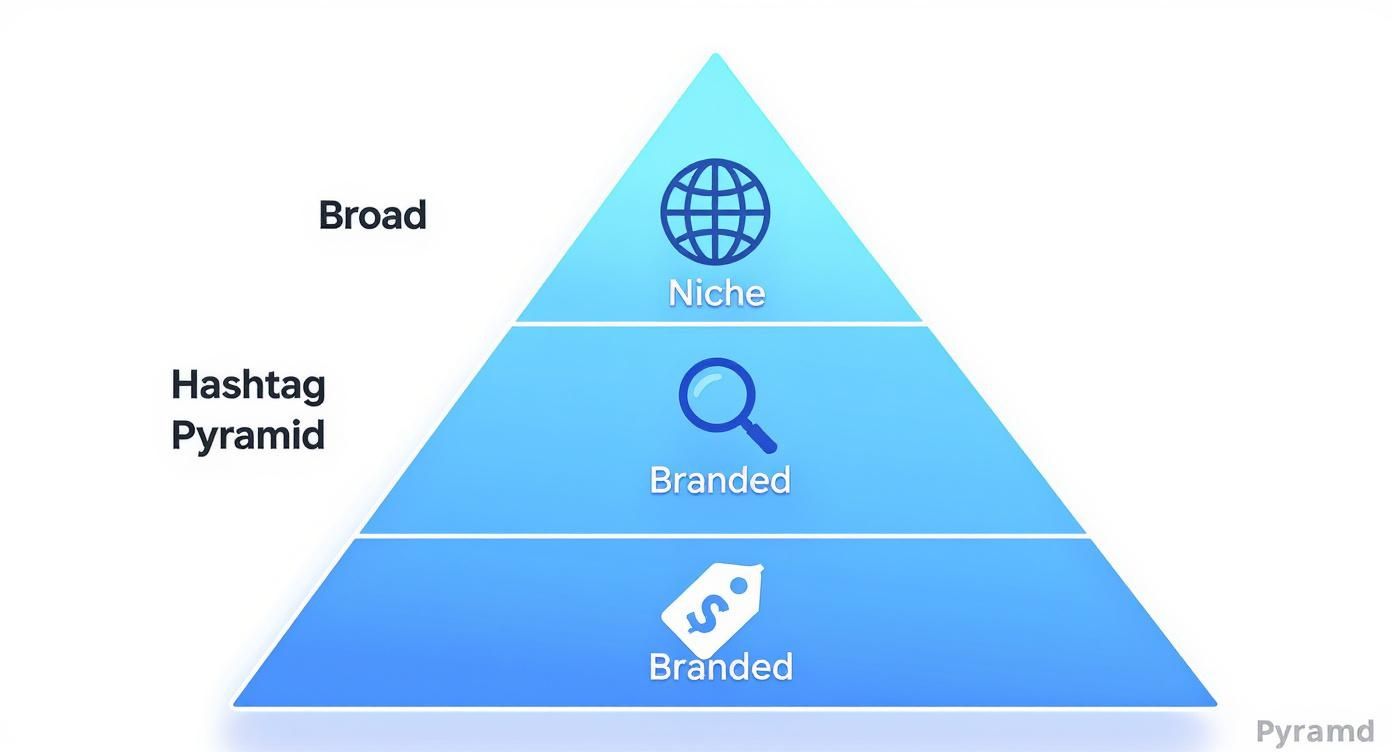
The Hashtag Pyramid shows how to start broad to get discovered, then narrow your focus with niche and branded tags to pull in the right kind of people—the ones who will actually stick around.
Now, let's break this down for each format.
Your Hashtag Game Plan for Instagram Reels
Reels are all about discovery. Your hashtags are the rocket fuel. The entire point here is to jump on what’s already buzzing and get your content in front of fresh eyes.
- The Ultimate Power Combo: The real magic happens when you pair a trending audio clip with hashtags that are relevant to both the sound and your content. For instance, if everyone's using a specific audio for home renovation reveals, jump on it and use tags like
#homerenovationideasand#DIYprojects. - Get Super Niche: Stick to just 3-5 highly specific hashtags that perfectly describe what’s happening in your video. If you're a baker, ditch the ridiculously broad
#bakingand get specific with something like#sourdoughscoringor#cakedecoratingvideos. The more niche, the better.
If you're stuck on what to create, checking out some popular Instagram Reel ideas is a great way to see how other creators are brilliantly pairing their visuals with powerful tags.
Your Hashtag Game Plan for Instagram Stories
Stories are here today, gone tomorrow. So your hashtag strategy needs to be immediate and interactive. Forget about trying to cram a dozen tiny, hidden tags into the corner. That’s not the goal here. The name of the game is context and engagement, not broad discovery.
Your best friend is the interactive hashtag sticker. Slap that baby on your Story, and it instantly makes your content visible on that hashtag’s public page. It’s perfect for things like local events (#AustinFleaMarket) or big community moments (#GlobalRunningDay). Don’t hide it—you want people to tap it!
And hey, if you want to get ahead, you can even learn how to schedule Instagram Stories to keep your content flowing.
A single, bold, visible hashtag sticker on a Story will do more for you than ten hidden ones ever could. It practically begs to be clicked and tells the algorithm exactly what your time-sensitive content is all about.
Your Hashtag Game Plan for Feed Posts
Ah, the great debate. Should you put your hashtags in the caption or the first comment? Let's settle this. Instagram themselves have confirmed that the algorithm doesn't care—it treats them the same.
However, from personal experience, putting them directly in the caption gets them indexed instantly with your post. Sure, stuffing them in the first comment gives you a cleaner-looking caption, but there can be a slight delay.
My go-to method? Place a curated list of 5-8 hashtags at the very bottom of your caption. Just hit "Enter" a few times to create some space, and you get a clean look without sacrificing that instant indexing speed.
Trying to keep track of which hashtags work best for a post versus a Reel can feel like a full-time job. That's honestly where the Trendy iOS app becomes a lifesaver. It gives you format-specific recommendations, telling you if #foodiegram is a winner for your carousel post or if a totally different set of tags would kill it on a Reel. Its AI Content Idea Generator and Trend Prediction tools help you create engaging content perfectly suited for each format, taking out all the guesswork.
Finding Hashtags That Actually Drive Growth
https://www.youtube.com/embed/R1lmX3Ypa1k
So, you've been flinging hashtags at the wall, just hoping something sticks, right? Let's stop that. It's time to get a little more strategic—think of yourself as a hashtag detective. The goal isn't just to find popular tags; it's to find the right tags for the people you actually want to reach.
A fantastic place to start is with some good old-fashioned (and totally ethical) snooping. Check out your competitors or your favorite creators in your niche. Which of their posts are blowing up with real comments and saves? Take a peek at the hashtags they’re using. You’ll often uncover these buzzing little niche communities you never even knew existed.
Digging for Niche Gold
The real magic happens when you get specific. Forget the giant, oversaturated hashtags for a moment. If you're a baker, #baking is a drop in the ocean. But what about #SourdoughBakersOfIG or #HomeBakingAdventures? Now you're talking.
Think of these niche tags as digital clubhouses. They're where your people are already gathered, actively looking for cool stuff just like yours. Tapping into these is how you build a real, loyal following, not just a bunch of random likes.
While a killer hashtag strategy is a must, it works best when it's part of a bigger plan. To really get your account moving, it pays to look into tips for improving overall social media engagement so all your efforts work together.
Let AI Do the Heavy Lifting
Okay, let's be real: all that manual research can feel like a full-time job. Brainstorming fresh tags for every single post, keeping tabs on competitors, and tracking what's working? It’s draining.
This is where a little tech backup becomes your best friend. Instead of spending hours down a rabbit hole of hashtag research, the Trendy iOS app can do the grunt work for you. Its smart AI Hashtag Generator looks at your profile and content, then spits out curated lists of high-performing hashtags that are actually relevant to you. Plus, its Profile Analysis feature provides a deep dive into your audience, helping you align your entire strategy.
It’s a complete game-changer, turning hours of frustrating guesswork into a reliable growth engine. You get a data-backed strategy that aligns perfectly with what your audience wants to see.
Don't forget the global picture, either. Instagram has over 2 billion active users, and more than 60% of them are under 35. This crowd lives and breathes hashtags, especially in places like Southern Asia and Southern America. Grasping this helps you see just how powerful the right tags are for connecting with a massive, tuned-in audience. You can dive deeper into Instagram's user base and hashtag habits on recurpost.com.
Ultimately, the sweet spot is a blend of your own smart research and some AI-powered help. Learn how to find trending hashtags on Instagram by mixing these methods, and you'll build a strategy that actually works—connecting you with the right followers, post after post.
Time to Play Detective: Analyzing Your Hashtag Performance
Are you just throwing hashtags at the wall and hoping something sticks? That’s like shouting into the void—you’re making noise, but you have no clue who’s actually listening. To get real growth on Instagram, you need to stop guessing and start measuring. It's time to put on your data detective hat.
Your first clue is right inside the Instagram app. If you have a professional or creator account, just tap "View Insights" on any post. A quick scroll down reveals a goldmine: the breakdown of your impressions. The metric you're looking for is "From Hashtags." This little number is your first big hint, telling you exactly how many eyeballs your tags brought to your content.

Going Beyond Instagram's Basic Clues
Instagram Insights is a great starting point, but let’s be real—it's like seeing the final score of a game without watching the highlight reel. It tells you the total reach from hashtags but doesn't name your MVP. Which specific tags were your star players, and which ones were just warming the bench?
This is where you bring in the heavy hitters. To truly pinpoint your 'hero' tags—the ones consistently knocking it out of the park—you need to level up your toolkit. Advanced analytics tools are what separate the amateurs from the pros, cutting through the noise to show you what’s actually working.
Pro Tip: Reach is cool, but engagement is king. Don't just track views. A truly valuable hashtag drives the good stuff: the saves, shares, and comments that the Instagram algorithm absolutely devours.
For a much deeper dive, the Trendy iOS app gives you the kind of powerful analytics that Instagram’s native tools can only dream of. Its Post Analytics feature lets you monitor how individual hashtags perform over time, helping you build a curated library of proven winners you can rely on again and again.
This isn't just about adding more; it's about being smarter. By tracking these metrics, you can confidently spot and ditch the underperforming tags that are just taking up valuable real estate in your caption.
Building Your Data-Driven Hashtag Playbook
This is how you turn hashtagging from a guessing game into a repeatable science. You're creating a feedback loop where every post makes the next one smarter.
- Find Your All-Stars: Dig in and identify the top 5-10 hashtags that consistently bring the most impressions and engagement to your posts.
- Cut the Dead Weight: See which tags are bringing in crickets (zero traffic)? It's time to swap them out for some fresh contenders.
- Spot Fading Trends: Notice when a hashtag that used to be a superstar starts losing its magic? That’s your cue to find the next big thing before everyone else does.
This process transforms your strategy from random acts of hashtagging into a calculated plan for world domination (or at least, for hitting your growth goals). To really connect the dots, it helps to understand the bigger picture of how to analyze your content performance overall, ensuring your hashtag wins are fueling your broader content strategy.
Got More Hashtag Questions? You're Not Alone.
Still wrestling with your Instagram hashtag strategy? I get it. The so-called "rules" seem to morph overnight, and it's ridiculously easy to feel like you're constantly playing catch-up.
Let's cut through the noise. I've rounded up the questions I hear all the time and I'm giving you straight, simple answers. No fluff, just the good stuff to help you polish your strategy and post like you know exactly what you're doing.
So, How Many Hashtags Should I Actually Use?
First, let's all agree to forget the old "spray and pray" method of cramming 30 random hashtags into a post. Those days are long gone. Instagram's own creators have come out and said the sweet spot is now between 3 to 8 ultra-relevant hashtags per post.
The algorithm got smarter. It now rewards quality and context over just stuffing in as many tags as you can. Your new mission is to pick a small, powerful group of tags that perfectly describes your post, your niche, and the exact people you want to find you.
Think of it like a laser beam, not a floodlight.
The Big Debate: Caption or First Comment?
Ah, the eternal question. For a while, the community was split, but the consensus is shifting. While Instagram has said it makes no functional difference, the best practice right now is to put your hashtags directly in the caption.
Why? It ensures they get picked up and indexed by the algorithm the second your post goes live. No delay, no fuss.
Now, some people still prefer hiding them in the first comment to keep their caption looking clean, and that's okay! My advice is always to test it for yourself. Run a two-week experiment for each method, then peek at your analytics. Let your own data tell you what your audience prefers.
The only "right" strategy is the one that works for you. Dig into your own performance data to see what moves the needle on your engagement.
Can I Just Copy-Paste the Same Hashtags Every Time?
Please don't. In a word: no. Copying and pasting the same block of hashtags on every single post is a massive red flag to the Instagram algorithm. It looks spammy, and it can absolutely crush your reach.
Think about it—is every single photo or video you post exactly the same? Of course not. So why would your hashtags be?
Sure, you can keep one or two core branded hashtags consistent. But the rest need to be tailored to the specific content of that post. A good habit is to create different "sets" or "groups" of hashtags for your main content topics and rotate them. This keeps things fresh and tells the algorithm you're putting in the effort.
How Do I Make Sure I'm Not Using a Banned Hashtag?
This is a sneaky one that trips up so many people. Banned hashtags are tags that Instagram has flagged and hidden because of inappropriate content. The tricky part? The list changes all the time, and some of them seem totally innocent.
Using just one of these can make your post invisible on all hashtag pages, a frustrating phenomenon people call a 'shadowban'.
Trying to check every single tag manually before you post is a surefire way to lose your mind. The only practical way to stay safe is to use a reliable tool that keeps its list of hashtags clean and updated. This way, you can be sure you're only using tags that will help, not hurt, your visibility. The Trendy iOS application automatically vets its hashtag suggestions, ensuring you avoid banned tags and keep your account in good standing with the algorithm.
Ready to finally stop guessing and start seeing real growth? Trendy is like having an AI content strategist in your pocket, serving up personalized trend ideas, the best times to post, and curated hashtags that actually get you seen.
Give your strategy the upgrade it deserves. Download the Trendy iOS application and see the difference for yourself.