
Learning how to do voiceovers on TikTok is one of those skills that seems small but makes a massive difference. It's your secret weapon for stopping the endless scroll and getting people to actually watch your content. The basic idea is simple: shoot your video first, then hop into TikTok’s editor and tap the 'Voiceover' button to lay down your narration.
Boom. You just turned a silent, passive video into a story.
Why TikTok Voiceovers Are Your Secret Growth Hack
Ever scroll through your For You Page and wonder why one video completely sucks you in while the next one is a total snoozefest? More often than not, the magic ingredient is a killer voiceover. It’s the invisible hand guiding your viewers, explaining what they're seeing, and building a genuine connection that a trending sound just can't match.
A great voiceover hooks people in the first few seconds, makes complicated stuff easy to understand, and—most importantly—pours your personality all over the video. It’s like having a one-on-one chat with every single person who watches, making them feel like they're in on a secret or discovering something awesome with you. That personal touch is what transforms a random scroller into a die-hard follower.
The Power of Audio on Watch Time
Let's be real: the TikTok algorithm worships at the altar of watch time. If people stick around to watch your video, the algorithm takes that as a huge green flag, showing your content to more and more people. And guess what? Voiceovers are an absolute powerhouse for jacking up that watch time.
- Tell a Story: A voiceover can turn a boring montage of clips into a real narrative. Suddenly, viewers need to know what happens next.
- Add Clarity: For any kind of tutorial, DIY project, or info-dump, a voiceover provides crucial context. No more confused comments asking what you're doing.
- Show Your Personality: Your voice is uniquely yours. It adds a human touch that builds trust and makes people feel like they know you.
Let’s talk numbers. With over 1.6 billion users swiping away, you need an edge. The data doesn't lie: adding a voiceover can seriously boost how long people watch. We're talking an average increase in video completion of 23% when using an AI voiceover, and even more for a pro one. That’s a huge deal.
To put this into perspective, let's look at how different video types perform on TikTok in 2026.
Voiceover Impact on TikTok Video Completion Rates
This table compares the average completion rates of different video types on TikTok, highlighting the significant boost provided by various voiceover styles.
| Video Type | Average Completion Rate |
| Silent Video (Music Only) | 30% |
| Video with AI Voiceover | 50% |
| Video with Professional Voiceover | 72% |
The difference is night and day. Simply adding narration gives you a massive lift, and a high-quality voiceover can more than double your retention.
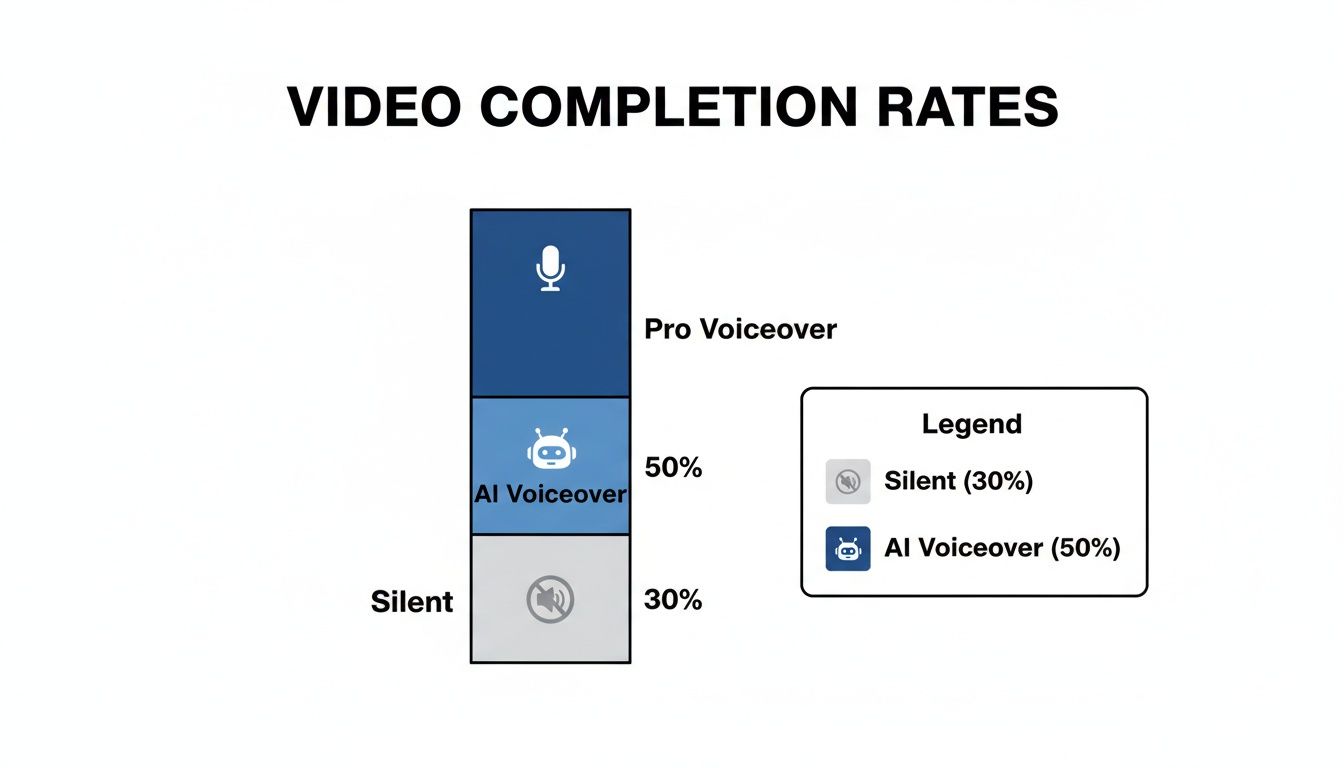
As you can see, leaving your video silent is like leaving money on the table. Narration is what keeps viewers glued to the screen. If you're a musician, this is also a golden opportunity to promote your music on TikTok and other short-form platforms by talking over your tracks.
Key Takeaway: Stop treating voiceovers like an afterthought. They are a core part of your strategy for grabbing and holding attention, which is exactly what you need to signal quality to the TikTok algorithm.
And the best part? You don't have to stare at a blank screen wondering what to say. If you're stuck, the Trendy app is like having an AI content strategist in your pocket. Its powerful AI analyzes viral content in your niche and instantly generates scroll-stopping hooks, full voiceover scripts, and even suggests trending sounds to use.
You can download it for iOS or Android and kiss creator's block goodbye. And for even more inspiration, check out our guide on finding fresh TikTok content ideas.
Getting the Hang of TikTok’s Built-In Voiceover Tool
Alright, let's get into the nitty-gritty. You’ve shot your video, the visuals are on point, but it's just... quiet. It needs your voice to give it life, that personal touch that separates a good video from a great one. The best part? You don't need any fancy equipment to get started. TikTok's own voiceover tool is a powerhouse hiding in plain sight.
First up, once your clips are filmed or uploaded, hit that red checkmark to get to the main editing screen. You’ll see a whole menu of icons pop up on the right. Your target is the little microphone icon labeled "Voiceover," which you'll find after tapping "Audio editing." This is where the magic happens.
Nailing Your First Recording
Welcome to the voiceover studio! You’ll see your video’s timeline at the bottom. Just drag the little white line to the exact moment you want to start talking. Get it in position, take a quick breath, and smash that big red record button.
My advice? Don't try to record a 60-second monologue in one go. You'll just end up frustrated. Instead, record in smaller, manageable chunks. Say a few sentences, stop, and then record the next part. It makes fixing mistakes a thousand times easier than starting from scratch every time you stumble over a word.
Here's a tip from experience: Pay attention to the "Replace original sound with voiceover" checkbox. If you're shooting a "day in my life" vlog where the ambient noise adds to the atmosphere, leave it unchecked. But if you're explaining something complex, like a recipe or a tutorial, you'll want to check that box. It mutes the original clips and makes your voice the hero of the audio track.
Layering Sound Like a Pro
A voiceover is powerful, but a voiceover with a subtle music track underneath? That's how you create a vibe. After you've laid down your narration, head back to the main editor and tap "Add sound" at the very top.
This is where you can add some music to set the mood. If you need help finding the right track, our guide on how to find trending sounds on TikTok is a great place to start.
Now for the most important part: once you've picked a song, tap "Volume" on the right-hand menu. You absolutely must turn the "Added sound" volume way, way down—I'm talking between 1% and 5%. You want it to be a subtle background texture, not a karaoke track. Meanwhile, keep your "Original sound" (your voiceover) cranked up to 100%.
And if you're ever staring at your screen wondering what on earth to say, the Trendy app is a lifesaver. Its AI engine generates hooks and script ideas based on what's blowing up in your niche in 2026, taking all the guesswork out of it. It’s like having a creative director in your pocket. Give it a try on iOS or Android and see for yourself.
Going Viral with AI and Text-to-Speech Voices
You know the voice. We all do. That slightly robotic, instantly recognizable narration that has become the unofficial soundtrack of TikTok. It's more than just a feature; it's a cultural phenomenon.
From chaotic "day in the life" vlogs to hilarious meme compilations, these AI voices are the great unifier. They create a shared audio experience that immediately signals to viewers, "You're in the right place."
Using these voices is like having an insider's shortcut. It makes your content feel instantly native to the platform, removing the pressure to perform on camera or get your own voice recording just right. The delivery is always clear, consistent, and perfect for the kind of rapid-fire, info-packed clips that dominate the For You Page.
Putting AI Narration to Work
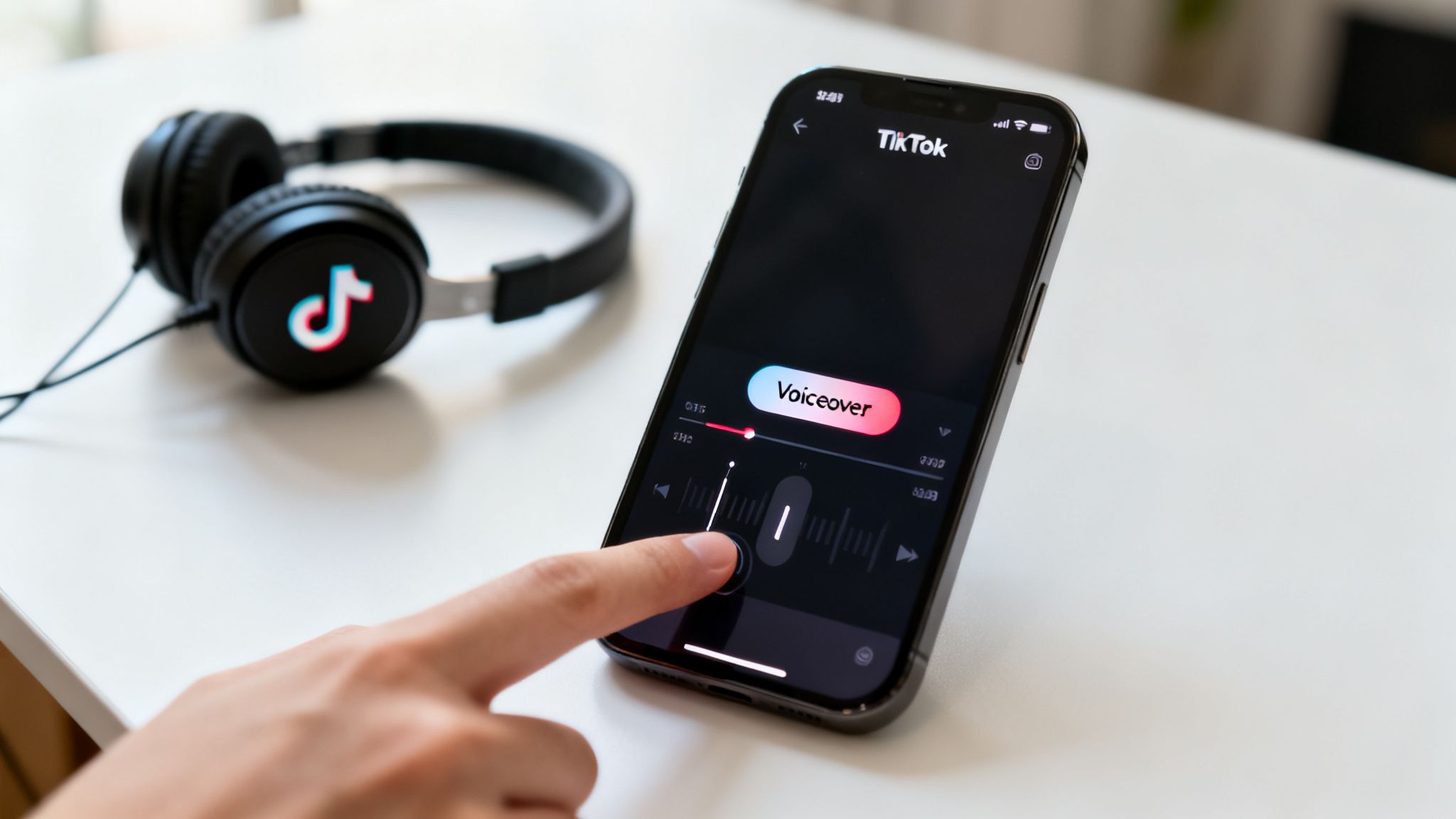
Adding a text-to-speech voiceover couldn't be easier. Once you have your video clips arranged on the timeline, just start adding your text.
- Drop a text box onto the screen where you want the narration to kick in.
- Tap the text box and look for the icon of a person's head with soundwaves—that's the "Text-to-speech" button.
- Give it a tap and pick your favorite voice.
From there, you can drag the edges of the text clip on your timeline to get the timing just right, making sure the narration syncs up perfectly with whatever is happening on screen.
And this isn't just a gimmick; the numbers don't lie. Data from 2026 shows that creators who used AI-powered voiceovers saw their completion rates jump by an incredible 23%. That fan-favorite "Jessie" voice? Videos using it hit a massive 65.8% completion rate. It's proof that these AI narrators know how to keep people watching.
Let Trendy Write Your Scripts
Okay, so you know how to add the voice. But what are you going to make it say? Staring at a blank screen trying to cook up a viral script is the worst.
This is where AI tools can completely transform your process. For creators trying to scale up and pump out consistent content, figuring out how to automate content creation is the key to unlocking serious growth.
That's precisely what we built the Trendy app for.
Instead of throwing spaghetti at the wall to see what sticks, Trendy becomes your personal content strategist. It digs into your niche, analyzes what's working right now in 2026, and spits out entire scripts and video ideas tailor-made for an AI narrator. Its suite of tools helps you find trending sounds, hashtags, and captions to complete your video package.
My Favorite Trick: I use Trendy to generate a killer opening hook. Then, I make that the very first line of my text-to-speech voiceover. That one-two punch of a data-backed script and a familiar AI voice is a goldmine for grabbing attention in those first crucial seconds.
Trendy takes all the guesswork out of scripting so you can get back to what you do best: creating amazing visuals. We hand you the roadmap, ensuring your message is sharp, punchy, and exactly what the algorithm wants to see. It’s a game-changer for anyone who’s serious about mastering TikTok voiceovers.
Ready to stop guessing and start creating with a real strategy? Download Trendy for your iOS or Android device. And if you're curious about what else is out there, check out our guide to other awesome AI content creation tools.
Producing Pro-Level Voiceovers Beyond the App
So, you've mastered the in-app tools, but you're ready to take your sound to the next level. Let's talk about getting that crisp, cinematic audio that makes people stop scrolling. Stepping outside of TikTok for your voiceover recording and editing is where the real magic happens.
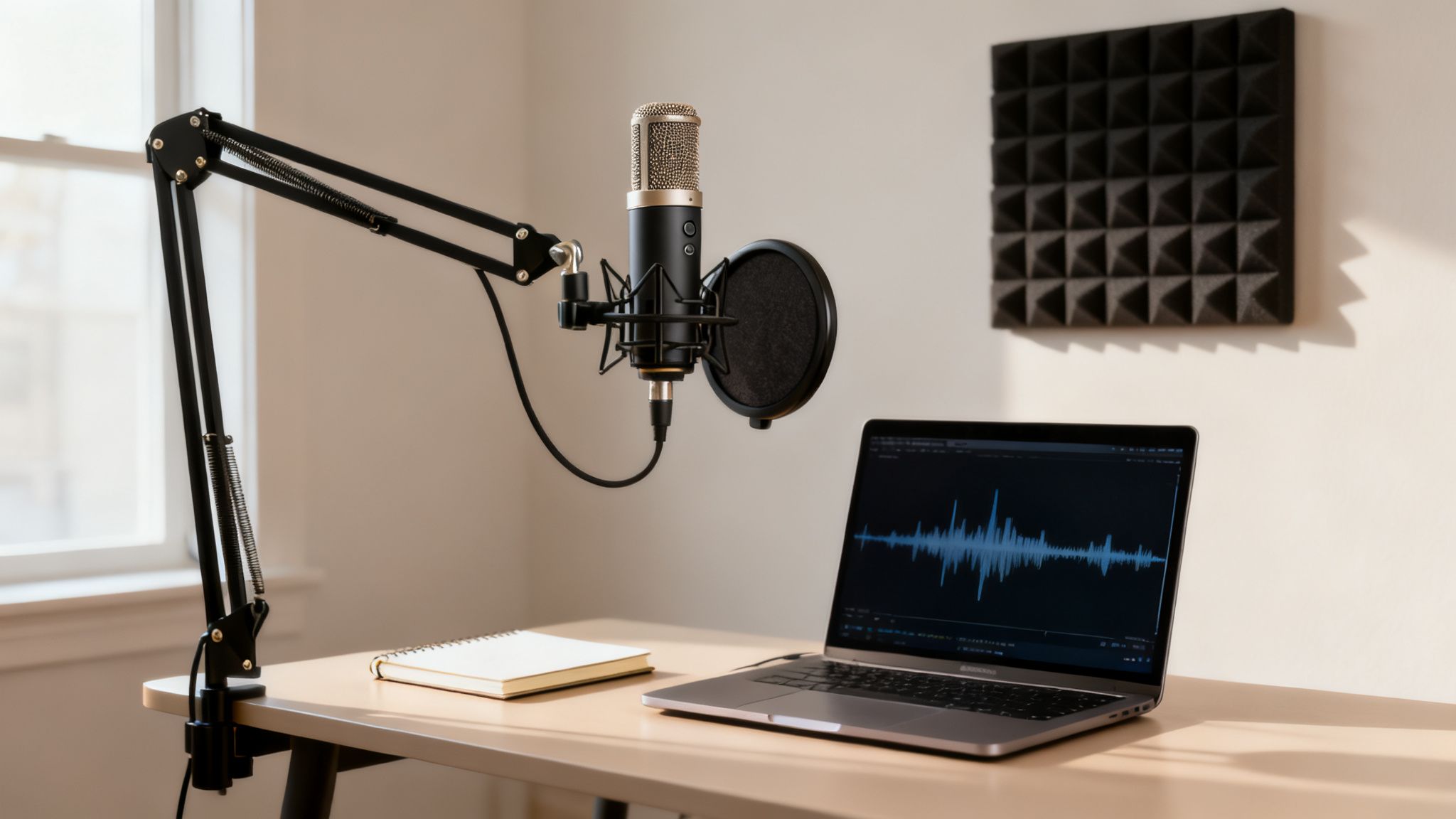
Don't worry, this doesn't mean you need to invest in a full-blown studio. The single biggest leap in quality you can make is grabbing an affordable USB microphone. Seriously, the difference between a dedicated mic and your phone's built-in one is night and day. It captures the richness and depth of your voice, instantly making your content feel more polished and professional.
Your Secret Weapon: The Makeshift Sound Booth
You don't need soundproof foam and a mixing board to get clean audio. The best tool for the job is probably already in your house—a closet packed with clothes. All that fabric acts as a natural sound dampener, soaking up the echo and reverb that screams "I recorded this in my bathroom."
It might feel a little goofy, but trust me on this. Just pop into the closet with your mic and phone, shut the door, and start talking. This is a tried-and-true trick that even seasoned podcasters and voice actors use when they're on the road. The improvement in your raw audio will be undeniable.
Pro Tip: No closet space? No problem. Find the smallest, most cluttered room you can. Think a small office or even a pantry. Pad the area around you with pillows, blankets, or even a duvet to create a little sound-absorbing nest. Your goal is to kill that echo.
Polishing Your Audio to Perfection
Once you've got that clean audio file, it's time to give it a final polish. This is where external editing software becomes your best friend. Free tools like CapCut (for mobile) or Audacity (on your computer) are absolute powerhouses and much easier to get the hang of than you'd think.
Working outside of TikTok gives you surgical precision. You can:
- Snip Out the Mistakes: Easily remove every "um," awkward pause, or accidental cough. Your delivery will sound flawless.
- Balance Your Levels: Make sure your voice is consistently loud and clear, with no quiet mumbles or deafening peaks.
- Layer in Effects: Add a subtle whoosh, a funny sound effect, or background music to make your video more dynamic.
- Nail the Sync: Line up your voiceover with the on-screen action down to the millisecond. This is key for a truly professional feel.
Getting comfortable with these basics will give your content a massive competitive edge. If you're just dipping your toes into editing, our guide on video editing tips for beginners is a great place to start.
Of course, even the best microphone can't save a weak script. When you’re staring at the screen wondering what to say, let the Trendy app be your co-writer. Its powerful AI generates fantastic hooks and full voiceover scripts tailored to your content, giving you a solid foundation to build on.
Grab it for iOS or Android and start sounding like a pro.
Crafting Scripts and Performances That Captivate
So, you’ve got a great mic. Awesome. But even the most expensive microphone on the planet can't save a boring script or a delivery that sounds like you’re reading a grocery list. Crystal-clear audio is just the starting point; the real magic happens in the performance.
The secret to a killer voiceover starts way before you hit that red record button. It begins with a script engineered to grab someone's attention in the first three seconds and a performance that makes them want to stick around.
Think of yourself as a storyteller, not just a narrator. Your voice is the main character. You need to learn how to play it like an instrument. This means consciously messing with your tone, speed, and volume to stir up some emotion. Speeding up can build excitement, dropping to a whisper can create a sense of secrecy or suspense, and a quick shift in tone can land a joke perfectly.
Warm-Ups for a Confident Voice
Before you start recording, you need to prep your instrument—your voice. Just like a runner stretches before a race, a few quick vocal warm-ups can make a world of difference, helping you sound clearer and more confident.
- Lip Trills: You know, the "lip bubbles." Make a "brrrr" sound by vibrating your lips together. It sounds silly, but it's fantastic for relaxing your lips and facial muscles.
- Tongue Twisters: These aren't just for kids. They're a workout for your mouth, sharpening your diction and clarity. Try saying "red leather, yellow leather" five times fast.
- Humming: A gentle hum is the perfect way to wake up your vocal cords without putting any strain on them. Hum a simple scale up and down a few times.
Doing these for a minute or two can seriously cut down on stumbles and vocal strain, making your recording session go a whole lot smoother.
Key Takeaway: A script is just words on a page until you breathe life into it. A dynamic performance with varied pacing and tone can turn even the simplest topic into something totally magnetic.
Supercharge Your Scripting with Trendy
Of course, the most amazing performance in the world won't save a weak script. On TikTok, that first line is everything. If you don't hook 'em immediately, they're gone. Swipe.
But what if you could take the guesswork out of it and start with a hook that's practically guaranteed to work?
This is where the Trendy app becomes your secret weapon. Instead of staring at a blinking cursor, you can fire up Trendy's AI content strategist to spit out powerful opening hooks and even full voiceover scripts built for your niche. It digs into what's blowing up right now in 2026 and gives you ideas backed by actual data.
Want to go deeper on this? Check out our guide on how to create viral content.
See how a simple script idea can be transformed? Using a tool like Trendy takes the pressure off, letting you focus on what you do best: delivering a killer performance.
| Voiceover Script Elements Before vs After Using Trendy | | :--- | :--- | :--- | | Script Element | Generic Approach (Before Trendy) | Optimized Approach (With Trendy) | | Opening Hook | "Today, I'm going to show you how to organize your closet." | "Your closet is a mess, and I know the ONE thing you're doing wrong." | | Pacing | A steady, even pace throughout the video. | Starts fast to build energy, slows down for key tips, then adds a dramatic pause before the big reveal. | | Call to Action (CTA) | "Follow me for more tips." | "Try this hack and tell me what you think in the comments. You won't believe how much space you'll save." | | Relatability | "A clean closet is very important." | "I used to waste 10 minutes every morning just looking for a shirt. Sound familiar?" |
The difference is night and day. One is forgettable, and the other is practically begging to be watched and shared.
When you pair a strategically crafted script from Trendy with the performance tips we just covered, you create voiceovers that feel genuine, sound pro, and keep people glued to their screens. Stop guessing what to say and start creating with confidence.
Download Trendy for iOS and Android to get started.
Got Questions About TikTok Voiceovers? We’ve Got Answers.
Alright, you’ve got the basics down, but let's be real—TikTok can be finicky. A few tricky questions always pop up when creators are wrestling with how to do voiceovers on TikTok. Think of this as your personal troubleshooting guide for the most common audio headaches.
My Voiceover Is Out of Sync! How Do I Fix It?
Ah, the dreaded audio lag. It’s one of the most maddening glitches, but it’s totally fixable. The most bulletproof way to avoid it is to record your audio and edit your video outside of TikTok in an app like CapCut. This gives you pixel-perfect control over timing before you even upload.
But if you’re committed to the in-app tools, try this: record in smaller chunks instead of one long, continuous take. Sometimes, the app just needs a little reset, so closing it completely and reopening can work wonders. And whatever you do, preview that video a few times before it goes live!
Can I Add a Voiceover to a Video After I've Already Posted It?
The short answer? Nope. Once a TikTok is published, it’s set in stone. You can’t go back in to add, remove, or tweak the audio. It’s a classic one-and-done situation.
The only way around this is to save the live video to your phone, re-upload it as a brand-new project, and then record your voiceover. Yeah, it’s a bit of a pain, but it's the only option if you're determined to get that polished audio on your masterpiece.
Pro Tip: Always double-check everything before hitting post. We're talking audio sync, volume levels, and making sure you didn't flub a line in your script. A minute of caution upfront saves you from a world of re-uploading regret.
What’s the Perfect Length for a TikTok Voiceover?
This one’s easy: your voiceover should be as long as it needs to be and not a single second longer. Every word has to fight for the viewer's attention.
For those snappy, under-15-second clips, keep your narration punchy and direct. Get in, make your point, and get out. For longer, story-driven videos, your voiceover is the guide—it needs to move the plot forward without any fluff. I always write my script, read it aloud with a timer, and then get ruthless, slashing any word that isn’t absolutely essential.
How Can Trendy Help Me Make My Voiceovers Actually Good?
Okay, this is the secret weapon. Instead of just winging it and hoping for the best, Trendy becomes your AI content strategist for everything TikTok. It dives deep into your niche to pull out viral-worthy video ideas, hooks that stop the scroll, and even fully written voiceover scripts based on 2026's latest trends.
It’s genius, really. Trendy's features go beyond scripts, helping you find trending sounds to layer under your voiceover, discover the best hashtags for discoverability, and even analyze your profile to spot growth opportunities. Using Trendy means you’re swapping guesswork for a strategy backed by actual data, ensuring every word you say is designed for maximum reach and engagement.
Ready to ditch the blank-page anxiety and start creating with a strategy that actually works? Let Trendy be your co-writer. Grab the app today for iOS and Android to unlock viral hooks and voiceover scripts that hit the mark every time.