
Tired of the endless content hamster wheel? Juggling posting schedules, hunting for trends, and trying to figure out what your audience actually wants to see can feel like a full-time job on top of your actual job. It's a relentless cycle of create, post, analyze, and repeat. But what if you could put the grunt work on autopilot and get back to what you do best: creating amazing content that connects with people?
That's where the magic of social media automation comes in. We're diving deep into the best social media automation tools that do far more than just schedule posts. This isn't just another generic list. It's your roadmap to reclaiming your time and skyrocketing your engagement. We're breaking down platforms that act as AI-powered strategists, telling you what to post and when for maximum impact. We'll explore tools that manage your DMs without you lifting a finger and turn confusing analytics into a simple, actionable growth plan.
To truly leverage social media for growth, understanding how to automate repetitive tasks is the secret to scaling your efforts efficiently. Each review in this guide is packed with real-world insights, screenshots, and direct links to help you make a decision, not just read a feature list. We’ll also spotlight how innovative apps like Trendy are changing the game for creators, delivering a personalized content strategy and vital profile insights directly to your phone via their iOS app.
Ready to stop guessing and start growing? Let's find the perfect tool to put your social media on cruise control.
1. Trendy: Your AI Content Strategist
Let's kick things off with a tool that redefines what "automation" even means. While many platforms focus on automating the posting, Trendy automates the strategy. It’s less of a scheduler and more of an AI-powered content strategist living in your pocket, making it one of the best social media automation tools for creators serious about growth on TikTok and Instagram.
Imagine this: instead of endlessly scrolling the For You Page, desperately hunting for the next big trend, you get a curated weekly plan delivered to you. That's the core of Trendy. It analyzes your specific niche, audience engagement, and performance data to generate a custom content calendar. As a content creator, this means no more guesswork and instant access to viral audio, hashtag strategies, and post ideas that are already gaining traction in your specific niche.
Why It's a Standout Choice
What sets Trendy apart is its focus on the creative ideation phase, arguably the most time-consuming part of content creation. It doesn't just tell you when to post; it tells you what to post. This is a game-changer for avoiding creative burnout and maintaining a consistent, high-impact presence. The Trendy iOS app is designed to be your pocket strategist, ensuring you're always one step ahead.
Key Benefit: Trendy eliminates the guesswork in content strategy. By leveraging AI to identify emerging sounds, hashtags, and video formats tailored to your profile, it provides a clear, actionable roadmap to creating content that actually resonates and drives growth.
Core Features & Use Cases
Trendy’s feature set is designed for maximum creative efficiency, especially for content creators:
- AI-Driven Weekly Posting Plans: The app delivers a personalized schedule complete with specific post ideas, hooks, and trend suggestions. This is perfect for creators who feel overwhelmed by the daily pressure to come up with fresh, relevant content.
- Niche-Specific Trend Analysis: It pinpoints trending sounds and formats that are gaining traction with creators like you, ensuring you're capitalizing on opportunities before they become oversaturated.
- Performance Analytics with Insights: Instead of just showing you vanity metrics, Trendy explains why a post performed well. This turns every upload into a practical lesson, helping you refine your strategy over time.
Practical Considerations
Trendy is a powerful tool, but it's important to know its current scope. It’s built for creators who want to stay ahead of the curve, not just schedule posts in advance.
Pros & Cons:
| Pros | Cons |
| Saves Hours on Research: Drastically cuts down time spent hunting for trends. | iOS Only: Currently unavailable for Android users. |
| Combats Creative Block: Provides a constant stream of personalized, data-driven ideas. | Beta Status: As a new product, the full pricing structure is not public yet. |
| Accelerates Growth: Leverages data to maximize reach and engagement with every post. | |
| Actionable Analytics: Offers clear insights to improve your content strategy continuously. |
Who is it for? This tool is a must-have for TikTok and Instagram creators, influencers, and small business owners who understand that smart strategy, not just consistent posting, is the key to winning on social media.
Get the App: You can download Trendy directly from the App Store and start automating your content strategy today. Download Trendy on the App Store
2. Hootsuite
If you've ever Googled "social media management," you've probably stumbled upon Hootsuite. It's the OG of the industry, the seasoned veteran that has seen it all, from the rise of MySpace to the TikTok dance crazes. Hootsuite is an enterprise-grade powerhouse designed for teams that need to juggle multiple brands, extensive approval workflows, and deep-dive analytics.
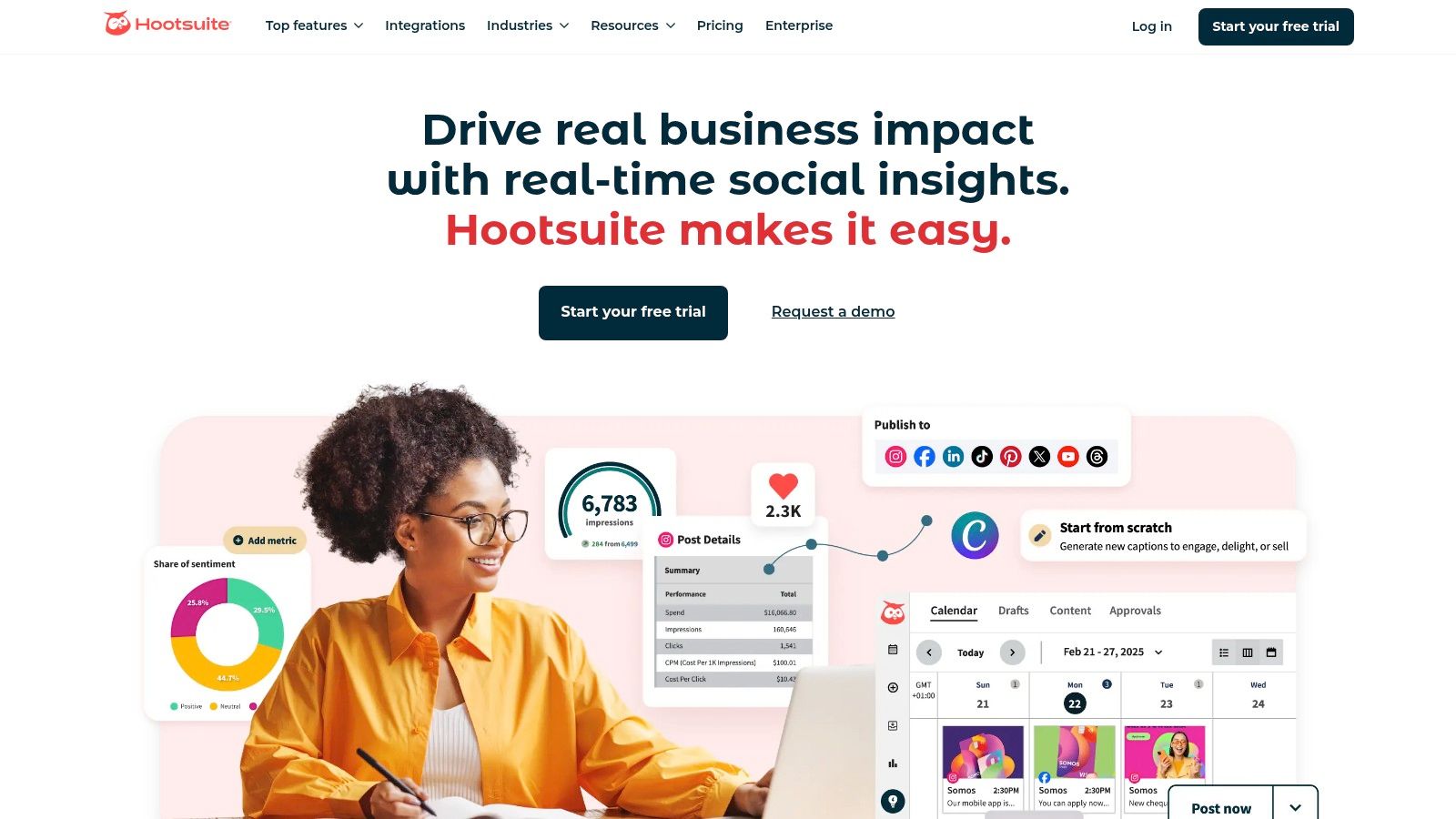
This platform isn't just about scheduling; it’s a full command center. You can manage everything from organic posts and paid ads to customer service DMs and brand mentions, all from a single, slightly intimidating dashboard. Its AI assistant, OwlyGPT, can whip up captions when you're feeling uninspired, and its best-time-to-post recommendations are solid. For creators focused on pure growth, pairing Hootsuite's scheduling with the trend-spotting features of the Trendy iOS app could create a powerful workflow.
Key Takeaway: Hootsuite is one of the best social media automation tools for large teams and agencies needing an all-in-one suite with robust security and workflow controls.
Pros & Cons
- Pro: Unmatched Feature Depth. From advanced listening and competitive benchmarking to employee advocacy tools, it covers nearly every social media marketing facet.
- Pro: Strong Governance. Enterprise add-ons provide the security and control large organizations demand.
- Con: Pricey & Opaque. The full cost isn't always clear until you're deep in the checkout process, and it's generally more expensive than tools aimed at smaller businesses or solo creators.
- Con: Feature Gating. Many of the most powerful features are locked behind the more expensive Professional and Business tiers.
Website: https://www.hootsuite.com
3. Sprout Social
If Hootsuite is the OG veteran, Sprout Social is the polished, Ivy League-educated professional that shows up in a tailored suit. It's a premium, all-in-one platform known for its incredibly slick user interface and some of the most beautiful, comprehensive reporting dashboards in the industry. Sprout Social is built for teams that live and breathe data and demand a seamless user experience.
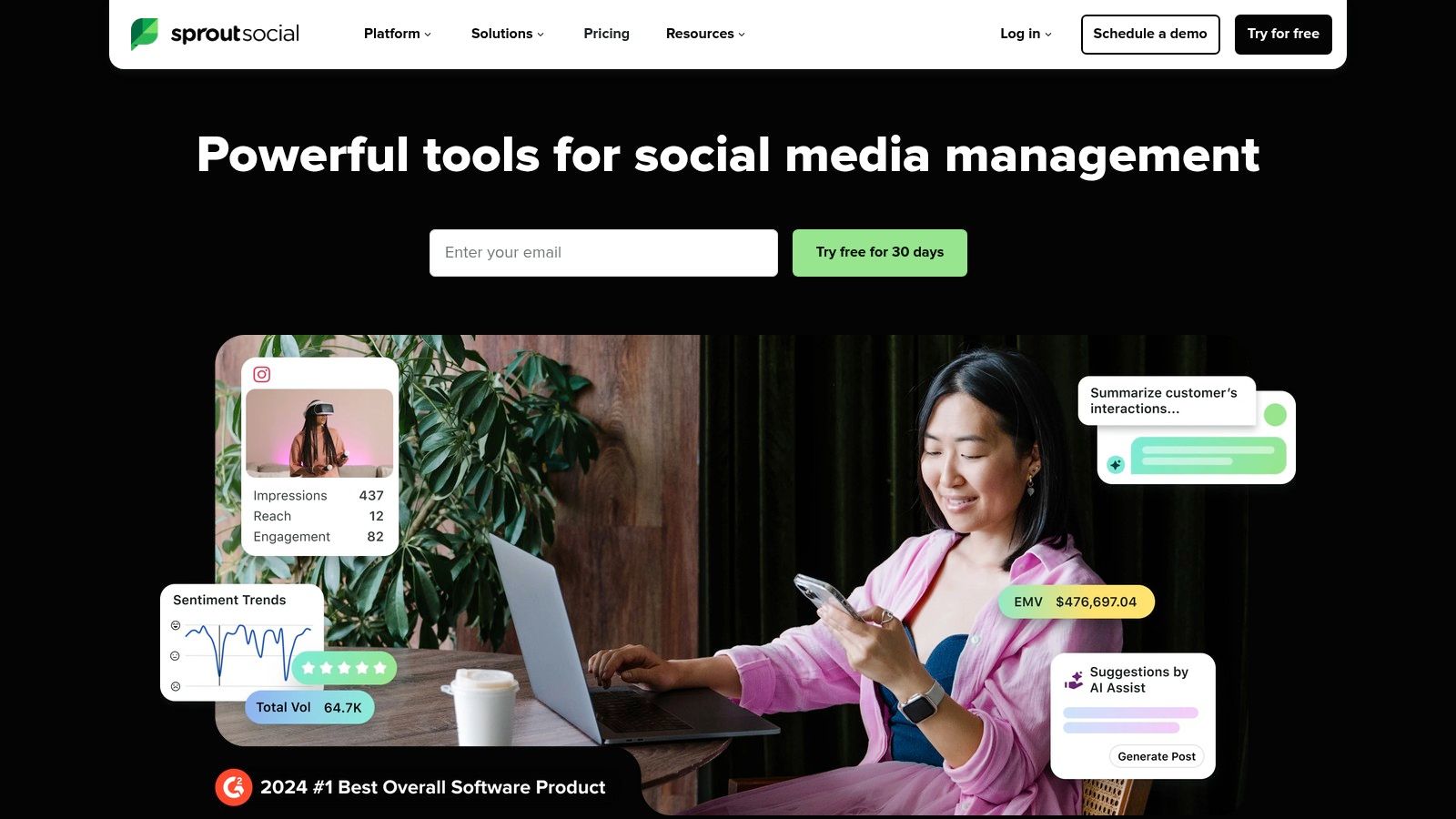
The platform excels at unifying publishing, engagement, analytics, and listening into a single, cohesive workflow. Its Smart Inbox consolidates all your messages into one stream, making community management feel less like organized chaos. Features like ViralPost use data to pinpoint optimal send times, and the AI Assist tool helps generate post ideas and refine your replies. While it provides powerful automation, individual creators might find simpler, more focused tools like the Trendy iOS app better for analyzing audience growth and engagement trends directly on their iPhone.
Key Takeaway: Sprout Social is one of the best social media automation tools for organizations that prioritize best-in-class analytics, a superior user experience, and streamlined team collaboration.
Pros & Cons
- Pro: Excellent Reporting & Analytics. Its reports are not only deep and insightful but also presentation-ready, a huge win for agencies.
- Pro: Clean & Intuitive UI. The platform is genuinely a pleasure to use, which makes a big difference for daily users.
- Con: High Per-Seat Cost. The pricing model can get expensive quickly as you add more users to your team.
- Con: Add-Ons Cost Extra. Advanced features like premium listening and deep competitor insights come with an additional price tag.
Website: https://sproutsocial.com
4. Buffer
If Hootsuite is the enterprise-grade battleship, Buffer is the nimble, user-friendly speedboat perfect for solo creators and small businesses. It’s known for its clean interface, straightforward queue-based scheduling, and an approachable price point that doesn't require a CFO's approval. Buffer strips away the overwhelming complexity to focus on what most small teams need: getting great content out consistently.
The platform’s charm lies in its simplicity. You can set a posting schedule for each social account, and then just "add to queue." Buffer does the rest. Features like first-comment scheduling (perfect for hiding hashtags on Instagram), a handy AI assistant for brainstorming captions, and basic analytics make it a robust starting point. It's one of the best social media automation tools for those who want to set it and forget it without a steep learning curve. While it lacks deep analytics like those in Trendy's profile insights report, it excels at its core scheduling function. For content creators looking to pair Buffer's simplicity with powerful trend-spotting, the Trendy iOS app is an excellent companion.
Key Takeaway: Buffer is the ideal automation tool for creators and small businesses who prioritize ease of use, affordability, and a simple, effective content queue over complex enterprise features.
Pros & Cons
- Pro: Very Low Cost of Entry. A generous free tier and affordable paid plans make it accessible for any budget. Learn more about how Buffer helps small businesses get started.
- Pro: Easy to Onboard. The user interface is famously clean and intuitive, making it incredibly simple to set up and start scheduling.
- Con: Lighter Analytics. The reporting features are basic and won't satisfy data-hungry marketers who need deep performance insights.
- Con: No Advanced Listening. It lacks the social listening and brand monitoring tools found in more comprehensive (and expensive) platforms.
Website: https://buffer.com
5. Later
If Instagram or TikTok is the heart and soul of your brand, then Later is the social media automation tool built just for you. Originally born as an Instagram scheduler, it has blossomed into a visual-first platform that helps creators and e-commerce brands make their feeds look stunningly cohesive. It’s less about enterprise-level command centers and more about crafting a beautiful, high-performing visual presence.

Later’s drag-and-drop visual planner is its star feature, letting you see exactly how your grid will look before you post a single image. It has also expanded its toolkit to include multi-network automation, a link-in-bio tool (Linkin.bio) that can tag products directly from posts, and even an AI Caption Writer for when your creative juices run dry. The platform is incredibly intuitive, making it a favorite for solo creators and small teams who need powerful scheduling without a steep learning curve. To make sure your visually planned content performs, a creator could use the Trendy iOS app to find trending audio before finalizing their schedule in Later.
Key Takeaway: Later is one of the best social media automation tools for creators and brands who prioritize visual platforms like Instagram and TikTok and need an intuitive, aesthetically-focused scheduling solution.
Pros & Cons
- Pro: Excellent for IG/TikTok-First Brands. The visual planner and platform-specific features are best-in-class for visually driven marketing.
- Pro: Competitive Pricing. It offers a solid free plan and its paid tiers are affordably priced, especially with annual discounts, making it accessible for smaller businesses. For more tips on scheduling, see how to schedule Instagram Stories.
- Con: Features Gated on Higher Tiers. Advanced analytics, team collaboration, and the social inbox are reserved for more expensive plans.
- Con: Less Suited to Complex Workflows. It lacks the deep enterprise features, advanced ad management, and comprehensive reporting needed by large agencies.
Website: https://later.com
6. Agorapulse
If your social media DMs and comment sections feel like a chaotic free-for-all, Agorapulse is the tool that brings order to the madness. It's built around one of the industry's most powerful unified inboxes, making it a dream for mid-market teams and agencies who live and breathe community management. It pulls in everything from organic comments and DMs to replies on your social ads, so nothing slips through the cracks.
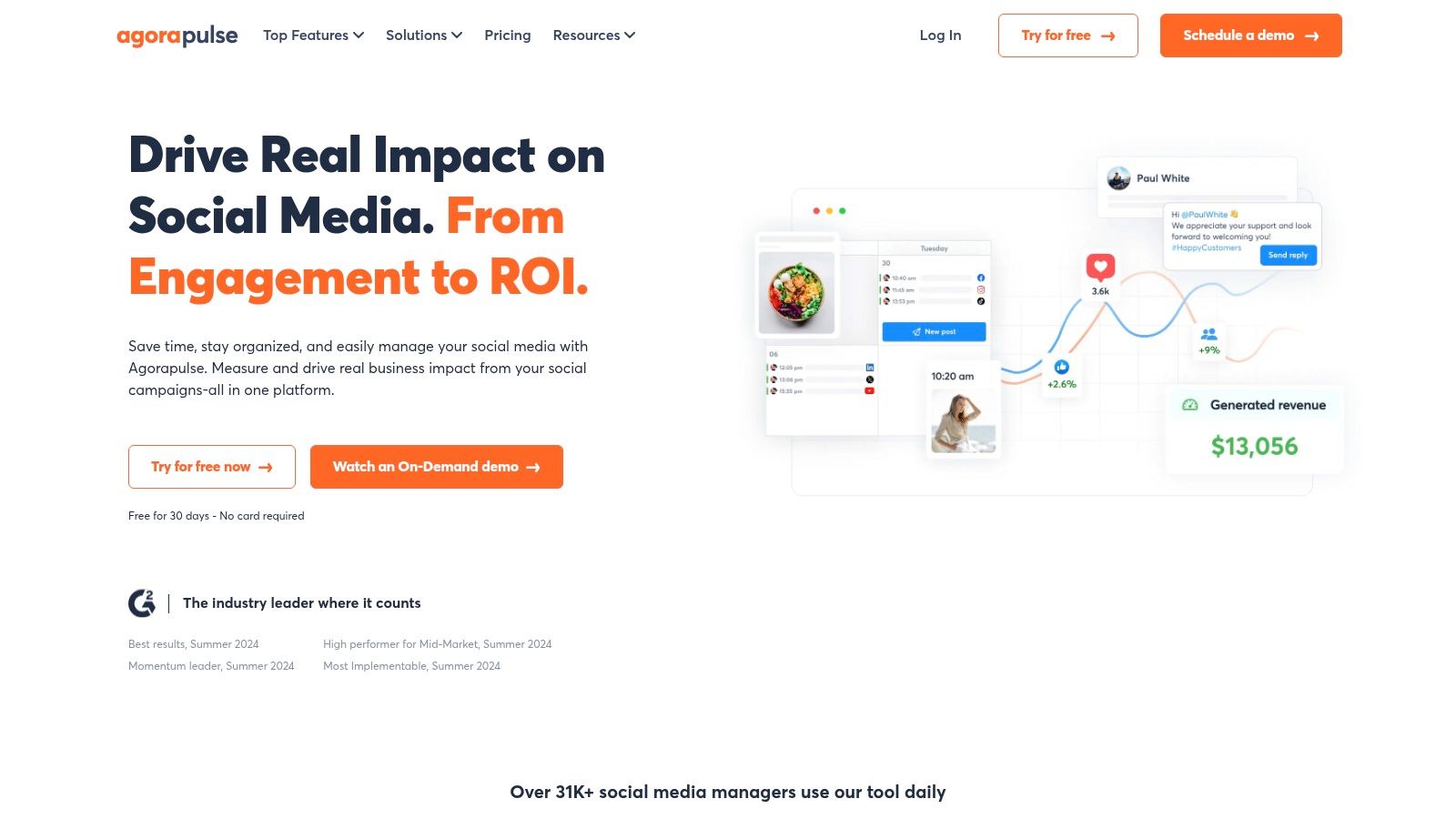
Beyond the inbox, Agorapulse offers robust publishing, scheduling, and reporting features that rival its bigger competitors. Its shared calendars, content queues, and bulk publishing options make collaboration a breeze. The platform also shines in its reporting capabilities, allowing you to create detailed reports on team performance and ROI that will make your clients or boss very happy. A creator could use Agorapulse for community management while relying on the Trendy iOS app for AI-powered content ideas to feed into their posting schedule.
Key Takeaway: Agorapulse is one of the best social media automation tools for teams that prioritize community engagement, inbox management, and detailed reporting in a user-friendly package.
Pros & Cons
- Pro: Clear Pricing & Generous Limits. Its per-user pricing is straightforward, and the profile limits are often more generous than competitors, making it a great value.
- Pro: Stellar Inbox & Agency Features. The unified inbox, which includes ad comments, combined with practical agency workflows, is a major differentiator.
- Con: Costly Add-ons. Some network features, particularly for X (formerly Twitter), may require paid add-ons due to changes in API access costs.
- Con: Feature Gating. Like many platforms, some of its most compelling features, such as Instagram product tagging, are reserved for higher-priced plans. Compare with other top social media management tools specifically designed for agencies.
Website: https://www.agorapulse.com
7. Loomly
If your social media strategy lives and dies by the calendar, Loomly is your new best friend. It’s a platform built for the hyper-organized, the meticulous planners, and the teams who need every post to go through a rigorous, multi-stage approval process. Think of it less as a wild, creative brainstorming tool and more as a pristine, color-coded command center for your content pipeline.
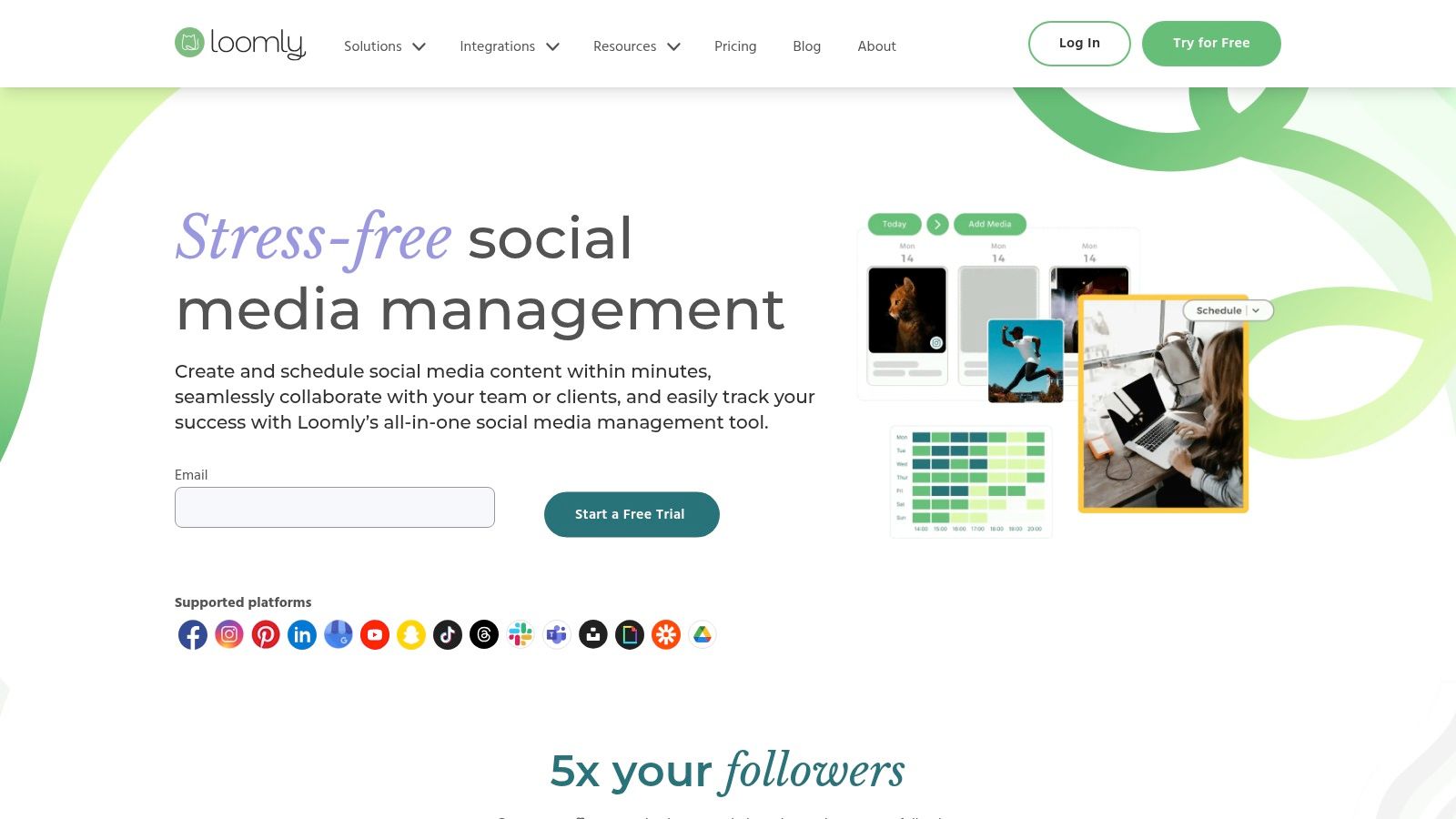
Loomly’s strength is its clean, calendar-centric user experience. It guides your content from a rough idea to a published post through a clear, step-by-step workflow: draft, pending approval, requires edits, approved, scheduled, and published. This makes it a fantastic choice for agencies managing multiple client accounts or internal teams with strict brand guidelines. It even offers post ideas and suggestions to help fill in the gaps in your calendar when creativity runs low. While Loomly is great for planning, many content creators also pair it with a tool like the Trendy iOS app to source trending audio and hashtags, ensuring their meticulously planned content still hits the mark on platforms like TikTok and Instagram.
Key Takeaway: Loomly is one of the best social media automation tools for teams and agencies that prioritize a structured, approval-based workflow and a visually clear content calendar.
Pros & Cons
- Pro: Approachable Workflow. Ideal for multi-brand calendars and getting client or management sign-off without a steep learning curve.
- Pro: Competitive Pricing. Historically offers strong value compared to more complex enterprise tools, with discounts available for non-profits.
- Con: Unpredictable Pricing. Final costs can sometimes only be seen in-app, and plans and features are subject to change.
- Con: Limited Advanced Features. For deep social listening and competitor analytics, you’ll likely need to supplement with another specialized tool.
Website: https://www.loomly.com
8. SocialBee
If you’re a solo creator or small business owner who thinks "set it and forget it" sounds like a dream, SocialBee might be your new best friend. It’s built around a clever category-based scheduling system that lets you organize your content into buckets like "Promotional," "Blog Posts," or "Curated Content." You set a schedule for each category, and SocialBee automatically pulls the next post from the queue, even recycling your evergreen content so your profiles never go dark.
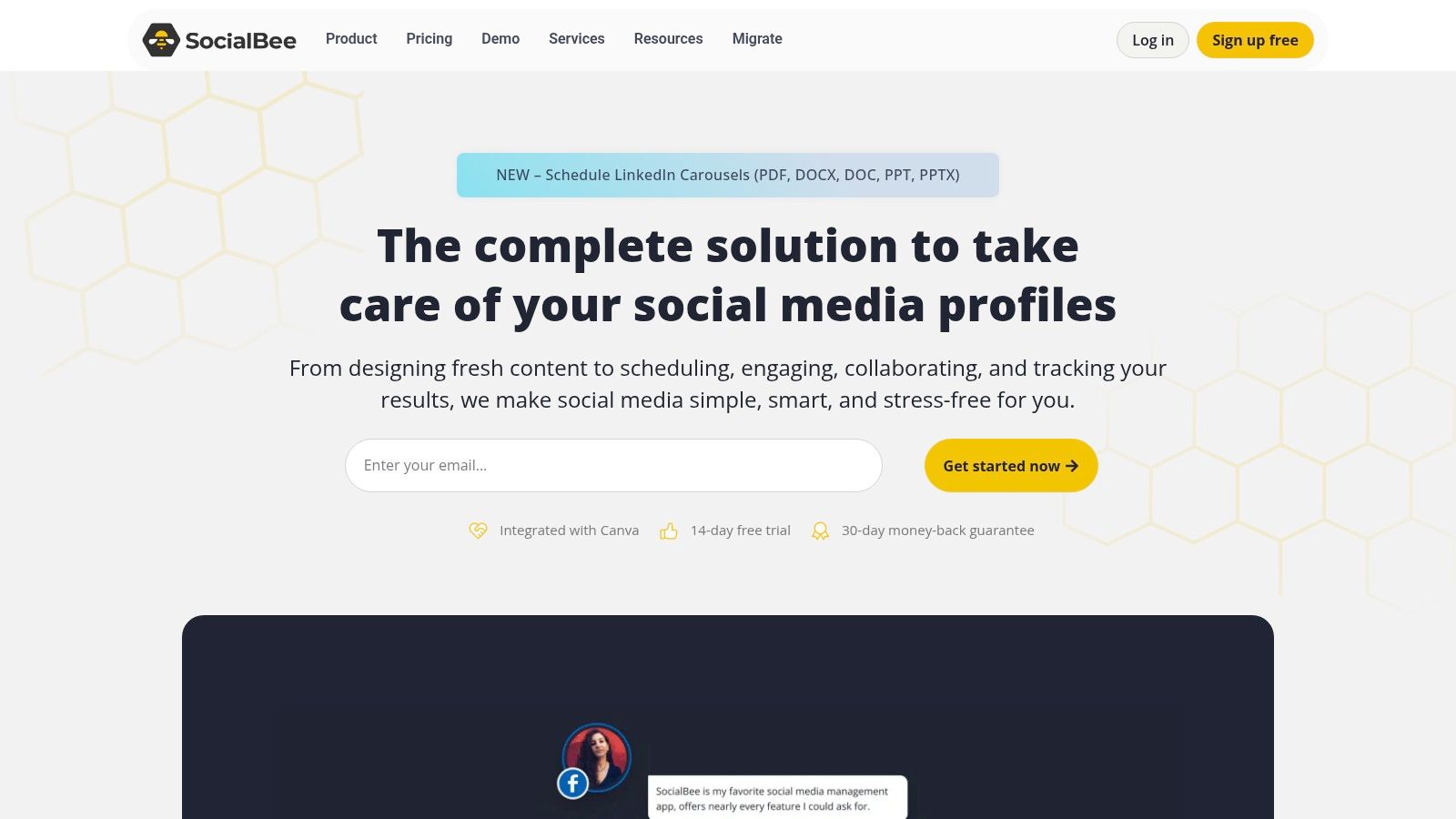
This platform excels at taking the manual labor out of maintaining a consistent presence. Its AI assistant helps bust through writer's block, and for those who are truly time-crunched, SocialBee offers optional concierge services where their team manages your social media for you. It’s a practical, no-fuss approach that doesn’t try to be an enterprise-level command center, focusing instead on core automation that saves you hours each week. Content creators focused on TikTok and Instagram might also use a dedicated tool like the Trendy iOS app to dig deeper into profile analytics and discover fresh, trending ideas to add to their SocialBee queues.
Key Takeaway: SocialBee is one of the best social media automation tools for solo entrepreneurs, bloggers, and small teams who want to maximize their content library through powerful evergreen recycling and category-based scheduling.
Pros & Cons
- Pro: Strong Pricing/Value. Its plans offer significant features for a very competitive price, especially for individuals and small businesses.
- Pro: Flexible Add-ons. You can add extra users or social profiles without needing to jump to a much more expensive plan.
- Con: Not for Enterprise. The platform isn't focused on advanced social listening or the complex governance features large corporations need.
- Con: Feature Gating. Some useful features, like the content approval workflow, are reserved for the higher-tier Pro and Agency plans.
Website: https://socialbee.com
9. Metricool
Metricool is the Swiss Army knife for data-driven marketers, freelancers, and agencies who love a good report. It ditches the overwhelming complexity of enterprise giants for a clean, all-in-one platform that masterfully blends scheduling, in-depth analytics, and competitor tracking without needing a finance degree to understand the pricing. It’s built for those who need to manage multiple brands efficiently and prove their ROI with slick, exportable reports.
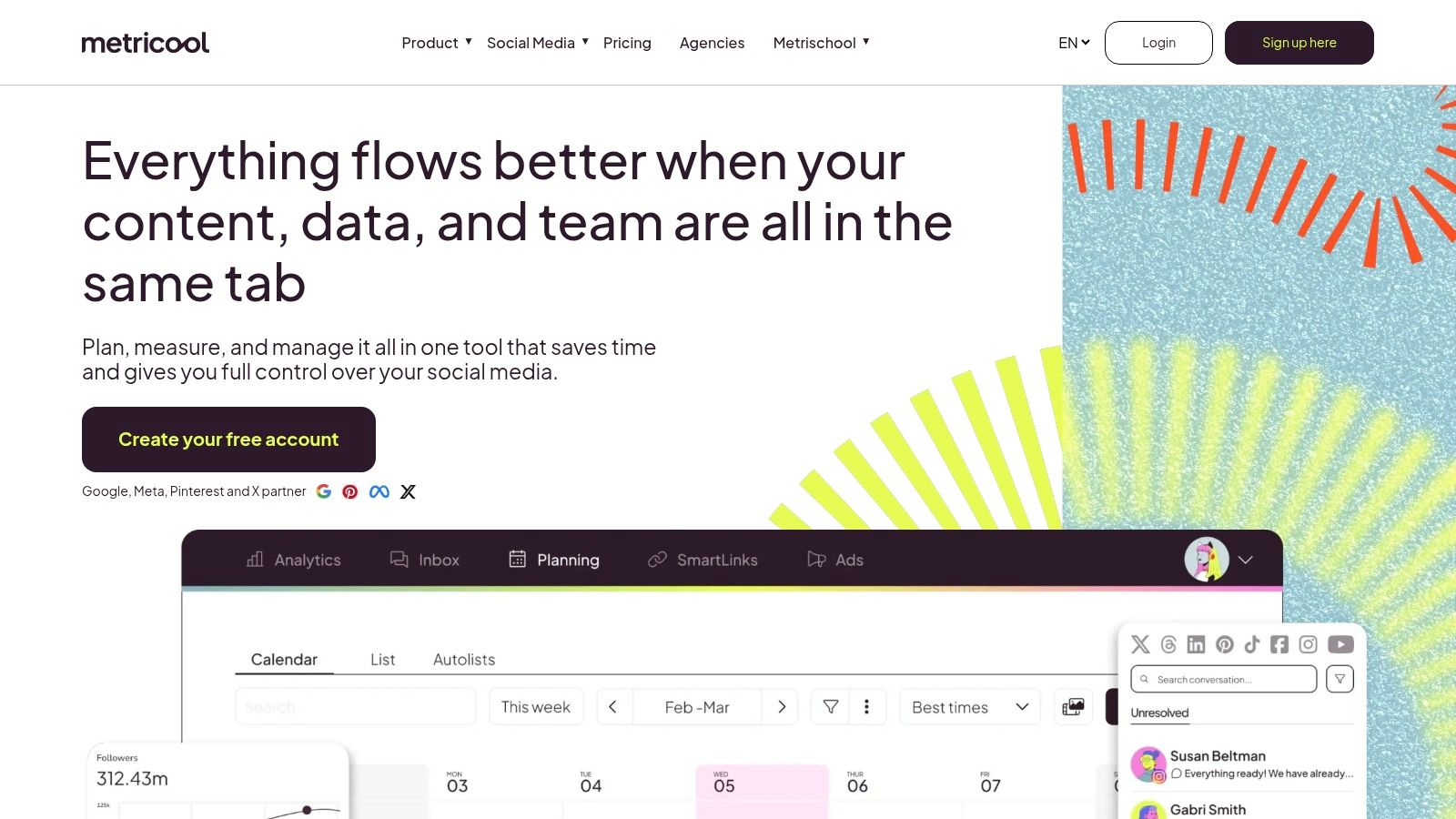
What makes Metricool a fan favorite is its "pay-per-brand" flexibility and powerful analytics. You can pull historical data, spy on your competition's strategy, and even integrate your ad campaigns for a unified view of performance. Its reporting capabilities are a standout feature, offering a Looker Studio connector that lets you build custom dashboards to impress any client. For individual creators, the Trendy iOS app offers more actionable, forward-looking insights on what to post next, which can complement Metricool's historical data reporting.
Key Takeaway: Metricool is one of the best social media automation tools for agencies and freelancers who prioritize powerful, easy-to-generate reports and competitor analysis at a scalable price point.
Pros & Cons
- Pro: Flexible Per-Brand Pricing. Its pricing model is ideal for growing agencies, allowing you to add new client accounts without jumping to a wildly expensive new tier.
- Pro: Exceptional Reporting Value. You get high-quality analytics and reporting features, including PDF exports and data connectors, at a very competitive price.
- Con: Add-ons Can Add Up. Key functionalities, like comprehensive Twitter/X analytics, may require a separate add-on, increasing the total cost.
- Con: Feature Scaling. While powerful, some of the more advanced features and data access are tied to the number of brands you manage or your subscription tier.
Website: https://metricool.com
10. Publer
Publer is the modular, à la carte social media tool for creators and small agencies who hate paying for features they don't use. Instead of rigid, one-size-fits-all plans, Publer lets you build your own subscription by paying per social account and per team member. It’s an incredibly economical approach for those managing a small but mighty portfolio of social profiles.
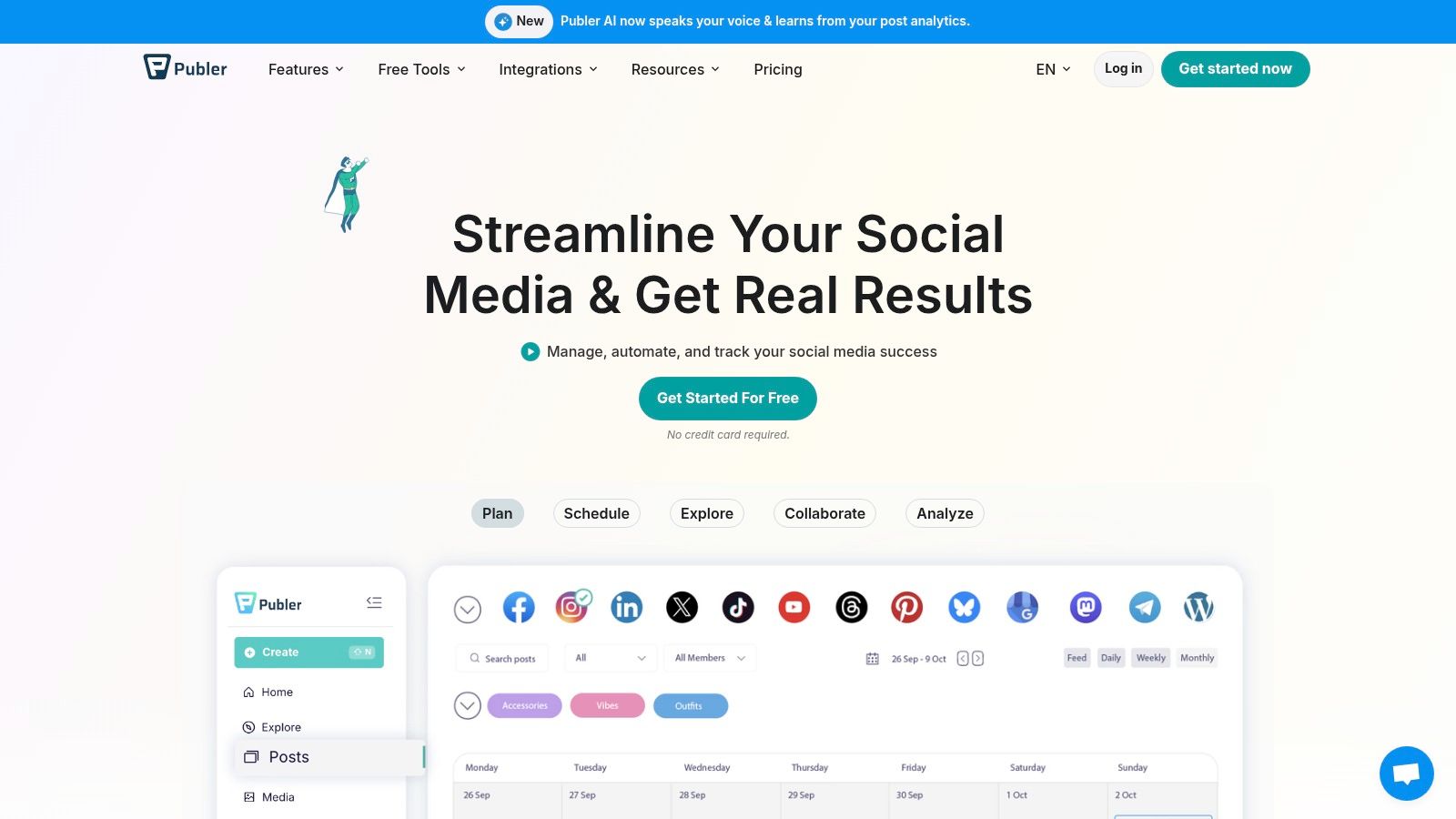
This platform excels at automation without the enterprise-level price tag. You can bulk schedule hundreds of posts from a CSV, set up RSS feeds to automatically share blog updates, and create evergreen content queues that recycle your best-performing posts. Its AI copy assistant is a handy sidekick for generating captions, and the built-in link-in-bio tool adds another layer of value. Content creators using Publer for scheduling can level up their strategy by using the Trendy iOS app to find viral trends and ideas to fill their content queues.
Key Takeaway: Publer is one of the best social media automation tools for freelancers and small teams who need powerful scheduling features with a flexible, pay-as-you-go pricing model.
Pros & Cons
- Pro: Highly Flexible Pricing. The low entry cost and per-account pricing make it extremely affordable for managing a few profiles.
- Pro: Unlimited Workspaces. Organize clients or brands into separate, sandboxed environments at no additional cost, a feature many competitors charge for.
- Con: Limited Free Tier. Critical platforms like X (formerly Twitter) are not included in the free plan, pushing you to upgrade sooner.
- Con: Feature Gating. More advanced business features, like detailed analytics and approval workflows, are reserved for the higher-priced tiers.
Website: https://publer.io
11. G2 (Social Media Management category)
Okay, this one is a bit of a meta-entry. G2 isn't a social media automation tool itself, but rather the ultimate peer-reviewed marketplace where you can find one. Think of it as the Yelp for B2B software, where real users leave unfiltered reviews, helping you cut through the marketing noise and find the perfect platform for your needs. It's an indispensable first stop before you commit to any subscription.
G2 lets you slice and dice the social media management category like a pro. You can filter tools by business size, specific features (like content calendars or analytics), and pricing models. The side-by-side comparison feature is a game-changer, allowing you to see exactly how your top contenders stack up on everything from usability to customer support. It’s the best way to get a bird's-eye view of the landscape and discover tools you might have otherwise missed, including new and innovative apps like the Trendy iOS app for creators.
Key Takeaway: G2 is the essential research hub for validating and comparing the best social media automation tools using verified reviews from actual users, saving you time and preventing buyer's remorse.
Pros & Cons
- Pro: Vast Reviewer Base. The sheer volume of verified user reviews makes it easy to spot genuine pros and cons and validate vendor claims.
- Pro: Powerful Comparison. You can quickly shortlist and compare multiple platforms side-by-side on dozens of criteria.
- Con: Sponsored Visibility. Be aware that sponsored placements can influence which tools appear at the top of category pages.
- Con: Gated Data. Some of the deeper comparison data and reports may require you to sign up for a free account to access them.
Website: https://www.g2.com/categories/social-media-mgmt
12. AppSumo
AppSumo isn't a social media tool itself; it's the treasure hunter's marketplace where you might find your next favorite one. This platform is a digital bazaar for entrepreneurs, offering lifetime deals (LTDs) and deep discounts on up-and-coming software. For the social media manager on a shoestring budget, it’s a goldmine where you can snag powerful automation tools for a one-time fee instead of a recurring monthly subscription.
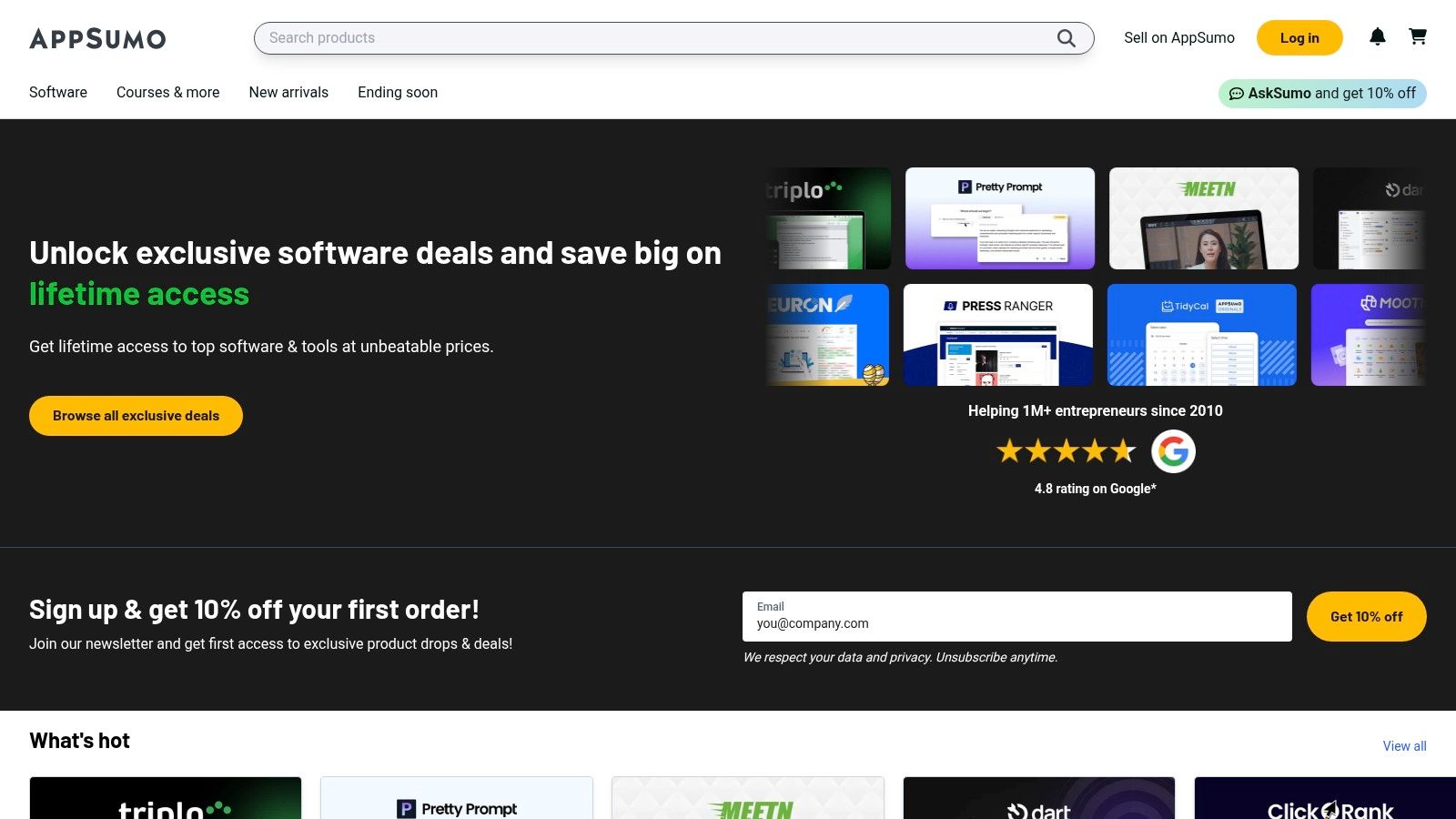
The deals are a mixed bag, ranging from brand-new schedulers to established platforms looking to capture a new user base. The secret to success on AppSumo is reading the user reviews and doing your due diligence. While it's a fantastic way to build your toolkit affordably, you're often betting on a startup's future. It's the perfect place to discover niche tools that solve specific problems, like a specialized Pinterest scheduler or an AI-powered content generator, without committing to long-term costs. Creators should keep an eye out for tools that complement the strategic guidance provided by the Trendy iOS app.
Key Takeaway: AppSumo is the best place to find lifetime deals on emerging social media automation tools, offering incredible value for solo creators and small businesses willing to invest in new software.
Pros & Cons
- Pro: Unbeatable Value. The potential to get a full-featured social media tool for a one-time payment can save you thousands in subscription fees over time.
- Pro: Discover Hidden Gems. It's a great way to find innovative tools from ambitious startups before they become mainstream and expensive.
- Con: The LTD Gamble. There's a risk that the software developer might pivot, get acquired, or abandon the project, leaving your "lifetime" deal with a much shorter lifespan.
- Con: Inconsistent Quality. Not every deal is a winner. You must carefully vet the tools, as support and feature delivery can vary wildly between vendors.
Website: https://appsumo.com
Top 12 Social Media Automation Tools Comparison
| Product | Core features | UX & Quality (★) | Price & Value (💰) | Target (👥) | Unique selling points (✨) |
| 🏆 Trendy | AI-built weekly posting plans; trend detection; engagement predictions | ★★★★★ intuitive analytics | 💰 Unlisted (Beta) | 👥 Creators, influencers, SMBs, social managers | ✨ Personalized post ideas, real-time sounds/hashtag matching, weekly actionable plan |
| Hootsuite | Scheduling, inbox, listening, analytics, ad mgmt, integrations | ★★★★ enterprise-grade | 💰💰 Tiered, can be costly; pricing gated | 👥 Teams, enterprises, agencies | ✨ Strong governance, wide integrations, enterprise add‑ons |
| Sprout Social | Publishing, smart scheduling, inbox, reporting, listening | ★★★★★ premium reporting | 💰💰💰 Per-seat pricing (clear) | 👥 Mid→enterprise teams | ✨ Best‑in‑class reporting & clear per‑seat model |
| Buffer | Queue scheduling, AI assistant, hashtag manager, basic analytics | ★★★★ simple & easy | 💰 Low — free tier available | 👥 Solo creators, small teams | ✨ Low cost entry, very easy onboarding |
| Later | Visual content calendar, link‑in‑bio, product tagging, IG/TikTok focus | ★★★★ visual-first UX | 💰💰 Competitive with annual discounts | 👥 IG/TikTok brands & creators | ✨ Visual planning + commerce features |
| Agorapulse | Unified inbox (inc. ad comments), bulk publishing, reporting | ★★★★ agency-friendly | 💰💰 Per-user pricing; generous profile limits | 👥 Agencies, SMB/mid‑market teams | ✨ Ad comment coverage & agency workflows |
| Loomly | Central calendar, approvals, roles, integrations, post ideas | ★★★★ clean UX for teams | 💰💰 Competitive (per-user) | 👥 Teams, multi-brand calendars, agencies | ✨ Streamlined approvals & client workflows |
| SocialBee | Category-based scheduling, evergreen recycling, AI, concierge | ★★★ value-focused | 💰 Low–Mid flexible pricing | 👥 Solo users, small teams | ✨ Evergreen recycling + optional done‑for‑you services |
| Metricool | Scheduling, analytics, competitor analysis, reporting exports | ★★★★ strong reporting value | 💰 Low–Mid per‑brand pricing; free tier | 👥 Agencies, freelancers | ✨ Looker Studio connector & robust exports |
| Publer | Per-account/member pricing, bulk scheduling, recycling, AI copy | ★★★ economical & modular | 💰 Low — pay‑for‑what‑you‑need | 👥 Small portfolios, freelancers | ✨ Granular per‑account pricing & unlimited workspaces |
| G2 (category) | Verified reviews, side‑by‑side comparisons, filters | ★★★★ discovery & validation | 💰 Free (some data gated) | 👥 Buyers, researchers, shortlisters | ✨ Large reviewer base + direct vendor links |
| AppSumo | Marketplace for deals & lifetime offers on marketing tools | ★★★ deal-driven | 💰 Low (one‑time/lifetime) — variable risk | 👥 SMBs, founders, bargain hunters | ✨ One‑time/lifetime deals can cut subscription costs |
The Right Automation Tool for Your Creator Journey
And there you have it, the grand tour of the best social media automation tools on the market. We've navigated the all-in-one powerhouses like Hootsuite and Sprout Social, explored the visual-first havens of Later and Buffer, and even peeked into the budget-friendly brilliance of Publer and Metricool. It's a crowded, competitive landscape, and if your head is spinning a little, that’s completely normal.
The most crucial takeaway isn't to pick the tool with the longest feature list. It's about diagnosing your biggest bottleneck and finding the tool that acts as the perfect antidote. The goal isn't to do more social media; it's to get better results with less manual effort. Automation is your secret weapon to reclaim your time and, more importantly, your creative energy.
How to Choose Your Social Media Co-Pilot
Think of this decision like hiring a new team member. You wouldn't hire a data analyst to write your video scripts, right? The same logic applies here. Let's break down the decision-making process based on your specific creator profile.
- For the "I Don't Know What to Post" Creator: If your content calendar is a terrifying blank slate, your problem isn't scheduling, it's a lack of strategy. This is where AI-driven tools shine. A platform like Trendy is designed specifically for this dilemma, acting as a personal strategist that generates a full week's worth of content ideas, complete with viral sound suggestions and trending hashtag analysis. The Trendy iOS app solves the creative block before you even get to the scheduling part.
- For the Juggler Managing Multiple Brands: If you're a social media manager or an agency owner, your pain point is chaos. You need a robust command center. Tools like Agorapulse or Sprout Social are built for this reality, offering sophisticated team collaboration features, unified inboxes to manage engagement across channels, and advanced reporting to prove your ROI to clients.
- For the Visual-First Influencer (IG & TikTok): If your world revolves around aesthetics and visually compelling content, your tool should too. Later is a fantastic choice with its visual planner and Linkin.bio feature. However, don't overlook Trendy's ability to analyze visual trends on TikTok and Instagram, ensuring the content you plan is perfectly aligned with what's currently captivating audiences.
- For the Scrappy Entrepreneur on a Budget: You need maximum impact for minimum spend. This is where evergreen content recycling becomes a game-changer. SocialBee is a champion at this, allowing you to build libraries of content that get re-posted automatically, keeping your profiles active without constant new creation. Also, keep an eye on marketplaces like AppSumo for lifetime deals on up-and-coming tools.
Final Thoughts Before You Commit
Before you enter your credit card details, take advantage of free trials. Live with a tool for a week. See how it fits into your actual, real-life workflow. Does it feel intuitive or clunky? Does it genuinely save you time, or does it just create more administrative work?
The perfect tool should feel less like a piece of software and more like a trusted partner in your creator journey. It should handle the repetitive, draining tasks so you can focus on what only you can do: connecting with your audience, creating amazing content, and building your brand. The right automation tool doesn't replace your creativity; it unleashes it.
Ready to stop guessing and start creating with a clear, AI-powered strategy? Download the Trendy iOS app to get your personalized weekly content plan, complete with trending audio and tailored ideas. Discover why it’s one of the best social media automation tools for creators who want to eliminate writer's block for good. Visit Trendy to learn more.