
Alright, let's stop guessing and start creating Instagram videos that actually look good. Getting the format right is the first, and honestly, most important step. Screw this up, and your masterpiece will look like a pixelated mess.
This guide is your new best friend for all the nitty-gritty specs you need for Reels, Stories, and Feed videos. No more frantic Googling five minutes before you post.
Your Quick Guide to Instagram Video Formats
Let's be real: with video completely taking over social media, you can't afford to post something that's been awkwardly cropped or stretched. It just screams "amateur." As of 2026, it's crystal clear that short, vertical video is the reigning champ of engagement.
The numbers don't lie. Projections show that a mind-boggling 82% of all internet traffic will be video by 2026, and you can bet your bottom dollar that short-form content is leading that charge. Videos under a minute can pull in engagement rates around 50%, blowing static images out of the water.
This handy visual breaks down the key differences between the main video spots on Instagram.
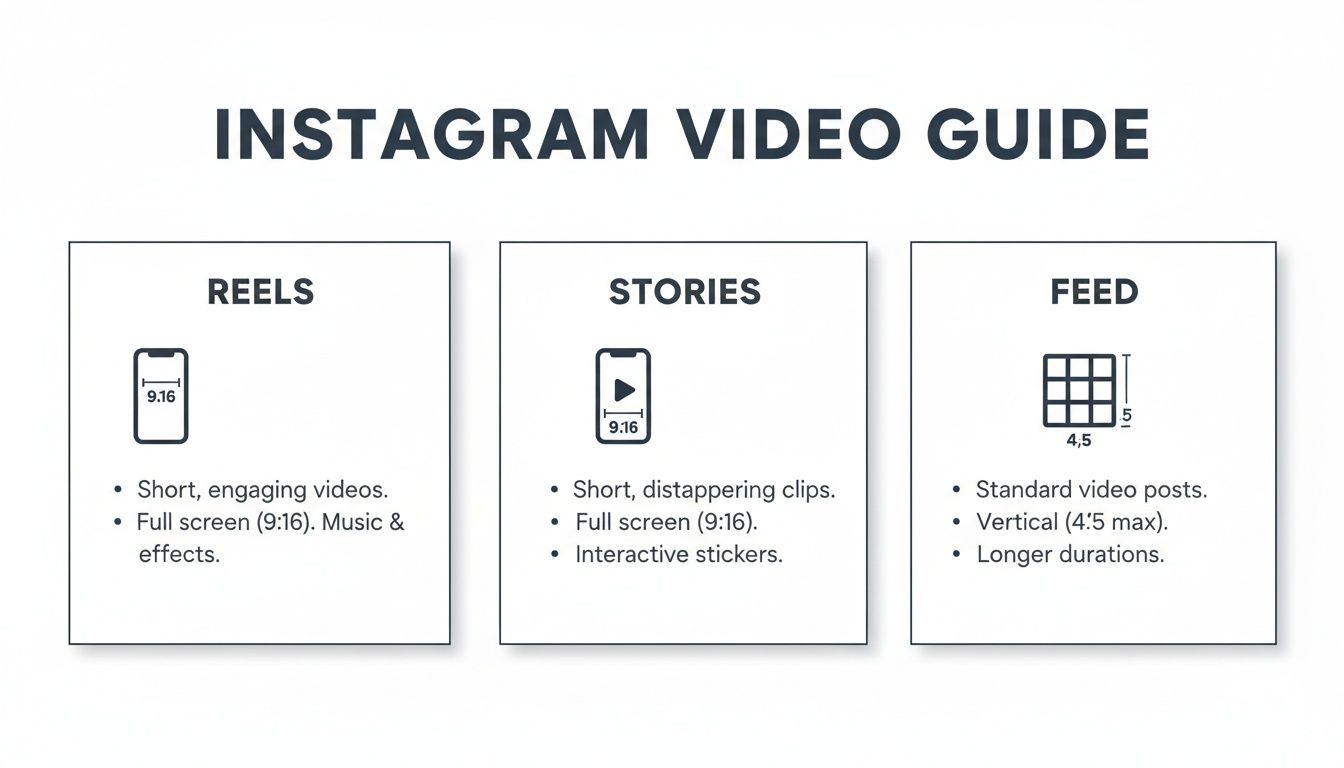
Notice a theme? The vertical 9:16 aspect ratio is king for both Reels and Stories, which is no surprise since everyone is glued to their phones. It's all about designing for a mobile-first experience.
If you're looking for more inspiration on what to create, check out our guide on the best types of content for social media for some fresh ideas.
For those who want to take the guesswork out of their strategy, creators are using Trendy to get AI-powered recommendations on video trends that are actually working in their niche. The app's Content Discovery feature analyzes millions of data points to serve you trending audio and video concepts before they go viral, giving you a serious competitive edge. You can download it on iOS or Android and stop throwing content at the wall to see what sticks.
Instagram Video Format Quick Reference Guide (2026)
Bookmark this table. It's everything you need in one place to make sure your videos are perfectly optimized every single time.
| Video Type | Aspect Ratio | Resolution (Pixels) | Max Length | File Type |
| Reels | 9:16 (vertical) | 1080 x 1920 | 90 seconds | MP4, MOV |
| Feed Video | 1:1, 4:5, 16:9 | 1080 x 1080 (square) | 60 minutes | MP4, MOV |
| Stories | 9:16 (vertical) | 1080 x 1920 | 60 seconds | MP4, MOV |
| Live | 9:16 (vertical) | 1080 x 1920 | 4 hours | N/A |
Getting these specs right is half the battle. Now you can focus on creating killer content without worrying about the technical stuff.
Mastering the Instagram Reels Format for Maximum Reach
If you're serious about blowing up on Instagram in 2026, then getting the Reels format right isn't just a good idea—it's everything. Reels are the undisputed kings of organic reach, and the entire format is built for one single purpose: to grab someone's attention on a phone screen and not let go.
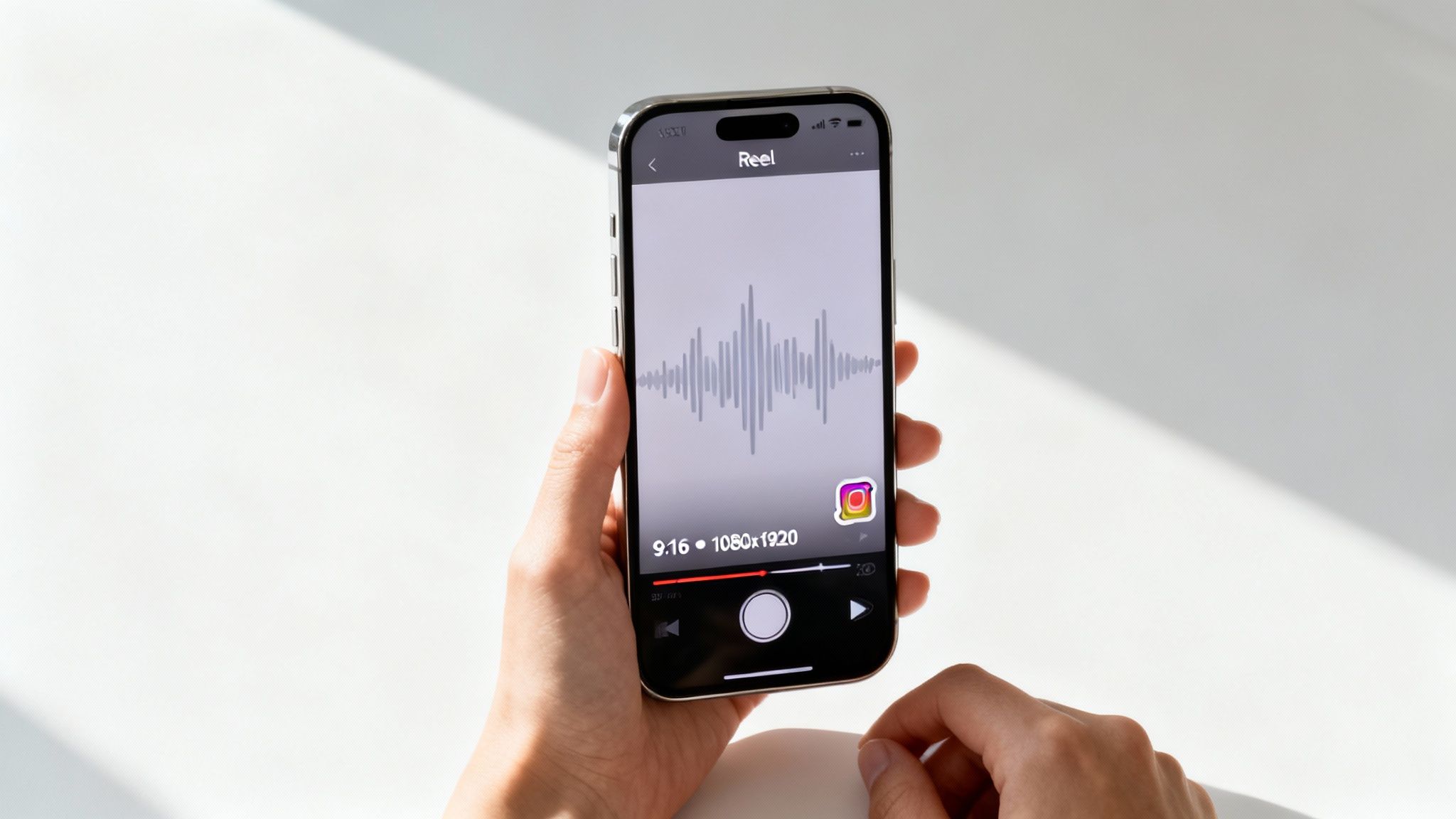
The magic numbers here are 1080 x 1920 pixels, which gives you that perfect 9:16 aspect ratio. Let's be clear: filming vertically is non-negotiable. This setup makes your video fill the entire screen, pulling viewers in and stopping them from getting bored and scrolling past. You're basically claiming every last pixel of their attention.
Cracking the Code: What the Algorithm Really Wants
To get your Reels in front of more eyeballs, you need to understand how the Instagram algorithm works and what it loves. It's an attention-hungry beast, and it heavily rewards Reels that hook viewers and keep them watching. This is why your video's length is such a big deal.
Sure, you can upload longer videos, but the sweet spot for getting people to re-watch and share is often way shorter. You can dive deeper into the specifics of how long Reels can be for optimal engagement. The goal is to make punchy, high-energy clips that get stuck on a loop.
The algorithm rewards certain signals, and it’s no surprise that 93% of marketers are now building their strategies around video. For micro-influencers, Reels are a cheat code, delivering 60% higher engagement compared to bigger accounts. Nail the format, and you've got a massive advantage.
Pro Tip: Your Reel's success is about more than just the right dimensions. Always prioritize trending audio, quick cuts, and interactive elements like polls or quizzes. These things skyrocket your watch time and scream "this is great content" to the algorithm.
Stay Ahead of the Curve with Data
Trying to guess what's trending can feel like a losing battle. This is where a tool like Trendy becomes your secret weapon. The app’s Trend Prediction AI actually analyzes your specific niche to pinpoint the exact sounds and video styles that are about to pop off. It even provides a detailed Profile Analysis feature to show you which of your own videos resonated most, so you can double down on what works.
It takes the guesswork out of the equation, giving you a data-driven edge to create Reels that are practically built for the Discover page. Stop throwing spaghetti at the wall and start creating with confidence by downloading Trendy for iOS or Android today.
Making Your Instagram Feed Videos Shine
So, Reels are all the rage for snagging new eyeballs, but don't you dare forget about good old-fashioned Feed videos. This is where you nurture the audience you already have. Think of it as your cozy corner of Instagram, a place to have deeper conversations and share stories that need a little more breathing room than a 90-second Reel allows.
One of the best things about the Feed is the creative freedom it offers. Unlike the rigid vertical world of Reels and Stories, you get to play with different shapes and sizes. Each aspect ratio has its own vibe. For anyone in the food world, this is a golden opportunity. Investing in professional food videography can turn a simple recipe into a mouth-watering masterpiece that stops scrollers in their tracks, no matter which format you choose.
Picking the Perfect Shape: Your Feed Video Aspect Ratio
How your video looks in the feed is a huge deal. It's all about taking up as much screen real estate as possible. Let's get into the nitty-gritty of your options.
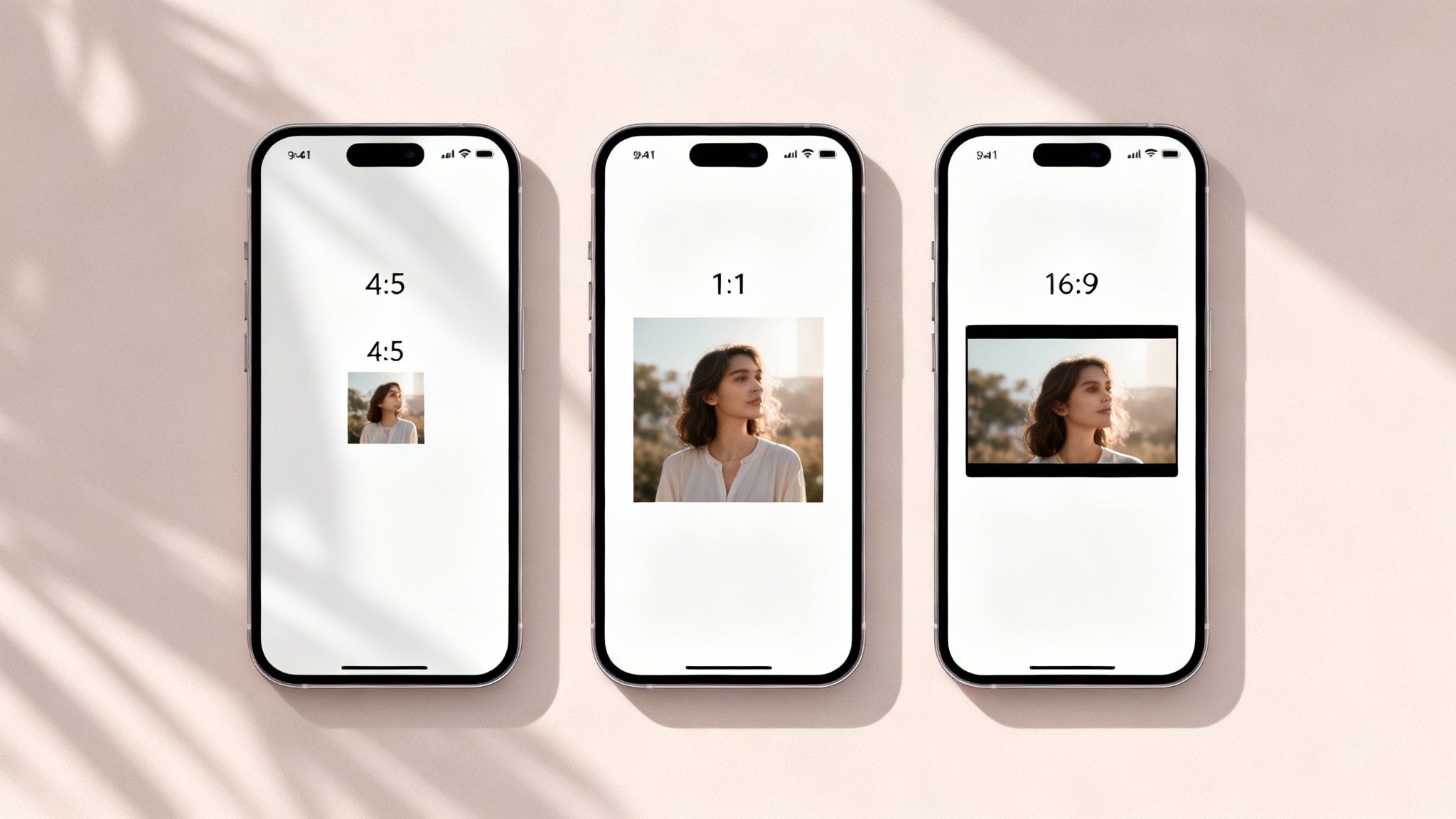
- Vertical (4:5): This is your champion. Honestly, it's the best choice for feed videos because it fills up the most screen space on a phone without forcing anyone to rotate their device. It's an absolute thumb-stopper.
- Square (1:1): Ah, the classic. The OG Instagram format. It's a solid, reliable choice that always looks clean and composed, both in the feed and on your profile grid. You can't really go wrong with square.
- Landscape (16:9): Tread very, very carefully here. This wide, cinematic look often gets butchered on mobile, leaving you with massive black bars above and below your video. It just feels small and out of place. Save this one for those rare times when it's absolutely essential for the artistic vision.
Pro Tip: Your cover image is everything. It’s the hook! Spend a few minutes creating a custom thumbnail that’s eye-catching, clear, and uses some bold text to hint at what the video is all about. A great cover can literally be the difference between someone watching your video or just scrolling right past it.
To avoid the dreaded pixelation, make sure you export your video with a bitrate of at least 3,500 kbps. This little technical setting is your best defense against Instagram's compression monster, which loves to turn beautiful, crisp videos into a blurry mess.
At the end of the day, a winning strategy is all about balance. You need high-reach Reels to grow and community-building Feed posts to connect. To strike that perfect chord, the Trendy app uses its AI Content Planner to give you smart suggestions on what kind of content will pop off in each format. Grab it from the App Store or Google Play and start building a smarter video plan.
Nailing the Instagram Stories Video Format
While Reels are your ticket to discovery, Instagram Stories are where you get real with your audience. This is your behind-the-scenes pass, your direct line for creating authentic, unfiltered connections. The whole format of video for Instagram Stories is built for that raw, "just-shot-this" vibe.
The one rule you can't break? The 9:16 vertical aspect ratio (1080 x 1920 pixels). This full-screen, phone-first format is what makes Stories so immersive and engaging. It’s designed to feel native to your device, making it the perfect home for quick updates and spontaneous moments.
Unlike a highly polished Feed video, Stories are all about what’s happening right now. Think quick office tours, unboxing reactions, or answering a question that just popped into your head. It's your chance to drop the corporate mask and build some genuine trust.
Making Every Second Count
You’ve got a tight 60 seconds per video clip in Stories. That might sound short, but it’s actually a blessing in disguise—it forces you to get straight to the point. Want to tell a longer tale? No problem. Just string multiple 60-second clips together to create a binge-worthy sequence that keeps your followers tapping through.
But the real magic of Stories isn't just the video; it's the interactive stuff you can layer on top. These stickers aren't just for fun; they're your secret weapon for turning passive viewers into active participants.
- Polls & Quizzes: Settle a debate or test your followers' knowledge on a topic. It's a ridiculously easy way to get people to engage.
- Question Stickers: The classic "Ask Me Anything" is a goldmine for content ideas and direct communication.
- Sliders & Countdowns: Get a quick vibe check on a new idea or build massive hype for a product drop.
When you use these tools, you’re not just broadcasting a message; you’re starting a two-way conversation. To really get the most out of this, you should dig into the strategy behind getting more views on Instagram stories and see how these features play a huge role.
Pro tip: Remember, the goal with Stories is connection, not perfection. A slightly shaky, off-the-cuff video that shares something valuable will almost always beat a perfect, soulless production.
If you’re ever stuck for engaging Story ideas, the Trendy app is an absolute lifesaver. Its Engagement Booster feature takes the guesswork out of what your audience wants to see and serves up interactive poll, quiz, and question ideas that are proven to get people talking. Grab it for iOS or Android and watch your Story engagement climb.
Getting Your Video Encoding Settings Just Right
We've all been there. You spend hours meticulously editing a video, hit upload, and... it looks like it was filmed on a potato. Ugh. It's a soul-crushing moment, and the culprit is almost always Instagram's aggressive compression. But here's the good news: you can fight back by giving the algorithm a file it loves from the get-go.
Think of it like packing a suitcase. If you just cram everything in, it's a wrinkly disaster. But when you fold everything neatly, it all fits perfectly. Getting your video encoding right is the digital version of that—it ensures your masterpiece arrives looking as crisp and clean as you intended.
Your Go-To Export Cheat Sheet
Let's cut through the technical noise. You don't need to be a video engineer to get this right. Just dial in these simple, non-negotiable settings in your editing software before you even think about hitting that "export" button. This is the secret sauce for maintaining quality on any format of video for Instagram.
- Video Codec H.264: This is the gold standard for web video and exactly what Instagram expects to see. Choosing it drastically reduces the chances of those weird, blocky compression artifacts popping up.
- Frame Rate 30 FPS: While fancy films might be shot at 24 FPS, online video just looks and feels smoother at 30 frames per second (FPS). Sticking to this prevents any jerky or laggy playback.
- Audio Codec AAC: For sound, AAC (Advanced Audio Coding) is your best friend. It delivers high-quality audio without bloating your file size—a perfect combo for social media.
Pro Tip: Aim for a video bitrate around 3,500 kbps. It's tempting to crank this number way up, but that just creates a huge file that Instagram's compression will squash anyway. Go too low, and it's blurry from the start. 3,500 kbps is the sweet spot.
Nailing these settings is a massive win, but if you want to level up your creative game, be sure to check out our essential video editing tips for beginners.
And if you're ready to streamline your entire workflow—from finding that next viral idea to making sure your final video is perfectly optimized—let Trendy be your co-pilot. It’s an AI-powered tool that gives you data-backed suggestions to create content the algorithm can't ignore. Grab it for iOS or Android and switch from guessing to growing.
Common Instagram Video Format Mistakes to Avoid
Knowing the specs is half the battle, but truly mastering Instagram video means sidestepping the common traps that trip up so many creators. Getting the format wrong is an instant engagement killer, basically telling the algorithm to ignore you before anyone even sees your masterpiece.
The most frequent fumble? Uploading with the wrong aspect ratio. Shoving a widescreen 16:9 video into a vertical 9:16 Reels frame is a classic example. You end up with those hideous black bars that just scream, "I'm new here." It completely shatters the immersive, full-screen vibe that makes Reels and Stories so addictive.
Another rookie move is ignoring the "safe zones." Remember, Instagram's interface—all those likes, comments, captions, and your profile info—is plastered right over the edges of your video. If you stick important text or visuals too close to the border, they're going to get chopped off. Your content will look sloppy, and your message will be lost.
Content Quality and Audience Experience Blunders
Uploading a grainy, low-resolution video is another surefire way to fail. Instagram already compresses your files, so if you start with something that looks like it was filmed on a potato, the final product will be a blurry disaster. Always shoot and export in the highest quality you can, aiming for at least 1080p to give your video a fighting chance.
Finally, skipping captions is a massive own-goal. A huge number of people watch videos with the sound off, whether they're in a quiet office or on a noisy train. Without on-screen text, your brilliant message vanishes into thin air. This simple oversight will torpedo your watch time and tank your video's performance.
When it comes to watch time, every single second counts. A recent 2026 analysis of over 100 organic videos found a peak engagement sweet spot right around the 16-second mark. Videos that nailed this length saw higher watch durations and better retention—the exact signals that fuel the likes, shares, and comments the algorithm loves. You can dig into these key video length findings for yourself.
Dodging these blunders is easy once you know what to look for. If you want a hand creating content strategies that avoid these mistakes from the get-go, check out the Trendy app. Its AI-powered content calendar helps you plan and schedule posts, ensuring your videos are perfectly formatted and timed for maximum impact. Download it for iOS or Android and get ahead of the curve.
Your Top Instagram Video Questions, Answered
Let's clear the air. Nailing the right format of video for Instagram can feel like trying to solve a Rubik's Cube in the dark. It doesn't have to be that complicated. Here are some straight-up answers to the questions that hit our inbox the most, designed to fix your biggest video headaches fast.
What’s the Absolute Best Video Format for Instagram in 2026?
Hands down, the champion is a vertical 9:16 video (that’s 1080 x 1920 pixels), made specifically for Instagram Reels. Why? Because the algorithm is completely obsessed with that short-form, full-screen vibe and shoves it in front of as many eyeballs as possible. It’s your fast pass to maximum reach.
For the best shot at going viral, keep your Reel between 9-16 seconds, jump on a trending audio track, and throw some bold captions on screen. That combo is practically a cheat code for stopping the endless scroll.
Why Does My Video Look So Bad on Instagram?
Ah, the dreaded pixelated mess. If your video looks like it was filmed on a potato, you can almost always blame Instagram’s aggressive compression. The platform crushes your file size to save server space, and if your export settings aren’t just right, your masterpiece turns into a blurry disaster.
To fight back against the compression monster, export your video with these specs:
- File Format: MP4 is the undisputed king.
- Codec: H.264 is the gold standard.
- Frame Rate: A buttery-smooth 30 FPS is perfect.
- Bitrate: Aim for around 3,500 kbps. This hits the sweet spot between quality and file size.
Also, a pro tip: always start with a high-resolution source file (at least 1080p) and upload over a rock-solid Wi-Fi connection. Your shaky cell service is not your friend here.
Can I Post a Landscape Video on Instagram?
Technically, yes, you can upload a widescreen 16:9 video to your Feed. But the real question is, should you? Probably not. That format is a total train wreck on mobile. It creates these massive, ugly black bars above and below your content, making your video look tiny and completely out of place in a vertical world.
For a much better result, take a few extra minutes to re-edit your video for a mobile-first experience. A vertical 4:5 or a classic square 1:1 looks fantastic on the Feed, and the all-powerful 9:16 for Reels and Stories lets you own the entire screen.
Stop guessing what works and start creating with a data-driven strategy. Trendy is an AI content strategist that analyzes your niche to surface personalized post ideas, predict viral trends, and help you plan a winning video format strategy. Download it today for iOS or Android and let AI guide your growth.