Facebook Ads Comment Moderation: The Operational Playbook
Master Facebook ads comment moderation with this step-by-step playbook. Learn native settings, automation, escalation workflows, and how to boost ROAS.
Automated comment moderation raised return on ad spend by 48% and click-to-registration by 16% in field experiments when the campaign stayed otherwise unchanged. For facebook ads comment moderation, that makes the comment section a conversion surface, not just a cleanup task.
The hard part is that the best ads attract both buying intent and bad actors. Buyers ask about pricing, fit, and trust, while spam, competitor bait, and harassment can make the ad look unsafe before a qualified visitor ever clicks.
Table of Contents
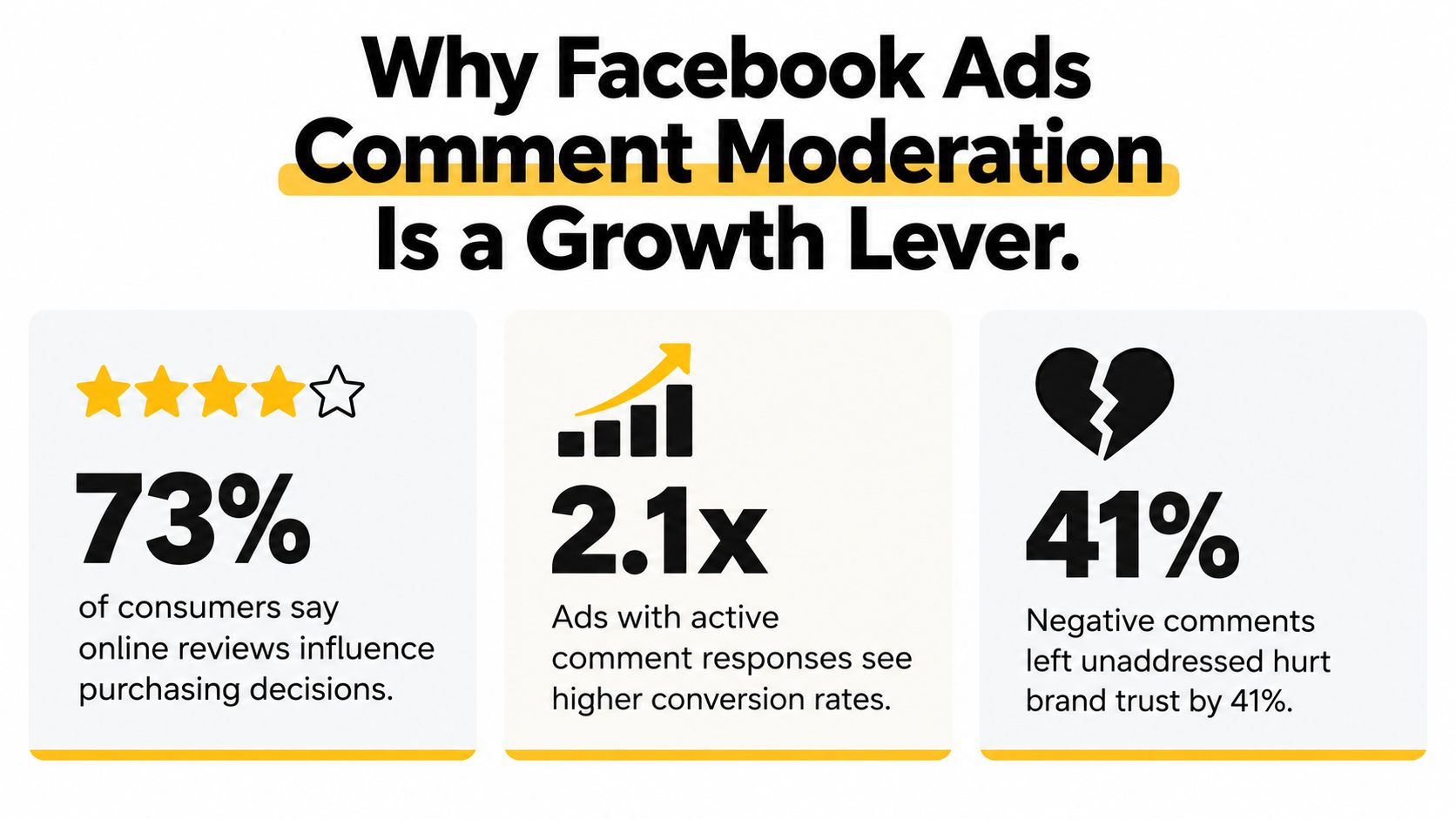
Why Facebook Ads Comment Moderation Is a Growth Lever
A comment thread under a paid post acts like pre-click social proof, or pre-click friction. If the first visible replies are hostile, messy, or spam-filled, qualified visitors judge the offer before they ever reach the landing page.
That is why moderation belongs in performance planning, not just brand safety. The independent report on automated moderation found that cleaner ad comment environments correlated with stronger campaign outcomes and better click-to-registration performance when the rest of the setup stayed constant source. The practical takeaway is simple, buyers trust a paid post more when the replies look managed and relevant.
Trust is part of the paid media job
A paid post is not a one-way broadcast. It functions like a public sales page with a comment layer, and that layer often becomes the proof point people use to judge whether the offer is credible.
Practical rule: protect the ad environment first, then decide which comments deserve a human response. That order keeps low-value noise from defining the conversation.
This is also why moderation works as an omnichannel trust layer across Facebook, Instagram, and Threads replies, not just a cleanup task on one surface. The job is to keep high-intent questions visible while removing scammy or abusive noise fast enough that the ad still looks worth engaging with.
Manual review works when volume is low and the team can keep up. It stops working once toxic comments linger long enough to shape perception, because the feed becomes part of the ad experience.
A hybrid approach performs better. Human reviewers should handle customer-service questions, nuanced objections, and edge cases, while automation should suppress obvious spam, links, scams, and repetitive negativity. That split keeps the comment section usable without muting real buyers.
Navigating Native Moderation Settings in Ads Manager
Meta gives advertisers a real moderation toolkit, but it sits in more than one place. Page-level controls set the baseline. Ads Manager adds ad-level comment management, where you can review reactions and comments, hide or report abuse, and keep filtering aligned with the connected Facebook Page, Instagram, or Threads account settings.
Where the controls live
Page-level settings apply to ads published by that Page. If you set blocked words or profanity filters on the Page, those rules shape organic posts and promoted posts alike Meta ads policy.
Use that structure on purpose. Set one baseline policy for the Page, then verify ad-level access inside Ads Manager so the team can handle fast-moving comment threads without jumping between surfaces.
A practical sequence looks like this:
Set the Page baseline. Turn on profanity filtering and add blocked words that match your niche, not just generic abuse terms.
Check ad-level access in Ads Manager. Open the ad, review comments, and use hide or report actions when something slips through.
Review hidden comments regularly. Keep a routine for checking what the team has hidden, because moderation decisions sometimes need a second look.
Keep account settings aligned across surfaces. If your brand runs Facebook, Instagram, and Threads placements, moderation rules should not drift by channel.
What the native stack can and can't do
Native controls do well with known bad patterns and baseline enforcement. They are weaker when the issue is campaign-specific nuance, such as one product line attracting more pricing objections or one placement drawing repeated competitor bait.
That limitation matters. Meta's help docs still frame turning comments off entirely as a limited-availability test for Facebook and Instagram ads, not a universal feature. In practice, “disable comments” is not the default operating model, so the team needs a moderation system, not just a switch.
A clean setup usually starts with Page settings, then adds ad-level review habits. That is the difference between having filters in theory and keeping the comment section readable while the campaign is live.
If your moderation rules vary by campaign, do not rely on Page settings alone. Page-level control is broad by design, so it cannot replace campaign-specific judgment.
Building an Automation Framework That Scales
Manual moderation holds up until comments start arriving faster than your team can inspect them. After that point, the problem is delay. A spam wave or toxic thread can sit under a paid post long enough to change how the ad is perceived, and that has a real cost when you are trying to protect both brand trust and conversion rate.
Design the rule stack before the inbox fills up
A scalable setup starts with triggers, actions, and exceptions. Triggers catch obvious patterns like spam links, competitor bait, repeated profanity, and aggressive language. Actions decide the next move, usually hide, report, or route the comment for review.
Scale is the main constraint. Independent operational guidance notes that Meta's API supports bulk hiding, but not bulk automated deletion, so deletion usually stays in the human review lane while hiding can be handled programmatically brandbastion guide. That boundary is useful because it keeps destructive actions from being too easy to fire off.
A clean rule architecture usually splits comments into three buckets:
Suppress immediately. Obvious spam, scam links, and known toxic patterns.
Escalate for review. Pricing objections, shipping questions, and anything that sounds like buying intent.
Leave visible for now. Neutral comments that add social proof or invite useful discussion.
Keep revenue signals out of the suppression bucket
The biggest mistake is treating every negative comment as noise. Some comments are useful sales signals, especially questions about stock, pricing, or fit for a specific use case.
Automation should stay biased toward hygiene, not overreach. If a comment looks like a real buying question, route it to a human instead of hiding it. That reply can still recover the sale, and it often gives your team a better read on what the ad is pulling in.
Operational standard: hide the obvious junk automatically, but keep purchase intent visible until a person has answered it.
Compare native moderation with external tooling
Native controls are enough when one Page gets light-to-moderate traffic and comment patterns stay predictable. External tools become useful when one team manages multiple pages, high-volume ads, or separate escalation rules for support and sales.
That matters when you need workflow features the native stack does not handle cleanly, such as tagging comments by intent, assigning ownership, or building alerts around keywords. The right choice is less about adding more automation and more about preserving useful comments without forcing reviewers to chase every thread manually.
Create keyword groups. Separate scam terms, profanity, competitor names, and buying-intent terms.
Assign different actions. Hide spam, flag edge cases, and route sales questions to a human.
Limit destructive automation. Keep deletion under human control unless the platform and workflow clearly support it.
Review the hidden queue. False positives happen, and they are usually easy to spot once you inspect them in batches.
How Exerta Can Help
Exerta is built for brands that need AI agents to handle comment moderation, DM follow-up, and customer engagement across social and web channels. It keeps replies, moderation actions, and ownership logs tied to each interaction, which matters when paid traffic brings a steady stream of public questions and private leads.
For teams running Meta or TikTok ads in DTC, ecommerce, telehealth, lead-gen, coaching, or agency accounts, the value is operational. Facebook ad comment moderation is only part of the job. The bigger win is combining instant replies in brand voice with rules that hide spam and hostile comments, plus sales recovery flows that catch buyer intent, send checkout links, and keep the thread moving. Exerta works across Facebook, Instagram, TikTok, and website chat, with SMS, email, and voice on the roadmap.
It fits best when repetitive engagement work is eating team time or when slow replies are costing conversions. It also makes sense when you want a no-code setup inside Meta Business Manager, escalation workflows for customer service, and attribution that shows which replies recovered revenue. For a closer look at the product, visit Exerta.
Integrating Moderation Into Your Content Workflow
Paid comments should feed your content system, not sit beside it as a separate chore. The questions people leave under an ad are usually the same questions they will repeat in DMs, organic posts, or the next short-form video.
Turn comment themes into creative themes
A repeated objection is a content brief. If the same post keeps pulling questions about price, shipping, fit, or setup, the next creative should answer that objection before it shows up again.
A cross-format planning workflow makes that easier to spot. Trendy surfaces personalized post ideas, hooks, and trends across TikTok, Threads, X, and Instagram, so it can help you see the patterns that later appear in ad comments. A hook that draws attention in short-form content often deserves a direct answer in paid creative or a follow-up post. That kind of loop keeps moderation and content planning pointed at the same audience behavior.
The practical workflow is simple:
Profile audit. Identify where the audience already responds and where it hesitates.
Trends and ideas. Pull the recurring themes, angles, and formats that fit the niche.
Content creation. Turn those themes into video scripts, hooks, scene structures, carousels, and post concepts.
Performance analysis. Review what resonated, then use that feedback to refine the next creative round.
Use moderation data as a briefing document
Comment moderation gives you raw market language. That language is more useful than guessing, because it comes from people who chose to engage under a live ad.
Classify the comments before they reach the content calendar. Confusion should become clarifying posts. Urgency should become stronger calls to action. Repeated skepticism should become proof-led creative, not defensive replies. The moderation queue becomes a briefing document for the next round of content.
The team can also use a simple escalation ladder:
Hide obvious junk. Spam, scams, and abuse.
Answer high-intent questions. Pricing, availability, setup, and fit.
Pin clarifications when needed. Use a visible reply to reduce repeated confusion.
Capture recurring friction. Feed it back into the next round of hooks and scripts.
For a broader view of how that workflow connects across content stages, the social media content workflow guide covers the planning side in more detail.
Make the response templates reusable
A team does not need to write every reply from scratch. It needs a small set of approved patterns that sound human, stay on-brand, and keep the conversation moving.
Short templates work best when they do three things at once, acknowledge the comment, answer the immediate question, and point to the next step. A pricing objection can get a plain clarification. A setup question can get a direct answer plus a path to more help. A recurring complaint can get a calm reply that acknowledges the issue without turning every thread into a debate.
Good moderation does more than remove bad comments. It tells the next post what needs to be said first.
That is the value of folding moderation into the content workflow. The comments under today's ad become the script for tomorrow's creative.
Designing Escalation Workflows and Response Templates
A comment thread can hold three different jobs at once, a customer asking for help, a prospect showing buying intent, and a brand-risk issue that needs fast containment. The routing has to match the comment, or the team wastes time on the wrong reply.
A practical escalation workflow starts with the comment itself, then adds context from the campaign and the account. If someone writes, “is this a scam, I ordered two weeks ago and heard nothing,” that is a support case with purchase intent, so it should go to the service owner with an order-lookup template. A reply like “your ad broke my feed” is a different problem, and a spam link is different again. Tier 4 situations are where brand-risk exposure becomes a legal and reputational question, and the framework in social media risk covers how to scope that exposure before it escalates.
The point is to keep the response specific. Tier 1 suppression is fine for obvious junk, but it becomes a blunt tool if the team uses it for every negative comment. Tier 2 review catches false positives and coded abuse. Tier 3 belongs to support or sales, because those comments often contain both a complaint and a conversion signal. Tier 4 needs a named owner, a response deadline, and a decision path that does not wait for the next routine queue review.
Response templates that keep the thread moving
Templates should sound like a person who knows the product and the process. They should answer the immediate question, reduce repeat back-and-forth, and hand off cleanly when the issue needs private follow-up.
A few templates do most of the work:
Pricing objection: “Happy to clarify that. The best fit depends on how you plan to use it.”
Setup question: “Yes, that's supported. I can point you to the fastest setup path.”
Competitor comparison: “The main difference is the workflow each option supports.”
Negative but fair feedback: “Thanks for raising that. Share a bit more context and we can look into it.”
These replies work because they keep the thread open without inviting a public argument. They also give moderators a clear line on when to stop replying and move the case into support, sales, or account management.
Review recurring issues like a performance input
The comments that repeat are usually telling you what the ad failed to explain. If people keep asking the same thing, the creative, offer, or page copy is leaving a gap.
A smart moderation team logs those patterns and hands them to media buyers, creatives, and support. That makes the comment section part of the operating system, not a cleanup queue.
Measuring Moderation Impact and Auditing Results
Moderation only matters if the review process can prove it is doing useful work. The goal is cleaner threads, faster replies, and fewer comments that drag the campaign off course.
Audit the hidden queue regularly
The audit should answer three questions first: what was hidden correctly, what was hidden by mistake, and what new pattern is showing up now?
That sequence surfaces drift fast. A keyword list that worked last month can miss a new spam phrase, or it can start blocking real customer questions. I have seen both problems at once, and the only way to catch them is to review the hidden queue on a schedule, then compare it with a small sample of visible comments.
Keep a short log of the comments you restore, remove, or escalate. Those notes are the fastest way to see whether your rules are catching obvious junk or suppressing useful intent.
Track the signals that actually matter
The cleanest review ties moderation data to media performance. Track response time, the ratio of hidden to visible comments, the tone of the thread, and whether core campaign metrics changed after a moderation update.
That review should sit inside the same reporting workflow as creative and audience analysis. A comment section can look cleaner while the offer is still weak. It can also look chaotic while the ad is attracting real buying intent. Moderation will not fix a bad offer, but it can remove friction that is blocking trust.
If you already use a social media dashboard guide to compare channels, fold moderation into that same reporting view so the team is not judging comment quality in isolation.
Audit rule: if the comment section looks cleaner but the team cannot explain why performance changed, the moderation rules are probably too broad or too vague.
Use the audit to sharpen the blocked-word list
Bad actors change tactics. They misspell words, add symbols, or swap phrases fast enough to slip past a stale filter. That makes blocked-word maintenance a recurring task, not a one-time setup.
The strongest teams update their rules from real comment logs, not guesses. They also keep a record of what got unhidden, because false positives are often the best clues for improving the next round of filtering. Over time, that turns moderation from cleanup into a feedback loop for the whole campaign.
Your Implementation Checklist for Facebook Ads Comment Moderation
Start with the Page, not the ad. Turn on your baseline profanity filter, build a blocked-words list that reflects your category, and confirm that the settings apply consistently to the Page that publishes your ads.
Then open Ads Manager and check the ad-level comment tools. Make sure the team knows where to view reactions, review comments, hide spam, report abuse, and inspect the hidden queue instead of letting those comments disappear into a black box.
Use a simple operating checklist:
Set the baseline. Configure Page-level filters and blocked words.
Define the workflow. Decide what gets hidden automatically, what gets reviewed, and what gets escalated.
Train the team. Give reviewers templates for pricing, setup, and complaint responses.
Audit weekly. Review hidden comments, false positives, and new spam patterns.
Feed insights back into creative. If a question keeps coming up, answer it in the next ad or organic post.
Upgrade to third-party automation when the volume starts making manual review unreliable, or when you need better routing, tagging, or multi-platform coverage than the native stack can support. That's usually the point where moderation stops being a side task and becomes part of the performance system.
The win condition is simple. Your comment section should feel safe, useful, and fast-moving, while your team spends less time cleaning up junk and more time answering comments that can still turn into revenue.
If you want a cleaner operating rhythm for content, engagement, and performance analysis, start by mapping your moderation workflow inside Trendy and connect it to your next campaign launch. Then test it on one live ad, review the hidden queue daily for a week, and use what you learn to tighten both your filters and your next creative brief.