The 12 Best Instagram Analytics Tools for Explosive Growth in 2026
Discover the best Instagram analytics tools of 2026. Compare features, pricing, and find the perfect app to grow your audience and engagement.
Welcome to 2026, where your Instagram feed is more crowded than a rush-hour subway and the algorithm has the memory of an elephant. Simply posting fire content and hoping for the best is no longer a viable strategy; it's a one-way ticket to obscurity. The real secret weapon wielded by top-tier creators, brands, and agencies? Cold, hard data. But let's be honest, staring at a spreadsheet of metrics can feel like trying to read ancient hieroglyphics. Which numbers actually translate to growth, and which are just vanity stats?
This guide is your official Rosetta Stone for Instagram data. We’re diving deep into the absolute best Instagram analytics tools on the market right now, from the free essentials to sophisticated AI-powered platforms that do the heavy lifting for you. You'll get an inside look at dashboards, killer features, and honest pros and cons for each one. We'll show you exactly how these tools can solve your biggest growth problems, like pinpointing the best time to post on Instagram for maximum engagement based on your actual audience activity.
Our goal is simple: to help you find the perfect partner-in-crime for your social media domination. Whether you're a solo creator, a small business owner, or a marketing agency juggling multiple accounts, the right tool is in this list. We’ll even highlight how our own AI-driven app, Trendy, provides personalized strategies to give you an edge. Ready to stop guessing and finally start growing with confidence? Let's get into it.
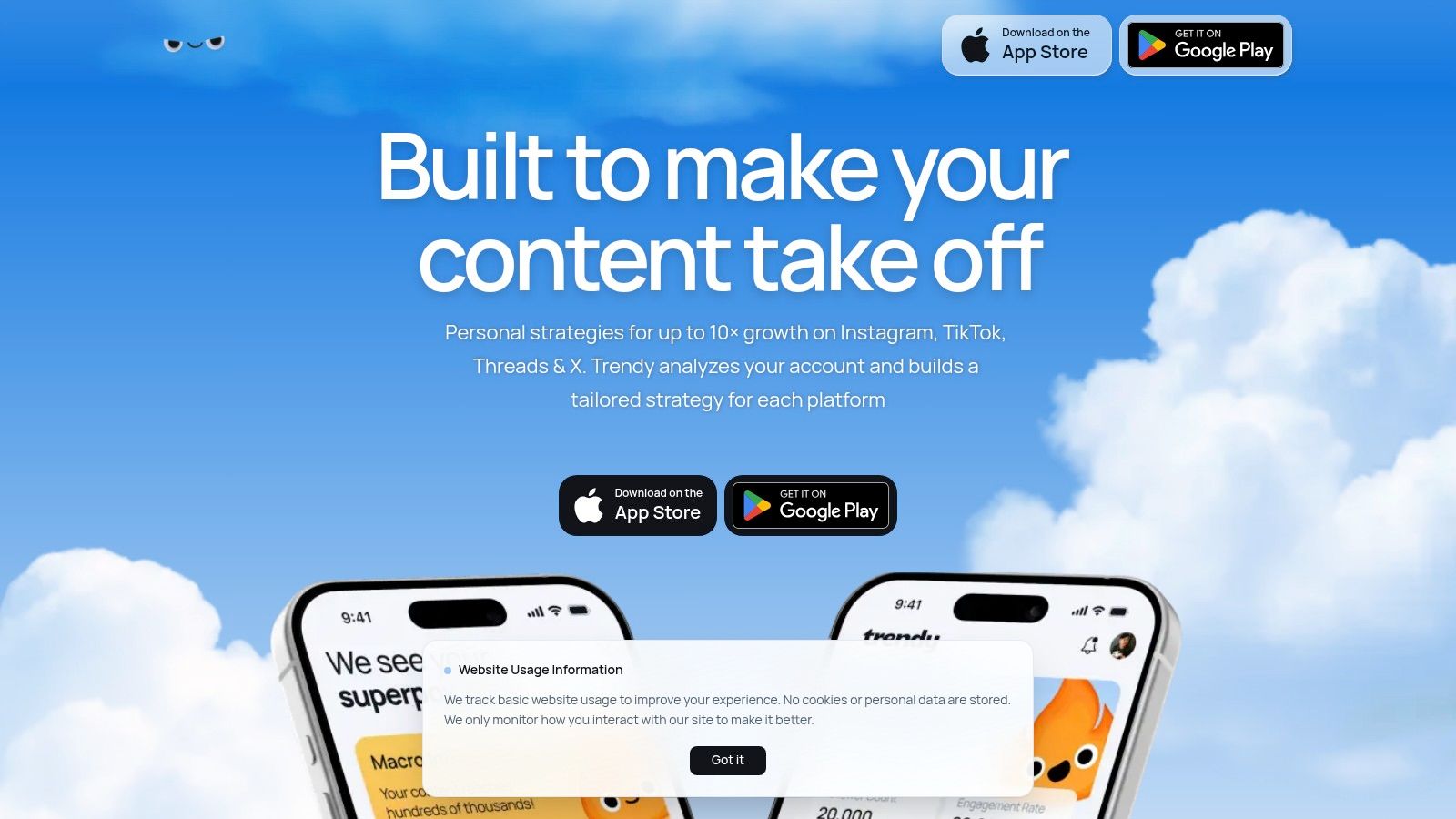
1. Trendy: The AI-Powered Content Strategist
Trendy isn't just another analytics dashboard; it’s a full-fledged AI content strategist designed to eliminate the guesswork from Instagram growth. For content creators, it's like having a personal trend forecaster and strategy team in your pocket. Instead of drowning you in raw data, Trendy analyzes your specific niche, audience engagement patterns, and past performance to generate a personalized, actionable growth plan. This makes it an exceptional choice for creators and brands who want to move beyond simply tracking metrics and start making data-driven decisions that actually drive results.
What sets Trendy apart is its focus on prescriptive analytics. It doesn't just show you what happened; it tells you what to do next. The platform connects directly to your Instagram (and now Threads, TikTok, and X) to surface hyper-relevant post ideas, viral-potential hooks, and trending audio that aligns perfectly with your brand's voice and audience's interests. This proactive approach turns analytics from a reactive chore into a creative powerhouse, saving creators hours of scrolling and research.
Key Features & How to Use Them
Personalized Weekly Strategy: Every week, Trendy delivers a fresh content plan, complete with optimal posting times and engagement predictions. For creators: this builds a consistent posting schedule that hits your audience when they're most active, removing the daily "what should I post?" panic.
AI-Powered Trend Matching: The tool automatically identifies trending sounds, hashtags, and video formats relevant to your niche. For creators: this means you can jump on trends early and maximize your reach without endless scrolling through the platform. As you leverage analytics to grow your presence on a visual platform like Instagram, staying aware of emerging trends, such as the rise of AI-generated content, is crucial. Learn how to effectively spot AI images to ensure your content strategy remains authentic and informed.
Actionable Performance Insights: Instead of just showing likes and comments, Trendy’s analytics explain why a post performed well (or poorly) and provides concrete suggestions for improvement on your next one.
The Trendy Experience
The interface is clean, intuitive, and designed for speed. For creators struggling with content burnout, Trendy’s templates and streamlined workflow can be a game-changer, helping preserve brand aesthetic while saving precious hours. The social proof, including testimonials from seasoned strategists and influencers, speaks to its effectiveness in simplifying complex social media strategy.
Best For: Creators, influencers, and small businesses who need more than just data; they need a clear, AI-guided path to growth and a tool to help them execute consistently.
Pricing & Access: As of 2026, Trendy is in beta. Pricing is not publicly listed, and access is available by downloading the app directly.
2. Instagram Insights (Meta Professional Dashboard)
Before you spend a single dollar on fancy analytics software, your first pit stop should always be the source: Instagram’s own native tool. Think of Instagram Insights as the free, surprisingly potent espresso shot you need before diving into the complex latte art of third-party platforms. It’s the canonical source for your data, baked right into the app for any Business or Creator account.
This is ground zero for understanding your performance. You get immediate, first-party data on everything from individual post reach and engagement to detailed Reel breakdowns (like retention graphs and initial plays vs. replays). It’s also the only place to see hyper-specific Story metrics like sticker taps and replies. While it’s not the most feature-rich option, it’s undeniably one of the best instagram analytics tools for getting a quick, accurate pulse on your account's health without any setup friction.
Key Features & Use Case
A creator could use Insights to quickly check which of last week's Reels had the best audience retention, identifying the exact second viewers dropped off. This intel is gold for planning the next video's hook. The Professional Dashboard provides a solid overview of accounts reached, engaged accounts, and total followers, with demographic data like top cities, countries, and age ranges for your audience.
Pro Tip: Don't just glance at the numbers. Dive into the "Accounts Reached" section to see what percentage of your audience is made up of non-followers. A high number here means your content is killing it on the Explore page or via shares! If you want to dig deeper, you can learn more about analyzing your content performance with these baseline metrics. While you're analyzing, get your next content ideas from Trendy, available on iOS and Android.
Best For: New creators, small businesses, and social media managers needing a quick, no-cost daily check-in on core metrics.
Pricing: Completely free. Access just requires switching to a Creator or Business account.
Pros: 100% free, provides official first-party data, and is seamlessly integrated into the app.
Cons: The 90-day data lookback is limiting for long-term trend analysis, and it lacks competitor tracking or hashtag analytics.
3. Sprout Social
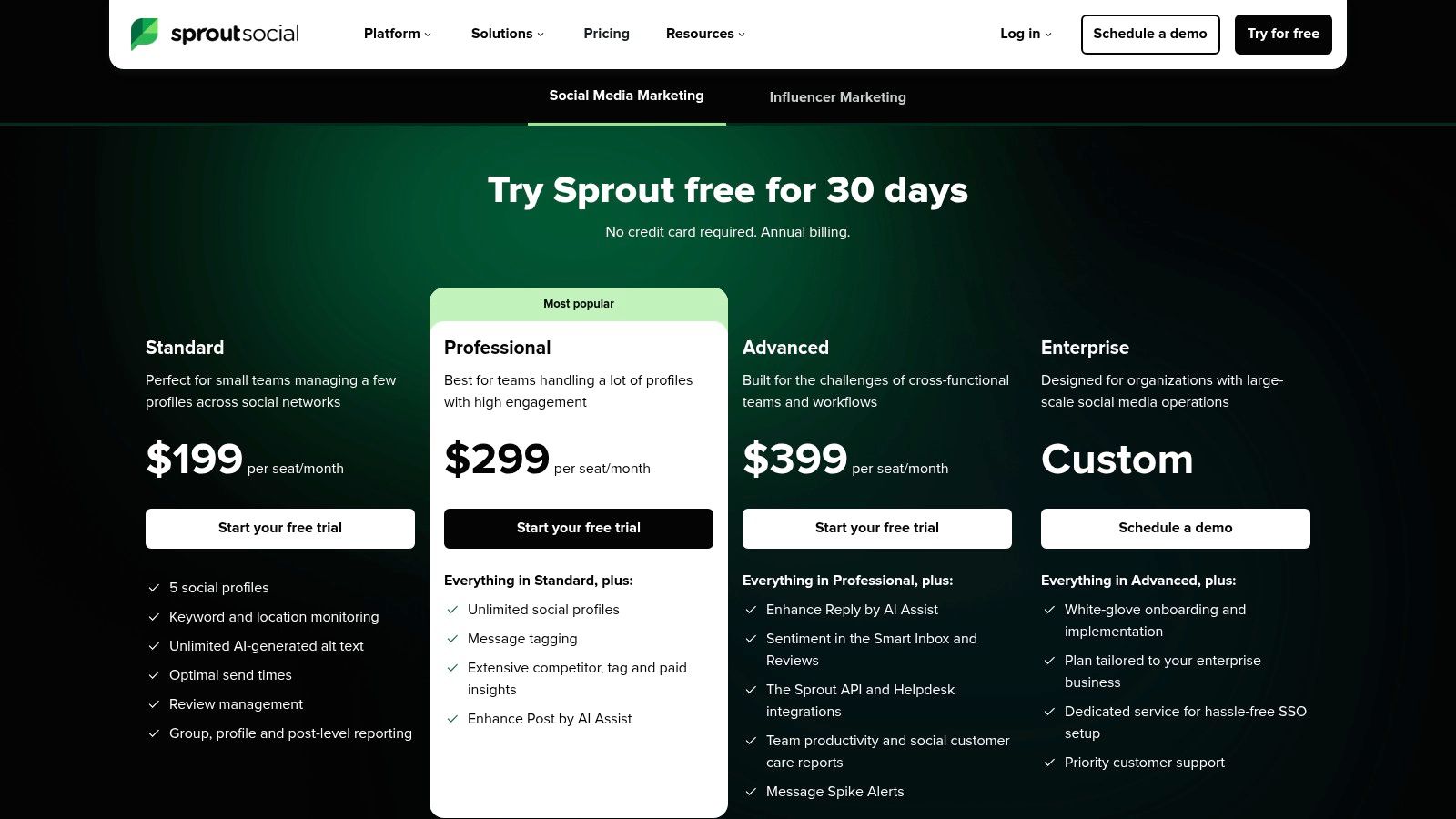
If Instagram Insights is the espresso shot, Sprout Social is the full-service, multi-course banquet. This isn't just an analytics tool; it's an enterprise-grade social media management command center designed for agencies and larger brands juggling multiple accounts, complex team workflows, and the need for boardroom-ready reports. It moves beyond simple metrics into a holistic suite that includes publishing, listening, and engagement management.
Sprout Social shines when you need to consolidate your entire social strategy into one place. It offers some of the most robust, presentation-quality reporting in the game, allowing you to pull cross-channel data, track paid campaign performance, and analyze competitor activity all from a single dashboard. While it's a powerhouse, its per-user pricing makes it a significant investment, positioning it as one of the best instagram analytics tools for teams that need deep integration and operational scale.
Key Features & Use Case
An agency could use Sprout’s tagging and campaign features to meticulously track the performance of a multi-platform product launch for a client. They can create custom, white-labeled reports that are automatically emailed to stakeholders each week, demonstrating clear progress and engagement. The platform’s Smart Inbox also streamlines communication, ensuring no comment or DM slips through the cracks, even with multiple team members working simultaneously.
Pro Tip: Use Sprout's competitor analysis report to benchmark your Instagram growth, engagement rate, and content cadence against your top rivals. For generating the creative content needed to outperform them, check out the Trendy app on iOS or Android. This data is crucial for justifying your strategy and showing how your efforts are directly impacting your market share. For a deeper dive, you can learn more about measuring your social media ROI with these advanced insights.
Best For: Large brands, marketing agencies, and enterprise teams that require a unified platform for multi-channel management, team collaboration, and in-depth reporting.
Pricing: Plans start at $249 per user/month, with a 30-day free trial available.
Pros: All-in-one platform with publishing and engagement tools, highly customizable and presentation-ready reports, and strong team workflow features.
Cons: The per-seat pricing model can become very expensive for larger teams, and some advanced features like social listening are costly add-ons.
4. Hootsuite
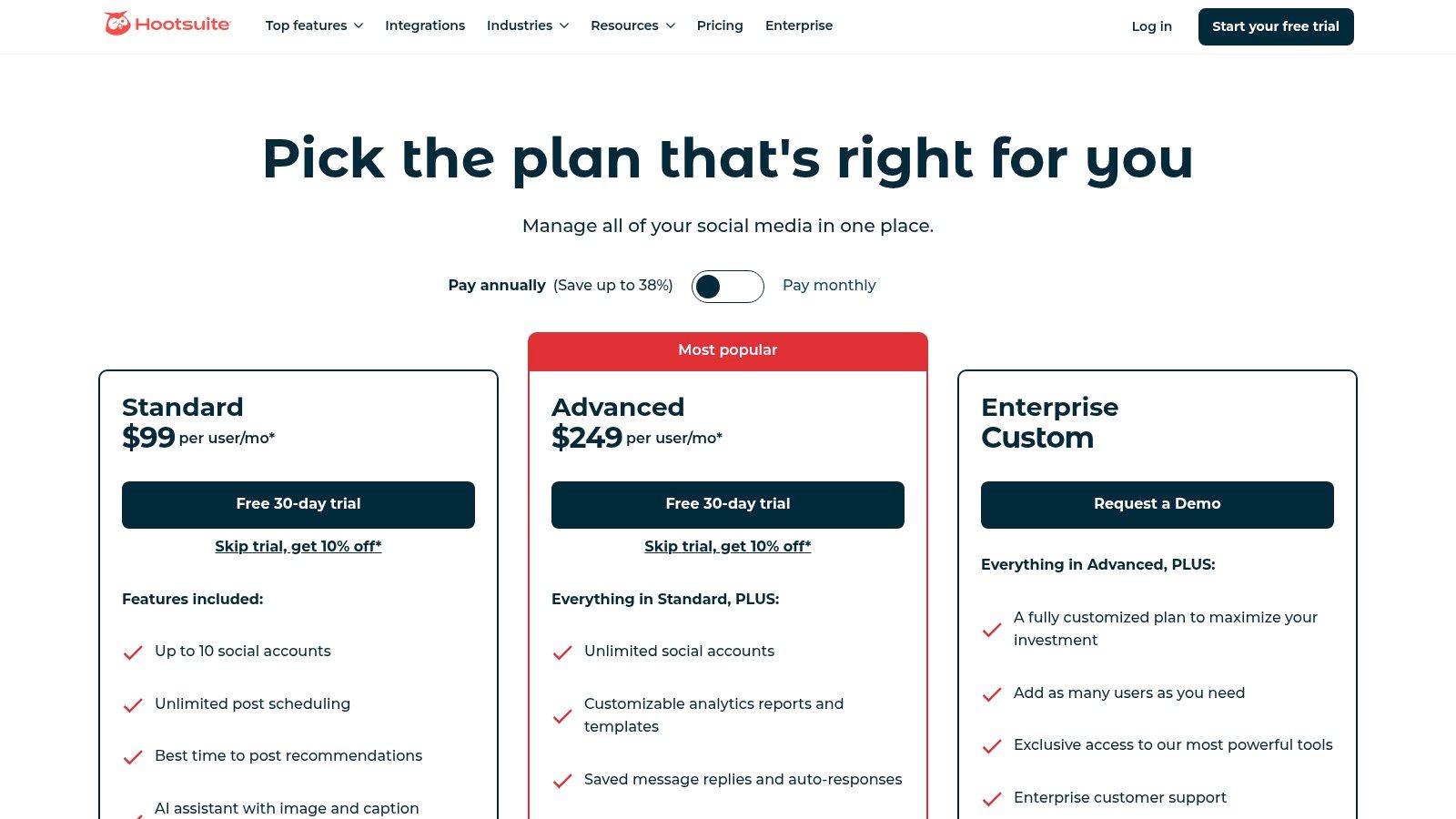
Hootsuite is one of the original titans of social media management, and it’s like the Swiss Army knife in a social media manager’s toolkit. While many know it for its powerful scheduling capabilities across multiple networks, its analytics suite is a robust contender that goes far beyond simple post-performance metrics. It’s less of a specialized scalpel and more of a comprehensive command center for teams managing multiple social profiles.
For those juggling not just Instagram but a whole ecosystem of social platforms, Hootsuite provides a unified dashboard to monitor, schedule, and analyze everything at once. It pulls in data on post performance, audience growth, and even includes competitor benchmarking tools. This makes it one of the best instagram analytics tools for organizations that need an all-in-one solution rather than a dedicated, Instagram-only platform.
Key Features & Use Case
A marketing agency could use Hootsuite to generate a comprehensive client report that benchmarks their Instagram performance against two key competitors, all within the same interface. The platform's sentiment analysis tools can also track brand mentions, giving the team a real-time pulse on public perception. Features like its best-time-to-post recommendations are invaluable for optimizing content schedules for maximum impact.
Pro Tip: Leverage the combined inbox to manage DMs and comments without ever leaving the dashboard. For proactive content strategy to fuel those conversations, download the Trendy app on iOS or Android. Setting up automations can help you instantly reply to common queries, saving hours of manual work and improving your response time metrics. If you're looking for more guidance, you can find out what's the best time to post on Instagram to supercharge your scheduling strategy.
Best For: Marketing teams, agencies, and businesses that need a centralized platform to manage multiple social media accounts alongside robust analytics and reporting.
Pricing: Plans start at $99/month, with a 30-day free trial available. They also offer discounts for non-profit organizations.
Pros: All-in-one scheduling, monitoring, and analytics; extensive training resources and support; solid competitor benchmarking features.
Cons: Pricing can be complex and steep for solo creators or small businesses; some key analytics features are limited to higher-tier plans.
5. Iconosquare
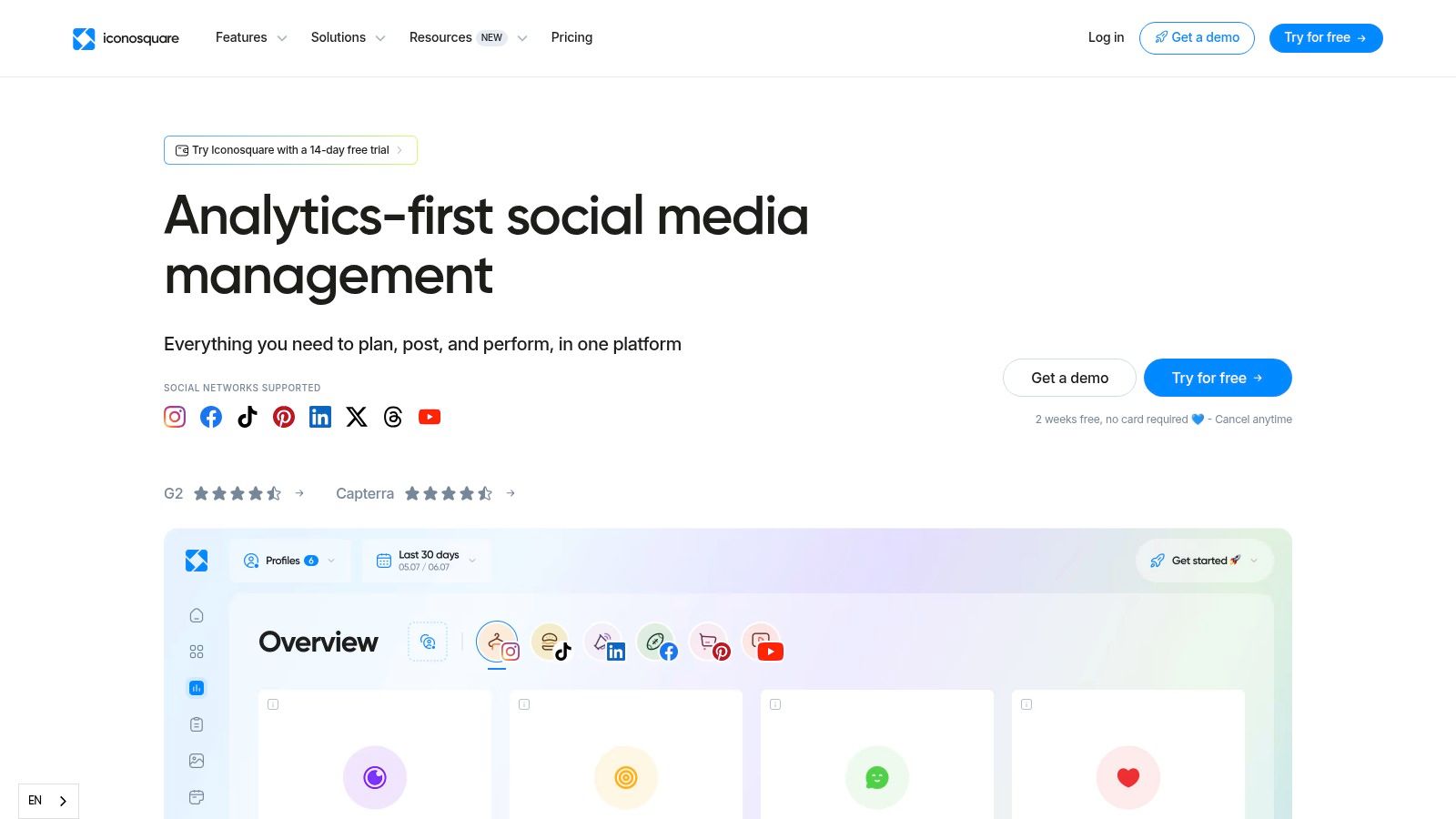
If Instagram Insights is the free espresso shot, Iconosquare is the meticulously crafted, multi-layered macchiato for the data connoisseur. This platform is a veteran in the social media analytics space, known for its powerful, reporting-first approach. It transforms your raw Instagram data into clean, digestible, and highly customizable dashboards that are perfect for agencies and data-driven brands.
Iconosquare moves beyond basic metrics, offering deep dives into over 100 different data points, competitor benchmarking, and industry-specific tracking. It’s one of the best instagram analytics tools for teams that need to create professional, automated reports for clients or stakeholders. The platform’s strength lies in its ability to not just show you the what, but to help you understand the why behind your performance with clear visualizations and flexible reporting.
Key Features & Use Case
An agency social media manager could use Iconosquare to schedule and automatically send a beautiful, white-labeled PDF report to a client every month. This report would not only detail their own account’s growth and engagement but also benchmark their performance against three key competitors, highlighting areas of opportunity. The platform’s granular analytics make it easy to pinpoint top-performing content and prove ROI without spending hours in spreadsheets.
Pro Tip: Use the "Best Time to Post" feature, but cross-reference it with your content pillars. Just because 8 PM is a high-traffic time doesn’t mean it’s the right moment for a B2B-focused carousel. Align the data with your content strategy for maximum impact. To find the perfect content for those high-traffic times, use Trendy to generate AI-powered ideas. Download it on iOS or Android.
Best For: Agencies, established brands, and social media managers who require in-depth reporting, competitor analysis, and multi-profile management.
Pricing: Plans start around $49/month (billed annually) for the single-profile Pro plan. Pricing is shown in EUR but converts to USD at checkout. A 14-day free trial is available.
Pros: Exceptional reporting depth and customization, strong competitor benchmarking, and a clean, user-friendly interface.
Cons: The per-profile pricing model can become expensive for agencies or businesses managing numerous accounts, and the base plans may lack some advanced features.
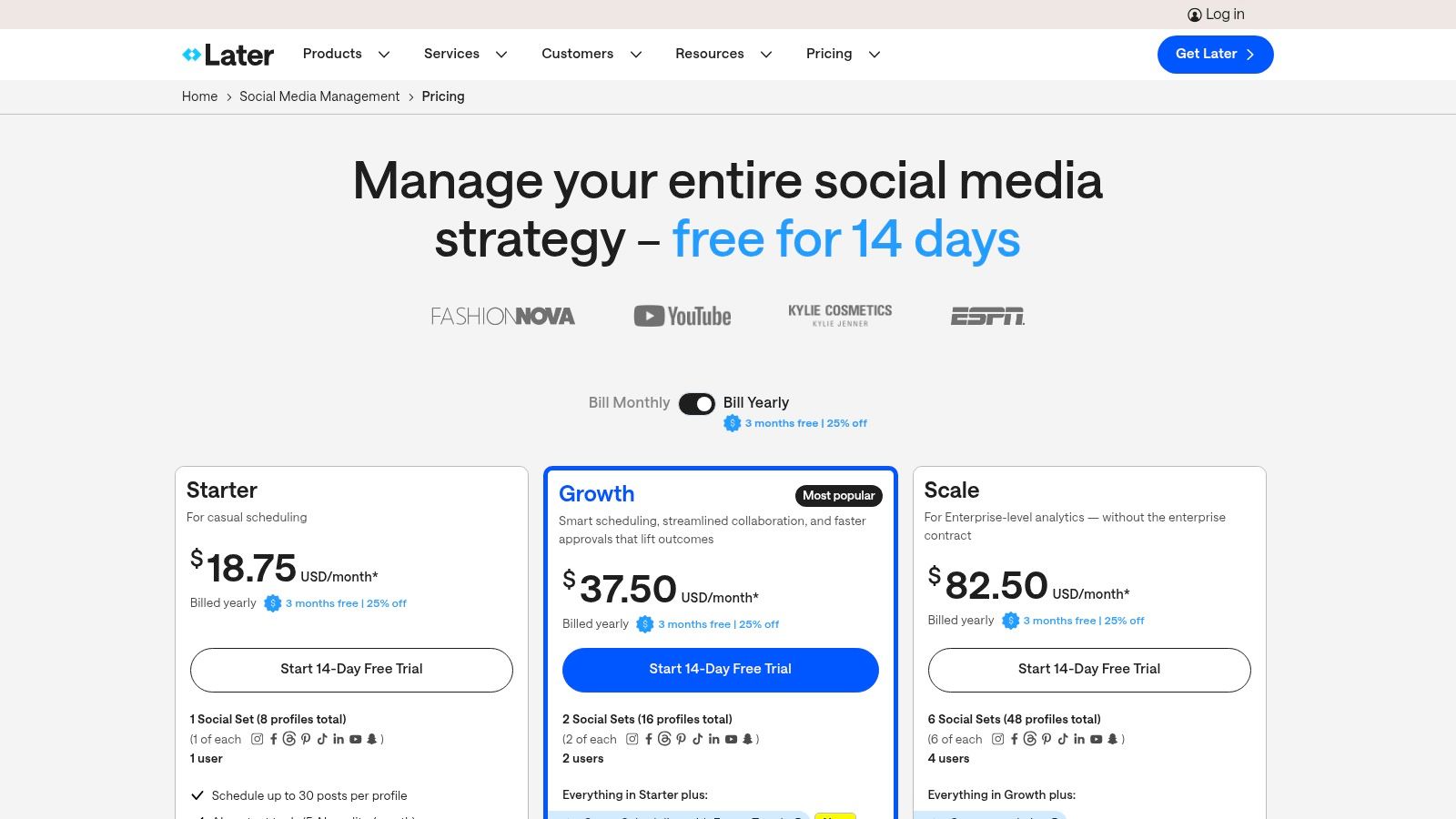
6. Later
If you’re looking for a platform that handles your entire content workflow from scheduling to analysis, Later is a household name for a reason. It began as a visual planner and scheduler but has matured into a robust social media management suite where analytics play a strong supporting role. Think of it as the ultra-organized, aesthetically pleasing command center for creators and small brands who need to plan, publish, and then measure the results all in one place.
While its core strength is scheduling, Later provides solid analytics that are deeply integrated into your content calendar. This allows you to see performance data right next to your scheduled posts, creating a seamless feedback loop. It's one of the best instagram analytics tools for users who prioritize an all-in-one workflow and want to connect the dots between their content plan and its real-world impact without juggling multiple subscriptions.
Key Features & Use Case
Later’s analytics dashboard provides a clean overview of your profile’s performance, with key metrics for posts, Stories, and Reels. A small business owner could use it to identify the best times to post based on historical engagement data, then immediately schedule their upcoming campaign content for those optimal slots. Higher-tier plans unlock competitive benchmarking, allowing them to track how their growth and engagement rates stack up against similar accounts in their niche.
Pro Tip: Use Later's "Link in Bio" feature and track the clicks it generates within the analytics dashboard. This directly connects your Instagram content strategy to traffic and conversions on your website, giving you a clearer picture of your ROI. To ensure your content is powerful enough to drive those clicks, get fresh, data-backed ideas from the Trendy app (iOS/Android). This is a crucial step if you want to learn more about social media engagement and its business impact.
Best For: Solo creators, small businesses, and brands who value a powerful scheduler with integrated, easy-to-understand analytics.
Pricing: Starts with a free plan. Paid plans are Starter (25/mo), Growth (45/mo), and Advanced ($80/mo).
Pros: Excellent content scheduling and visual planning tools, affordable tiers with clear feature sets, and a user-friendly interface.
Cons: The most powerful analytics, like competitor benchmarking, are locked behind the more expensive plans. Data lookback periods are also tied to your subscription level.
7. Buffer
Buffer is like the friendly, approachable barista at your local coffee shop. It's known primarily as a scheduler, but its paid plans come with a surprisingly solid analytics toolkit that’s perfect for creators and small teams who don't want to get lost in a sea of overwhelming data. It’s less of an enterprise-level data science lab and more of a clean, simple dashboard that gives you the essentials without the headache.
Where Buffer shines is in its integration of scheduling and reporting. You can plan your content calendar and immediately see how it performs, all within one intuitive interface. This makes it one of the best instagram analytics tools for solo creators or small businesses who need an all-in-one solution to streamline their workflow. It answers key questions like "What was my best post last month?" and "When should I post this week?" without requiring a degree in data analysis.
Key Features & Use Case
A small business owner could use Buffer to schedule a week's worth of Instagram posts and then use the analytics dashboard to see which content formats (e.g., Carousels vs. single images) drove the most engagement. They can also pinpoint the optimal time to post based on historical data, ensuring their promotions reach the maximum number of eyes. The platform provides a clear overview of post performance, audience demographics, and hashtag engagement.
Pro Tip: Use Buffer’s “Answers” feature to get quick, actionable insights. It automatically surfaces your best day and time to post, top-performing content formats, and posting frequency recommendations, taking the guesswork out of your strategy. Supercharge those insights with creative ideas from Trendy, available on iOS and Android. Combining these insights with a solid content plan can supercharge your efforts to learn how to grow your Instagram followers effectively.
Best For: Solo creators, small businesses, and social media managers who prioritize an all-in-one scheduling and analytics platform.
Pricing: Analytics are included in paid plans, starting with the Essentials plan at $6/month per channel. A limited free plan is also available.
Pros: Clean, user-friendly interface, combines scheduling and analytics seamlessly, and has a low entry price point.
Cons: Analytics are less comprehensive than specialized tools, and more advanced reporting features are locked behind higher-tier plans.
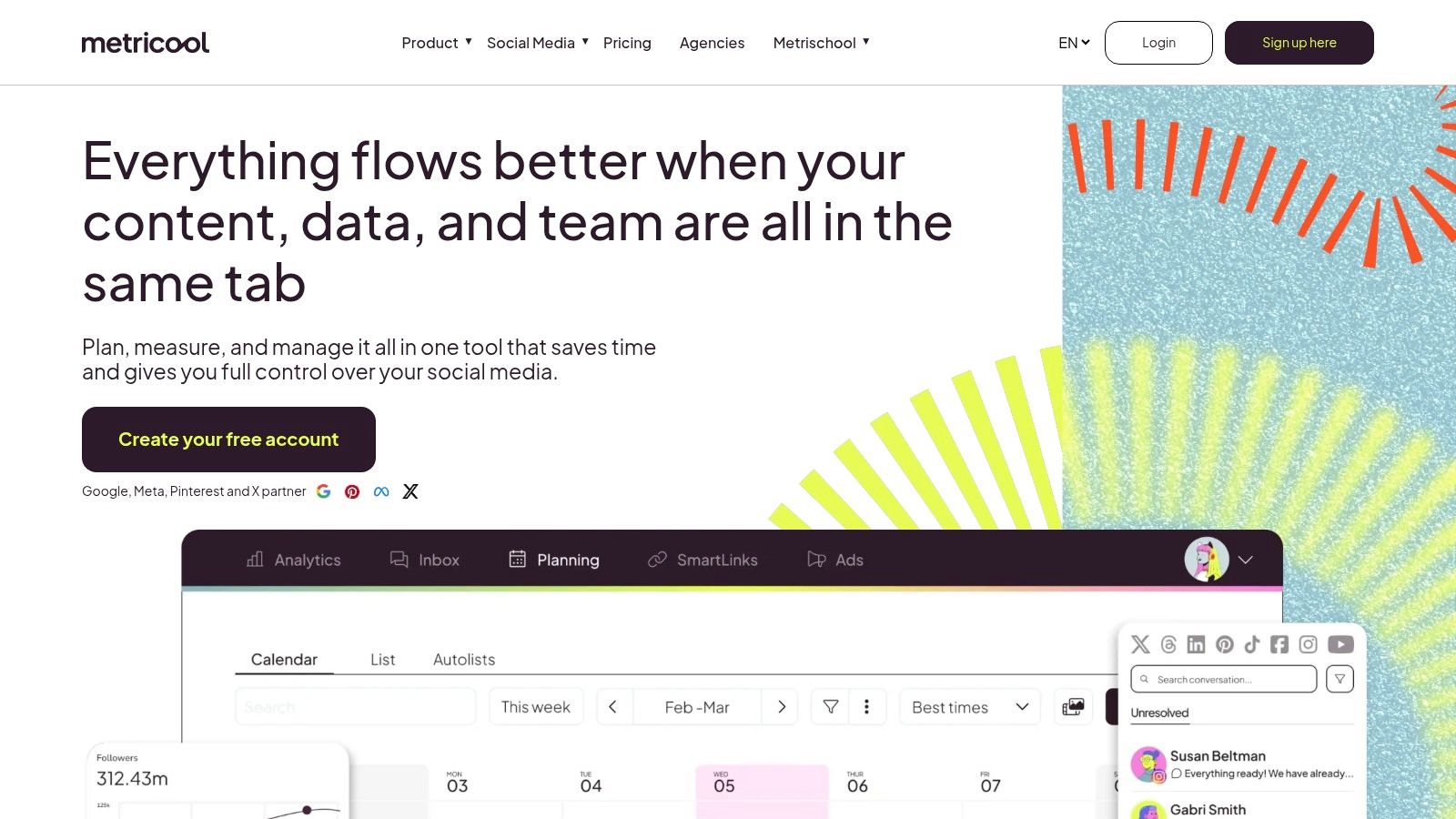
8. Metricool
Metricool is the Swiss Army knife for social media managers who need powerful analytics and scheduling without a soul-crushing price tag. It packages robust Instagram analytics, competitor tracking, and white-label reporting into an all-in-one platform that feels both accessible and deeply functional. It’s built for those juggling multiple clients or brands and need a centralized command center.
Where many tools put strict limits on historical data, Metricool stands out by offering unlimited analytics history even on its entry-level paid plans. This makes it one of the best instagram analytics tools for long-term performance reviews and identifying seasonal trends. For agencies and freelancers, its blend of comprehensive data, scheduling, and client management features at a competitive price point is hard to beat.
Key Features & Use Case
An agency could use Metricool to generate a professional, white-labeled PDF report for a client, showcasing follower growth, demographic shifts, and content performance over the last year, all in just a few clicks. Its competitor analysis feature lets you benchmark your client’s performance against rivals, tracking their follower growth, post frequency, and engagement rates to find strategic opportunities. Advanced plans even include a Looker Studio connector for creating custom, live dashboards.
Pro Tip: Use the "Best Time to Post" feature, but cross-reference it with your content pillars. Just because 8 PM is a peak time doesn't mean it's the right time for your educational carousel. Align peak activity with the content type that performs best during those hours for maximum impact. For AI-powered content ideas tailored to these peak times, check out the Trendy app on iOS and Android.
Best For: Freelance social media managers, agencies, and small businesses needing an affordable, all-in-one solution with strong reporting and competitor analysis.
Pricing: Offers a free plan for one brand. Paid plans start at $18/month (Starter) and scale up for more brands and advanced features.
Pros: Generous historical data access, excellent reporting and competitor analysis tools, and a capable free plan for testing.
Cons: Some features and add-ons are billed separately, and the interface can feel a bit cluttered with all its capabilities.
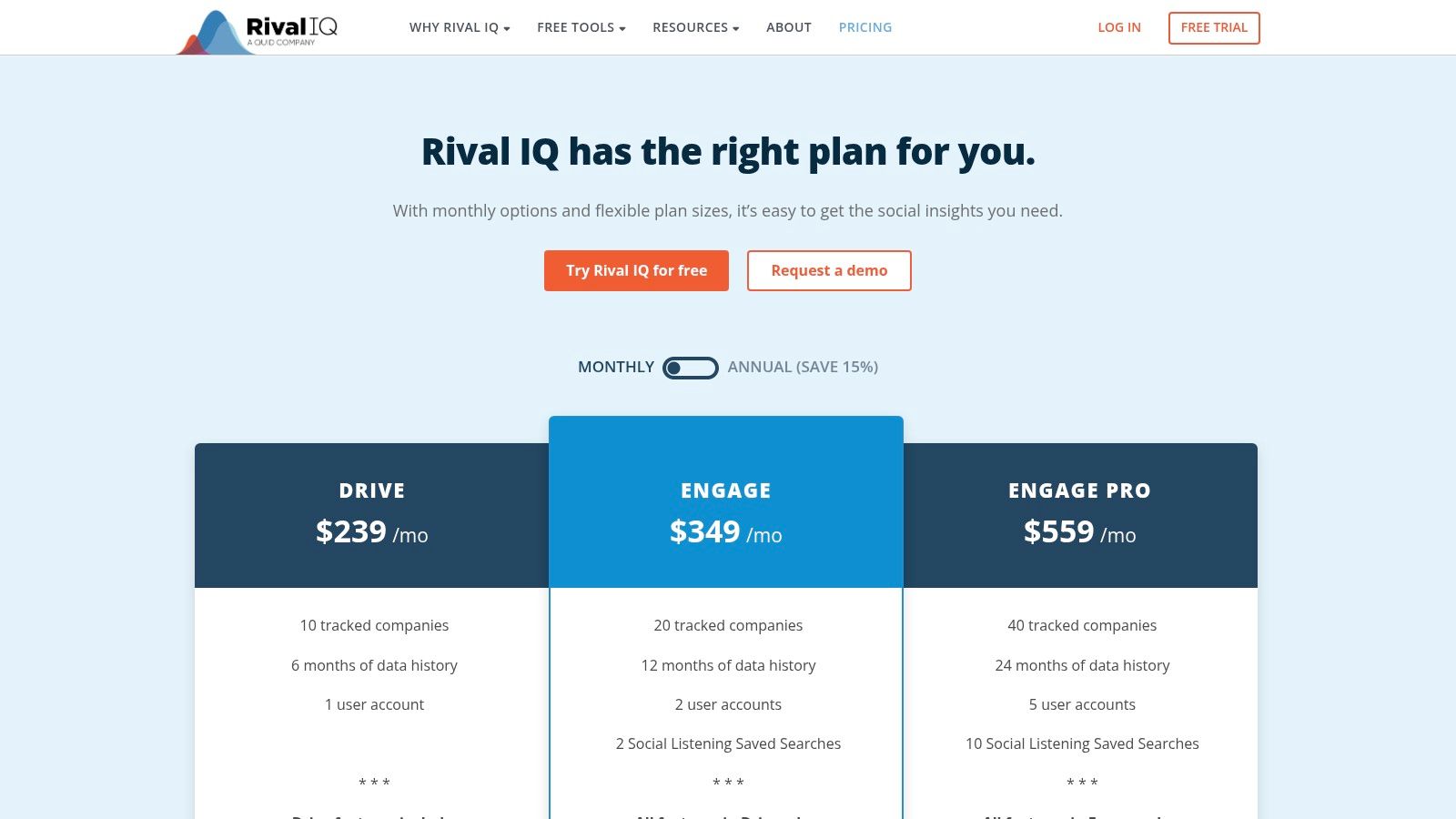
9. Rival IQ
If your motto is "keep your friends close and your competitors closer," then Rival IQ is the analytics tool you’ve been waiting for. It shifts the spotlight from just your own performance to how you stack up against the competition. Instead of just looking at your own numbers in a vacuum, Rival IQ provides the context, turning raw data into competitive intelligence and showing you exactly where you lead and lag within your industry.
Rival IQ excels at benchmarking, allowing you to create a "landscape" of competitors to track their posting frequency, top-performing content, engagement rates, and follower growth. This makes it one of the best instagram analytics tools for agencies and brands obsessed with market positioning and identifying opportunities their rivals are missing. It’s less about daily creative performance and more about strategic, high-level competitive analysis.
Key Features & Use Case
A marketing agency could use Rival IQ to generate a comprehensive Q1 report for a client, directly comparing their Instagram engagement rate and follower growth against three key industry competitors. The platform can automatically identify the competitors' boosted posts, revealing their ad strategy and helping the agency advise on a more effective content and budget allocation for the next quarter. The shareable dashboards and scheduled exports make client reporting a breeze.
Pro Tip: Use the "Top-Performing Content" feature within your competitive landscape to spot emerging trends. If all your competitors suddenly have a viral Reel using a specific audio or format, you can quickly adapt your strategy instead of discovering the trend weeks later. To stay ahead of the curve, get personalized trend alerts with the Trendy app, available on iOS and Android.
Best For: Marketing agencies, competitive intelligence teams, and established brands focused on industry benchmarking and market share.
Pricing: Plans start at $399/month, with a 14-day free trial available to test the features.
Pros: Unparalleled competitor tracking and benchmarking, automated reporting, and clean, shareable dashboards.
Cons: It's a significant financial investment, making it inaccessible for most individual creators or small businesses, and costs can increase as you add more competitor profiles to track.
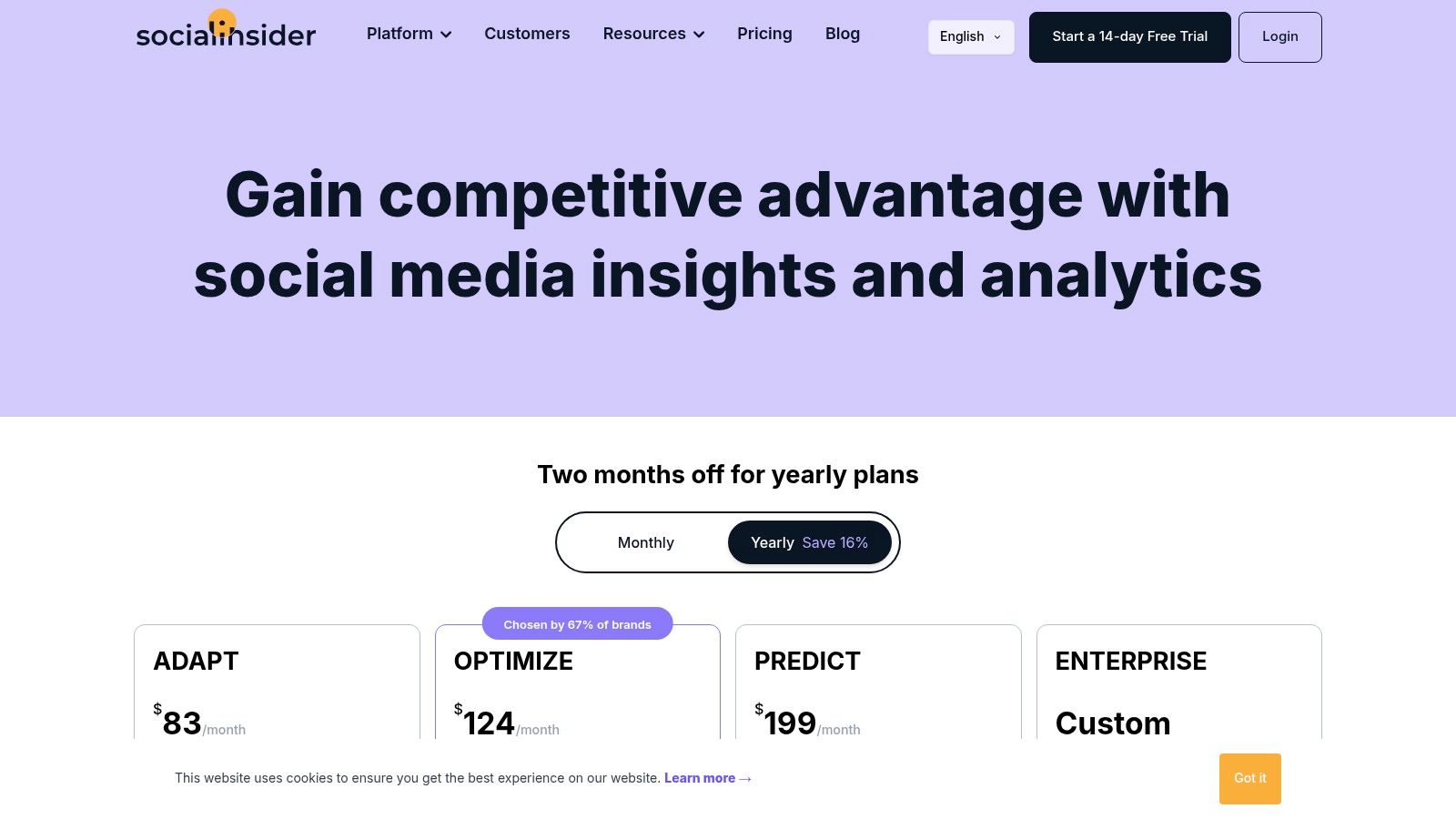
10. Socialinsider
If your competitive spirit keeps you up at night wondering how your rivals are performing, Socialinsider is the digital sleuth you need on your team. It shifts the focus from just your own performance to a broader, industry-wide perspective. This platform excels at cross-channel benchmarking, allowing you to pull back the curtain on your competitors’ Instagram strategies with surgical precision.
Socialinsider is built for those who live and breathe competitive analysis and reporting. It’s less about day-to-day content ideation and more about high-level strategic positioning, making it one of the best instagram analytics tools for agencies and data-driven brands that need to prove their value with beautiful, automated reports.
Key Features & Use Case
An agency could use Socialinsider to generate a monthly white-label report that benchmarks their client’s Instagram engagement rate, follower growth, and post frequency against three key competitors. This data-backed report demonstrates their impact and identifies clear opportunities, like noticing a competitor’s success with Carousel posts and adjusting the client's content mix accordingly. The platform also offers a complete view of cross-network performance for a holistic marketing overview.
Pro Tip: While Socialinsider is great for looking outward, tools like the Trendy app help you look inward to perfect your own strategy first. Use Trendy's AI to get personalized content recommendations so your profile is the one competitors are trying to benchmark against. Download it on iOS or Android to start optimizing.
Best For: Marketing agencies, competitive analysts, and in-house brand strategists who need automated, multi-profile reporting and benchmarking.
Pricing: Starts at $129/month for the Social Media Manager plan. Add-ons like API access can increase the total cost.
Pros: Excellent for competitor analysis and benchmarking, offers automated and white-label reports, and has clear plan tiers.
Cons: Historical data lookbacks are limited on lower-tier plans, and the cost can climb with necessary add-ons.
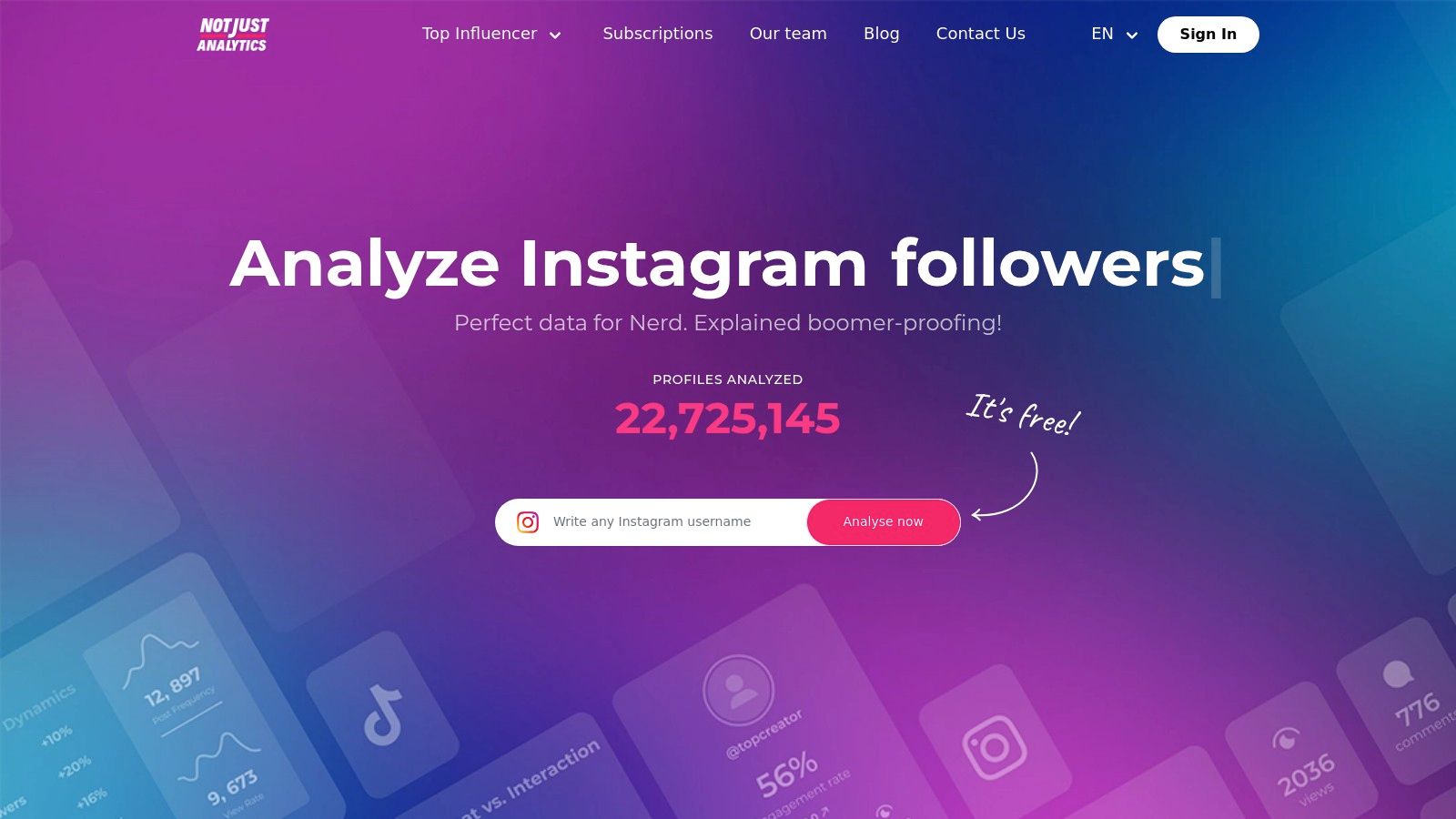
11. Not Just Analytics (formerly Ninjalitics)
If you're a creator looking for a no-fluff, straight-to-the-point analytics tool that won't break the bank, meet Not Just Analytics. This platform, formerly known as the popular Ninjalitics, has carved out a niche for itself by offering clean, creator-centric insights without overwhelming users with enterprise-level features. It’s the perfect pit stop for a quick, comprehensive health check on your account's growth and engagement trends.
Not Just Analytics excels at making data digestible. It's one of the best instagram analytics tools for freelancers or small businesses who need to quickly generate professional-looking reports without a steep learning curve. The platform provides a clear, concise overview of your performance, focusing on the metrics that matter most for individual growth, like follower trends and engagement rates over time.
Key Features & Use Case
A freelance social media manager could use Not Just Analytics to generate branded weekly PDF reports for multiple clients in minutes, showcasing follower growth and post performance with clean visuals. The platform tracks key metrics like engagement rate, follower evolution, and post frequency, making it easy to spot trends and justify your strategy. The multi-profile management on higher tiers is a lifesaver for managing several accounts efficiently.
Pro Tip: While Not Just Analytics is great for reporting, you'll still need a tool for creative inspiration and strategy. Pair its data with an AI-powered platform like Trendy to get personalized content ideas based on your performance trends. You can check out the Trendy iOS app or Android app to see how AI can level up your content game in 2026.
Best For: Creators, influencers, and freelance social media managers on a budget who need straightforward reporting and growth tracking.
Pricing: Starts with a free plan for basic analytics, with paid plans from €9/month for more features like PDF reports and extended data history.
Pros: Very affordable entry point, simple and intuitive dashboard, and great for quick, shareable reports.
Cons: Less comprehensive than all-in-one social suites, and the length of historical data you can access is tied to your subscription plan.
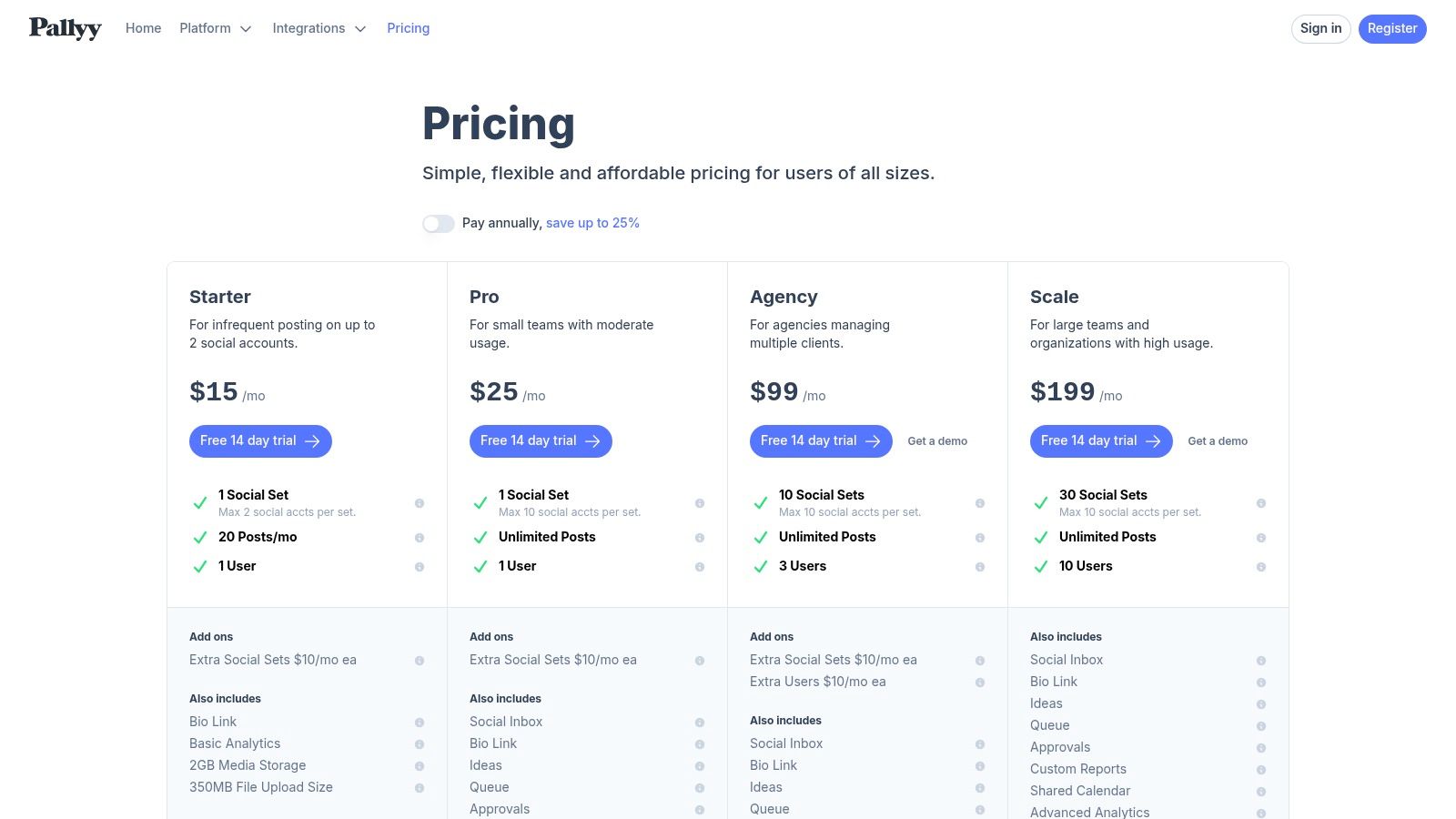
12. Pallyy
If you're looking for a tool that feels less like a corporate behemoth and more like a friendly, efficient assistant, Pallyy is your answer. It started with a laser focus on Instagram and has since gracefully expanded, offering a lightweight yet powerful suite of scheduling, planning, and analytics tools. Pallyy shines with its clean interface and straightforward approach, making it a refreshing alternative to more complex, enterprise-level platforms.
It’s the perfect middle-ground for those who have outgrown native analytics but aren’t ready to commit to a high-priced, feature-heavy service. Pallyy delivers the essentials- scheduling, a beautiful grid planner, and solid analytics- in an affordable and approachable package. This makes it one of the best instagram analytics tools for freelancers, small agencies, and creators who need to manage multiple accounts without breaking the bank or their brains.
Key Features & Use Case
A small social media agency could use Pallyy to manage five different client accounts from a single, shared calendar. They can plan grids, get best-time-to-post suggestions, and then pull clean, client-friendly PDF reports to showcase follower growth and engagement wins. The platform also offers competitor benchmarking and a social inbox to keep communications streamlined.
Pro Tip: Use the grid planner not just for aesthetics but for strategy. Visually map out your content pillars for the month to ensure you have a healthy mix of promotional, educational, and entertaining posts. For endless content ideas to fill that grid, download the Trendy app on iOS or Android. This visual-first approach can be a game-changer for brand consistency.
Best For: Freelance social media managers, small agencies, and creators juggling multiple brands on a budget.
Pricing: Offers a free plan for 1 social set. Paid plans start at $18 per month per social set. Visit pallyy.com/pricing for details.
Pros: Very affordable and simple pricing, user-friendly interface, and great for managing multiple brands or client workflows.
Cons: Analytics depth is lighter than enterprise-focused tools, and costs can add up if you need to add many extra users or social sets on lower-tier plans.
Top 12 Instagram Analytics Tools Comparison
Product
Core features
Quality (★)
Price / Value (💰)
Target (👥)
Unique selling points (✨)
🏆 Trendy
AI content strategist; trend-matching; weekly posting plan; performance explainers
★★★★☆
💰 Beta / invite-only (pricing not public)
👥 Creators, brands, agencies
✨ Personalized AI post ideas; explainable analytics; aesthetic-first templates
Instagram Insights (Meta Professional Dashboard)
In-app post/Reel/Story metrics; audience insights; ad data
★★★☆☆
💰 Free
👥 Creators & small businesses
✨ First‑party canonical metrics; ad insights
Sprout Social
Cross-network analytics; scheduled reports; listening & team workflows
Well, there you have it. We've navigated the digital labyrinth of the best Instagram analytics tools of 2026, from the built-in basics of Instagram Insights to the enterprise-level powerhouses like Sprout Social and the competitive intelligence wizards at Rival IQ. It's like having a full-course meal of data, with appetizers, main courses, and decadent desserts, each designed to satisfy a different analytical craving.
You've seen how tools like Hootsuite and Later can streamline your entire workflow, bundling scheduling with solid analytics. We explored how specialists like Iconosquare and Socialinsider provide deep, granular reporting perfect for agencies and data-obsessed brands. And we didn't forget the scrappy, effective solutions like Metricool and Pallyy that offer incredible value for creators and small businesses on a budget. The landscape is vast, and the options are plentiful.
But here’s the unvarnished truth: collecting data is the easy part. The real magic, the kind that transforms your Instagram from a digital diary into a growth engine, happens when you turn those numbers into action. A high engagement rate is just a vanity metric until you understand why that Reel popped off. A dip in follower count is just a bad day until you analyze which posts failed to resonate. Data without a strategy is just noise.
Making Your Choice: The Final Cut
Choosing the right tool isn't about picking the one with the most features; it's about picking the one that solves your specific problems. Before you pull out your credit card, ask yourself a few critical questions:
What's my primary goal? Are you trying to boost engagement, drive sales, or build a community? Your objective dictates the metrics that matter most. A brand focused on e-commerce needs different data than an influencer building a personal brand.
What's my budget? Be realistic. While comprehensive suites are powerful, a free or low-cost tool used consistently is infinitely better than an expensive one you barely touch.
How much time can I commit? If you're a solo creator, you probably don't have hours to spend generating custom reports. You need a tool that delivers actionable insights quickly and efficiently, without a steep learning curve.
Do I need an analyst or a co-pilot? This is the most important question of all. Do you just want charts and graphs, or do you want a strategic partner that tells you what to do with that information?
The New Standard: From Analytics to Action
For years, the standard for the best Instagram analytics tools was reporting on what you've already done. The future, however, is about guiding what you do next. This is where the paradigm shifts, especially for content creators and brands who need to stay agile and creative. The old model gives you a history book; the new model gives you a treasure map.
This is precisely why a tool like Trendy stands out in this crowded field. It moves beyond retrospective data dumps and steps into the role of an AI-powered strategist. Instead of just showing you that your Reels perform best on Tuesdays, it uses AI to generate personalized Reel ideas tailored for that Tuesday slot, complete with trending audio suggestions. It doesn't just analyze your past content pillars; it helps you build a future-proof content plan, week by week.
For the modern creator, this is a game-changer. It closes the gap between insight and impact, turning abstract data points into a concrete, creative to-do list. It’s the difference between knowing you need to post and knowing exactly what to post to get the best results. As you move forward, don't just look for a tool that tells you where you've been. Find one that lights the way forward.
Ready to stop guessing and start growing with a data-driven strategy tailored just for you? Trendy is more than just one of the best Instagram analytics tools; it’s your personal AI social media strategist. Download the app on iOS or Android to get personalized post ideas and a clear weekly plan that turns insights into incredible content.
The 12 Best Instagram Analytics Tools for Explosive Growth in 2026 | Trendy