
To use Instagram trial reels, create a Reel, turn on the Trial option before sharing if it is available to your account, then review its response before deciding whether to share it with everyone. The useful part is the decision you make afterward: keep the idea, improve the explanation or try a different approach. This guide shows how to prepare that decision with Trendy and turn it into your next piece of content.
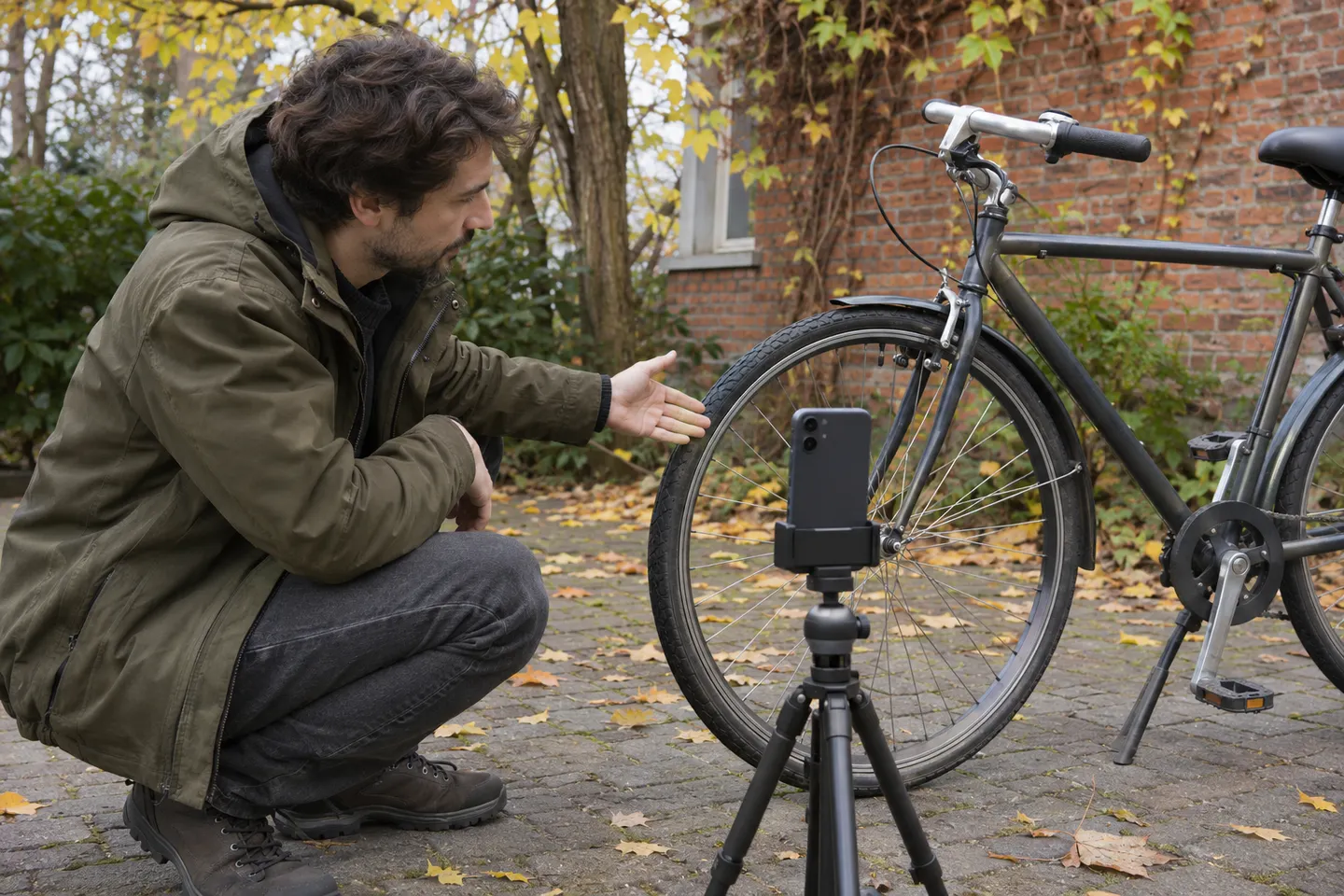
Checked November 5, 2026. Trial Reels is an existing Instagram feature, not a newly announced trend. Examples below are hypothetical editorial exercises; the images are generated illustrations.
What a trial Reel can tell you
Instagram describes trials as a way to show a Reel to non-followers first. Think of the feature as an opportunity to introduce an unfamiliar person to your topic. Does the opening explain whom it helps? Can someone follow the demonstration without knowing your previous posts? Is the next step relevant to the person you want to reach?
The feature is not a private screening room. Followers can encounter a trial through routes such as a direct-message share or a page associated with its audio. Do not use it for confidential announcements, customer information or anything you need to keep secret. These distribution details come from Meta's original Trial Reels announcement.
A trial is also not a controlled A/B test. You do not assign equivalent audiences, and two posts may receive very different opportunities to be seen. A response can suggest your next creative choice; it cannot prove that one sentence caused growth. Keep that distinction visible in your notes.

Start with a question you can actually answer
Suppose you run a bicycle workshop and want first-time riders to understand what information to bring when asking about tyre pressure. This is a content-planning example, not mechanical advice. Any actual pressure recommendation must follow the relevant equipment guidance and the rider's circumstances.
An unhelpful test would be “Can this go viral?” You cannot translate a disappointing answer into a specific edit. A better question is “Will a clear close-up help unfamiliar viewers understand where to look before they ask us?” That question determines the shot, the explanation and the follow-up.
Choose a primary signal before filming. For an explanatory post, you might examine relevant questions and the video-viewing information actually available in your account. For an enquiry post, you might record qualified messages without assuming every message came from the Reel. Keep a separate note for anything you cannot attribute.
| Creative question | One thing to change | What to look for | What it cannot prove |
| Is the topic understandable? | A concrete opening instead of jargon | Questions showing what viewers understood | Universal demand for the service |
| Is the demonstration clear? | A closer view of the relevant detail | Fewer repeated clarification questions | That editing alone caused the difference |
| Does the next step fit? | An invitation to ask a specific question | Relevant replies or enquiries | Sales without a separate transaction record |
| Is the explanation worth developing? | A fresh example of the same lesson | Similar useful responses across more posts | A permanent rule from one result |
You can use the broader guide to social media content experiments to choose a variable. Here, keep the scope narrow enough that you can describe the next action in one sentence.
Prepare a usable draft with Trendy
Trendy's creator app helps shape ideas, scripts, posts, carousels and plans around the context you provide. Start with your audience, your normal voice and the resources you actually have. You do not need to ask for a list of supposedly viral openings.
Try this request: “I run a small bicycle workshop. My audience includes new city riders who are unsure what to ask before a visit. Help me draft a short Reel explaining what details to bring when asking about tyre pressure. I can film myself, one parked bicycle and a close-up. Give me one clear opening, spoken lines and a shot list. Flag technical statements I must verify. Keep the next step low pressure.”
Review the answer as an editor. Remove any invented service, unsupported recommendation or promise of results. Replace general phrases with the words your audience uses. If the draft assumes a customer testimonial, ask for a demonstration using your own bicycle instead. A convincing script needs accurate evidence, not a fictional success story.
Save the approved wording and your question in Notes or your working content plan. Keep the native Instagram publishing settings as a separate checklist. Drafting in Trendy does not establish access to the Trial option, publish a trial automatically or verify its distribution.
A ready-to-film example
The following sequence is an original teaching template. Adapt it to facts you can confirm; it is not a recommendation to inflate a tyre to a particular value. The aim is to explain how a viewer can prepare a useful question for a professional.
| Part | Spoken line | Visual evidence |
| Opening | “Before asking us about tyre pressure, bring these details.” | You beside a stationary bicycle |
| Context | “Show us the tyre and the information printed on it.” | A readable close-up from your own footage |
| Clarification | “Tell us how you use the bike and what you are unsure about.” | You addressing the camera |
| Boundary | “We need the relevant equipment guidance before recommending a setting.” | Your own materials, with no customer information |
| Next step | “What part of this is hardest to find?” | A calm final shot with time to understand the question |
Read it aloud before recording. If you cannot explain a line naturally, simplify it. Capture the detail close-up separately and check that a small phone screen can show what matters. Our phone B-roll guide explains how supporting shots can make an instruction easier to follow.
For a second original post, you might explore the same audience problem through a different genuine question, such as what to photograph before booking a repair. Keep a record of the changed topic. Do not label two different lessons a clean hook comparison, and do not flood the account with nearly identical uploads just to manufacture a test.
How to publish and review a trial
- Prepare an original Reel with accurate wording, readable captions and media you have permission to use.
- Move to the sharing screen and look for the Trial control. Labels and placement can vary; follow the explanation shown in your app.
- If the option is present, read its audience and automatic-sharing settings. Choose deliberately whether you want to review the result yourself before wider sharing.
- Publish and record the time, the creative question and the setting you selected. Check the trial's location from your own profile rather than assuming visitors see the same view.
- Return to the native insights when they become available. Meta's description places the first key metrics at approximately 24 hours; this is not a promised delivery time or a pass/fail deadline.
- Decide whether to share with everyone, revise a future piece or leave the idea alone. Meta describes optional automatic wider sharing based on views during the first 72 hours; check the current control in your account before relying on it.
An automatic setting can save a manual step, but it does not make your editorial judgment for you. A video can attract views while giving the wrong impression of your service. If accuracy, tone or timing needs approval, make that review part of your process before publication.
Instagram's current Trial Reels help also warns that previously shared content can receive limited reach. Create something new rather than treating trials as a duplicate-upload shortcut. The help page says the automatic-sharing preference applies to future trials until changed, so review it again when your publishing needs change.
Watch a real walkthrough
Marketing by Shelby's original Trial Reels tutorial, published February 16, 2025, is an English-language walkthrough and strategy discussion. Use it to understand the publishing sequence, then compare the controls with your current app. An older interface demonstration does not settle present account eligibility.
Notice the separation between creating the content and deciding how to distribute it. Apply that distinction to your own workflow rather than copying the creator's material or expecting the same outcome. This is an independent educational reference; no relationship with Trendy is implied.
Read the result without inventing a benchmark
Start with the question you wrote before publishing. Record the metrics Instagram actually shows and preserve their labels. Views, accounts reached and interactions are different measurements; do not substitute one for another. If an item is unavailable, write “not available” instead of filling the gap with an estimate.
Compare at a similar age after publication and note when distribution was unusually small. A few responses can reveal a confusing phrase, but they offer limited support for a broad claim. Compare with your own relevant trials when you have them, while acknowledging that the audiences and circumstances still differ.
| Observation | Possible reading | Practical next action |
| Viewers ask the same basic question | The explanation may omit context | Add the missing detail in the next script |
| People discuss an unrelated point | The opening may attract the wrong expectation | Make the audience and topic more explicit |
| Viewing information looks encouraging but replies are irrelevant | Attention may not match the business goal | Reconsider the next step and topic fit |
| Very little distribution or feedback | There is not enough information to judge | Keep the result inconclusive and inspect the post/account controls |
| Several posts produce relevant questions | The topic may deserve a deeper answer | Build a useful follow-up and continue observing |
For a simple log, record: date; post link; audience question; one intended change; primary signal; observation time; actual metrics; useful comments; limitations; next action. Keep customer details out of a shared log. A sentence such as “Next time, show the marking before naming it” is more useful than “The algorithm hated this.”
Bring those observations back to Trendy: “These are the native metrics and the questions I received. Separate what the evidence supports from possible explanations. Suggest one improvement that fits my audience.” Supply the values yourself unless you have verified that the relevant information is available in your connected workflow.
Turn the learning into platform-native content
The useful output of a trial may be a better explanation rather than another video. Ask Trendy to preserve the confirmed facts while adapting the format to the reader's task. A Reel and a carousel should not merely carry identical captions.
- Reels and TikTok concepts: develop one clear question into a spoken script and visible demonstration. Check each platform's own publishing controls; Instagram's trial setting does not transfer to TikTok.
- Carousel: explain the preparation steps slide by slide, using your own accurate stills and a concise takeaway on each slide.
- Visual post: pair one helpful detail photograph with a caption that answers the most common follow-up.
- LinkedIn post: explain the professional lesson about making technical advice understandable to newcomers.
- X post: state one useful observation with enough context to stand on its own.
- Threads post: describe the moment of confusion and invite a question you can answer thoughtfully.
Choose the formats you can sustain. You do not have to publish every version. Save the approved follow-up and the reason for it, so the next session begins with a reader need rather than an empty content calendar.
Common questions
Why is the Trial option missing?
Instagram's current help page says a professional account is required, with selected other creators included in ongoing testing. Check the current app and sharing screen; meeting a general account condition does not guarantee that you will see the control. Avoid promises that changing a setting, paying someone or repeatedly reinstalling will unlock it. Meta announced broader access in its June 2025 creativity update, but a broad announcement does not confirm the control is available in your particular account today. The official Trial Reels help page is the appropriate place to check current conditions.
How many views make a trial successful?
There is no single number this guide can honestly give every account. Decide what useful response would inform your next action, record the actual opportunity to be seen and keep weak evidence inconclusive. Reach without relevant attention may not answer your original question.
Can I run the workflow without trials?
Yes. Publish an ordinary original post with the usual audience settings, note that the distribution differs and use the same planning and review discipline. It will not reproduce a trial's audience conditions. The core habit still works: ask a specific question, make something useful, inspect the response and improve the next draft.
Start with one audience question and one accurate demonstration. Prepare the script with Trendy, check the native publishing settings yourself and save a clear next action after reviewing the result.